Trustreviewsx may earn a commission when you buy through links on this page, at no extra cost to you. This does not affect our ratings.
Ready-made board layouts can remove hours of manual setup for distributed groups running workshops, charting processes, planning sprints or sorting strategic ideas. When companies compare visual collaboration platforms, the breadth of available layouts and how easily they can be adjusted often decide how fast a team settles into the shared workspace. At Trust Reviews X, we assess software against a consistent set of criteria so buyers can pick tools that match their daily habits.
Choosing a sound starting point for teamwork saves setup time and sets common standards across departments. Working through the large catalogue of board frameters means knowing what your team must document, how facilitators run sessions, and how custom visual assets are kept organized across projects.
Quick verdict: With an overall score of 7.9 / 10, the miro templates library suits cross-functional teams and workshop facilitators who want ready-to-use diagrams, agile canvases and strategy maps. It is less suitable for solo users who only need plain text outlines, or for organizations that require strict, code-driven documentation.
| Metric | Summary |
|---|---|
| Trustreviewsx score | 7.9 / 10 |
| Best for | Cross-functional project groups, sprint facilitators, and design teams organizing complex visual workflows |
| Not ideal for | Individual operators seeking minimal text note-taking or teams requiring rigid database-driven tracking systems |
| Key strengths | Pre-built frameworks for agile meetings, system architecture diagrams, strategy matrices, and customer journey mapping |
| What to check before buying | Review administrative board permission settings, guest collaboration rules, and custom template sharing governance on the official platform portal |
1. How Trustreviewsx Reviewed the Miro Templates Library
This review examines what Miro is designed to do, who it serves, and how it stacks up against comparable tools, using the seven Trustreviewsx criteria: features, ease of use, pricing and value, integrations, audience fit, support and competitive position. Plans, prices and limits change frequently, so we flag what to verify on the official website before purchasing. This article was researched and drafted with the help of AI tools, then reviewed and edited by the Trustreviewsx Editorial Team.
2. What Is the Miro Workspace and Who Is It Built For?
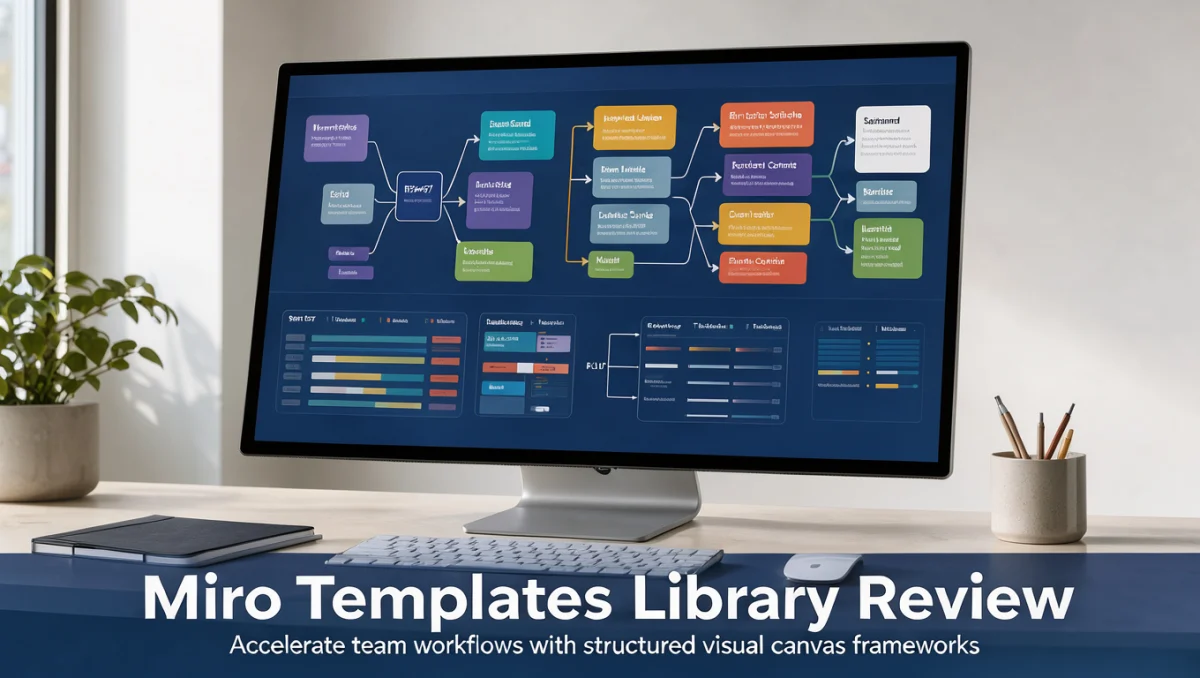
Miro is a visual collaboration platform that gives distributed and co-located teams a large digital canvas for brainstorming, planning and documentation. It takes the place of physical whiteboards with interactive surfaces where participants add sticky notes, connect process nodes, vote on concepts and build detailed product maps.
Inside this environment, pre-designed board structures act as starting blueprints for recurring team rituals. Instead of spending time aligning shapes and creating colour-coded legends, members drop pre-assembled structures straight into active projects. These range from quick team icebreakers to multi-stage strategic planning boards.
The platform mainly serves product managers, software engineers, visual designers, agile coaches, operations leads and corporate educators. By centralizing visual thinking in one shared hub, teams keep a living record of project evolution from early discovery through launch retrospectives.
3. Core Capabilities of the Framework Collection

Looking at the functional depth of the visual library shows structured tools for almost every stage of organizational collaboration and knowledge synthesis.
3.1. Agile Ceremonies and Sprint Management
Agile product teams often rely on visual boards to run team rituals. The collection includes dedicated layouts for sprint planning, daily standups, backlog refinement and retrospective sessions.
These boards arrange sprint backlogs into clear horizontal swimlanes and priority columns. Facilitators use built-in retrospective formats, such as sailboat exercises and four-action grids, to collect feedback from engineering teams. Visual markers, reaction badges and grouping areas help squads spot delivery blockers quickly.
3.2. Technical Diagramming and System Architecture
Software architects and systems analysts need visual standards to illustrate data flows and cloud infrastructure. The canvas supports standard engineering notations, process mapping flows and entity relationship diagrams.
Pre-arranged flowchart structures let teams map user paths, decision trees and network topologies without manual shape balancing. Standard connectors snap automatically to object anchor points, keeping complex system diagrams legible as components shift during architecture reviews.
3.3. Brainstorming and Interactive Workshop Facilitation
Facilitators guiding large remote groups need visual structures that direct attention and organize rapid input. The platform offers structured canvases for design sprints, creative ideation and team discovery sessions.
Participants work with virtual sticky notes, digital voting counters and thematic grouping zones. Facilitators can pre-populate guidance cards across the board so attendees understand each exercise without constant verbal direction.
3.4. Strategic Planning and Product Discovery
Leadership groups and marketing teams use structured matrices to analyse competitive landscapes, define customer personas and prioritize strategic initiatives. Available formats include customer journey maps, empathy grids, value-versus-effort matrices and brand positioning quadrants.
These layouts standardize how business units present discovery research. When marketing and product teams arrange user interviews into shared journey maps, stakeholders grasp qualitative insights far faster than they would from static text summaries.
4. Ease of Use and the Template Learning Curve
Rolling out visual collaboration tools across an organization depends on how intuitively casual contributors can move around large canvases without feeling overwhelmed.
Inserting a pre-built canvas takes only a few clicks inside the board interface. The layout arrives with preset fonts, aligned borders and colour schemes that keep the look clean. New team members can start typing into sticky notes right away, removing initial setup friction.
However, when boards grow to include dozens of linked frameworks, navigation can become difficult for occasional visitors. Locating specific cards across a vast canvas requires learning zoom shortcuts, frame outlines and minimap tracking. Facilitators must actively organize boards with clear visual signposts to keep discussions on track.
In fast-moving digital workplaces, adopting software in the Collaboration & Productivity space succeeds when team leaders set clear conventions for board organization and template archiving.
5. Pros and Cons of Using Pre-Built Board Frameworks

Understanding both the strengths and the operational limits of visual canvas libraries helps buyers weigh convenience against long-term board management.
5.1. Key Advantages
- Rapid workshop deployment: Organizers launch structured brainstorming sessions in moments instead of spending hours building grids and visual instructions by hand.
- Consistent organizational standards: Departments share uniform sprint boards and customer journey layouts, simplifying onboarding across project squads.
- Visual communication clarity: Complex technical workflows and strategic trade-offs become easier to grasp when organized into proven diagram structures.
- Collaborative input capture: Digital sticky notes, voting tools and organized swimlanes encourage quieter participants to contribute alongside more vocal colleagues.
5.2. Practical Limitations
- Board clutter risks: Teams that keep adding large templates to a single canvas can run into visual confusion and slower navigation.
- Governance overhead: Without clear workspace rules, organizations accumulate duplicate boards and outdated custom layouts that crowd project directories.
- Tendency toward template over-reliance: Applying rigid pre-built layouts to novel problems can sometimes restrict creative, open-ended dialogue.
6. Miro vs Similar Visual Collaboration Tools
Choosing the right whiteboard ecosystem means comparing how Miro positions itself against competing platforms and where each one focuses.
6.1. Mural
Mural builds its visual platform around guided workshop facilitation and collaborative consulting exercises. It works well in structured meetings where facilitators keep tight step-by-step control over attendee views and exercise timers.
Teams that spend most of their collaboration time running external client workshops or guided design sprints often gravitate toward Mural. Miro, by comparison, offers a broader multi-purpose environment that balances structured facilitation with technical engineering diagrams and long-term project repositories.
6.2. Lucidspark and Lucidchart
The Lucid suite splits visual thinking into two focused environments: Lucidspark for freeform whiteboarding and Lucidchart for formal technical diagramming. This pairing is strongly oriented toward systems engineering, complex database schema design and compliance process documentation.
Organizations that prioritize strict adherence to formal engineering standards often choose Lucidchart for its deep technical notation capabilities. Miro combines open-ended brainstorming and process diagramming on one continuous canvas, giving mixed cross-functional teams more flexibility.
6.3. FigJam
FigJam serves product designers, user researchers and front-end developers who already work inside the Figma design ecosystem. Its lightweight whiteboard emphasizes playful team rituals, design critiques and direct handoffs into production design files.
For teams outside product design, such as corporate marketing, general operations or human resources, Miro offers a more comprehensive directory of enterprise business matrices, organizational charts and strategic frameworks.
7. Who Should Rely on Structured Canvas Blueprints?
Different roles gain distinct advantages from organized whiteboard templates, while some operating models may find visual canvases unnecessary.
7.1. Product Managers and Agile Coaches
Agile leaders save preparation time by deploying standard sprint tracking boards, feature roadmaps and retrospectives directly into squad workspaces. Visual frameworks keep remote standups organized and establish consistent reporting habits across distributed development groups.
7.2. Marketing Strategists and User Researchers
Brand teams and qualitative researchers benefit from persona maps, campaign timelines and content planning matrices. Grouping interview quotes and customer sentiment cards into visual journey stages makes it easier to spot gaps in the customer experience.
7.3. Cross-Functional Operations Teams
Operations leaders designing cross-departmental approval chains use flowchart and swimlane templates to pinpoint workflow bottlenecks. Mapping handoffs visually clarifies responsibility between sales, legal and fulfilment teams.
7.4. Teams That May Not Need Extensive Visual Frameworks
Solo entrepreneurs who mainly need simple sequential checklists or text outlines may find expansive whiteboards more complex than necessary. Likewise, data engineering teams that require automatically generated architecture diagrams often prefer dedicated documentation tools over manual canvas layouts.
8. How to Choose the Right Plan Setup
Visual collaboration platforms use multi-tier subscription models in which administrative control, board privacy and custom template publishing vary by account level. Buyers should confirm the key governance factors on the official platform portal before finalizing a team subscription.
| What to Check on the Official Site | Why It Matters for Your Organization |
|---|---|
| Custom template sharing permissions | Determines whether team leads can publish standardized company templates across the whole organization or only within small projects. |
| Guest editor access rules | Affects subscription costs when inviting external clients or contractors to take part in whiteboard workshops. |
| Board privacy and project folders | Ensures confidential strategic roadmaps and client projects stay restricted to authorized members rather than open to all workspace users. |
| Advanced facilitation controls | Confirms whether meeting leaders can manage participant attention, private voting and session timers on the chosen tier. |
| Single sign-on and directory sync | Essential for enterprise security groups managing account provisioning and offboarding across large corporate departments. |
To find the best configuration for your group, review the miro templates library administrative settings on the vendor site to check how custom team blueprints are stored and distributed.
9. Frequently Asked Questions
9.1. How do teams decide between starting with a pre-built layout or a blank canvas?
Teams usually pick pre-built layouts for established rituals such as retrospectives, journey mapping or sprint planning, where proven structures save time. A blank canvas suits open-ended brainstorming, freehand sketching or custom mind mapping, where predefined boxes might limit exploratory thinking.
9.2. What should facilitators verify before launching a template-based workshop?
Facilitators should test board navigation, lock background frames to prevent accidental dragging, and place clear instructional text near participant exercise zones. Pre-assigning colour-coded sticky notes or breakout areas lets attendees start collaborating immediately without confusion about board mechanics.
9.3. How do growing companies prevent visual whiteboard clutter?
Organizations keep clutter down by creating dedicated project spaces, setting strict board naming conventions and archiving finished sprint canvases into read-only repositories. Designating workspace administrators who review board directories periodically keeps shared hubs organized and searchable.
9.4. What governance policies should teams set for custom internal templates?
Team leads should define an approval process for turning individual project boards into company-wide templates. Maintaining a curated set of verified internal blueprints prevents outdated or redundant workflows from confusing new employees during onboarding.
9.5. How should buyers evaluate visual collaboration software costs across growing departments?
Buyers should estimate total spend by reviewing user seat structures, external collaborator permissions and administrative security requirements on the vendor pricing page. Factoring in how many members need full editing rights versus view-only access helps organizations budget accurately for company-wide deployment.
10. Final Verdict and Selection Guidance
Evaluating digital canvas ecosystems means balancing immediate usability against long-term governance. Structured board collections add real value by standardizing distributed teamwork, speeding up meeting preparation and making complex concepts legible across departments.
| Evaluation Criterion | Trustreviewsx Score | Evaluation Rationale |
|---|---|---|
| Features | 8.5 / 10 | Broad variety of agile boards, technical flowcharts, strategy matrices and workshop frameworks suitable for diverse departments. |
| Ease of Use | 8.0 / 10 | Intuitive drag-and-drop canvas insertion, though expansive multi-framework boards need deliberate organization to avoid navigation friction. |
| Pricing and Value | 7.5 / 10 | Subscription tiers scale with organizational size; buyers must review user seat policies and external collaborator terms on the official site. |
| Integrations | 7.5 / 10 | Connects with modern enterprise productivity stacks; teams should confirm specific data sync capabilities for their workflow software. |
| Audience Fit | 8.5 / 10 | Serves cross-functional squads, design teams, agile coaches and strategic planners who rely on shared visual collaboration. |
| Support | 7.0 / 10 | Includes extensive documentation and community canvas sharing; buyers should verify response commitments across plan levels. |
| Competitive Position | 8.0 / 10 | Holds a versatile middle ground between dedicated engineering diagramming suites and lightweight design critique boards. |
Overall Trustreviewsx Score: 7.9 / 10
For distributed product teams, agile coaches and cross-functional operations leaders, pre-structured canvas frameworks offer a proven way to align remote colleagues and speed up collaborative projects. Confirm user seat definitions and template administration settings on the official Miro website before rolling the software out across your organization.
Have questions about choosing collaboration software for your department? Send your inquiries to the editorial team through Review Craft X or follow Trustreviewsx for ongoing software evaluations and buying guides.