Trustreviewsx may earn a commission when you buy through links on this page, at no extra cost to you. This does not affect our ratings.
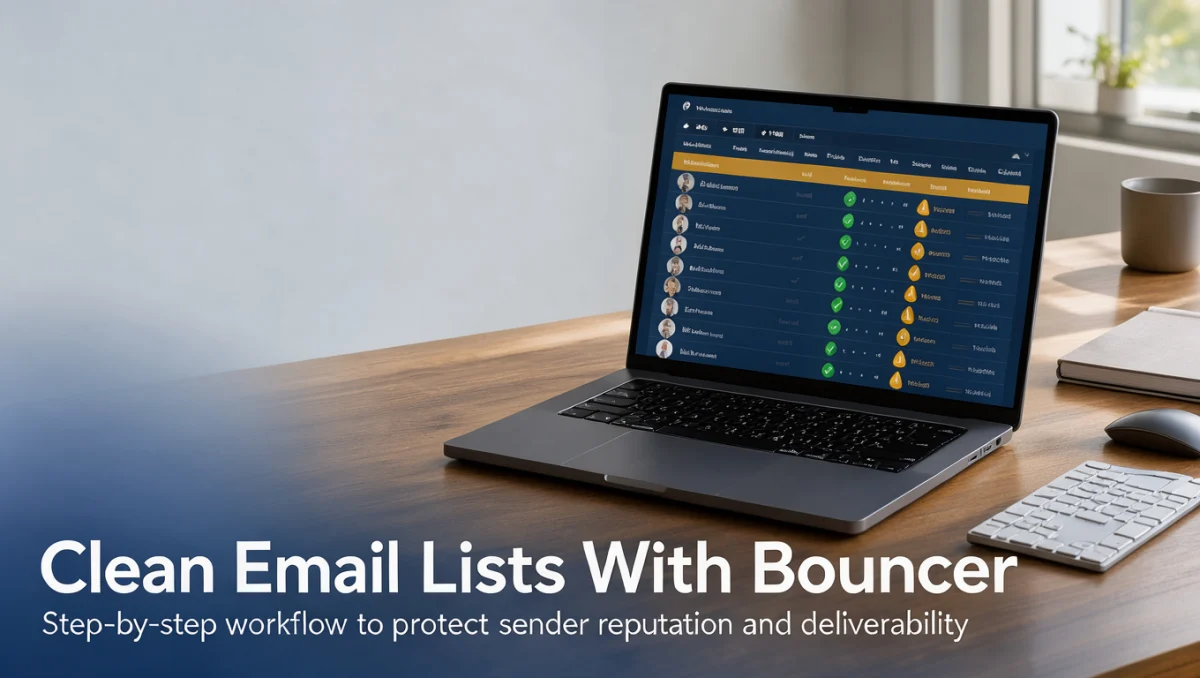
How to clean an email list with Bouncer email verification is an essential workflow for senders who want to protect their domain health and maintain high inbox placement. At Trust Reviews X, we outline how email verification software separates deliverable contacts from risky addresses before you launch critical campaigns.
Maintaining data hygiene prevents high bounce rates from damaging sender reputation with mailbox providers. Following a structured verification routine ensures your marketing messages reach engaged subscribers rather than abandoned mailboxes or spam traps.
Quick answer: Learning how to clean an email list with bouncer email verification involves exporting your contact records, submitting the list for syntax and mailbox checks, reviewing risk categories, and pruning undeliverable contacts from your sending platform before running marketing campaigns.
| Evaluation Dimension | Summary Details |
|---|---|
| Who this guide is for | Marketers, sales representatives, agencies, and campaign managers managing subscriber databases. |
| What you need before starting | An exported subscriber file in standard format, access to your sending tool, and account access on the official Bouncer website. |
| What you will have at the end | A segmented contact list free of undeliverable addresses, syntax errors, and high-risk entries. |
1. How Trustreviewsx Put This Guide Together
This guide combines what the software covered here is built to do with the Trustreviewsx buying framework, so you can make the decision that fits your business. Plans, prices and limits change often, so we point out what to confirm on the official website before you buy. This article was researched and drafted with the help of AI tools, then reviewed and edited by the Trustreviewsx Editorial Team.
2. Before you start

Proper preparation ensures that email verification software processes your data accurately without corrupting existing subscriber metadata. Before uploading your contact records to Bouncer, review your source database to ensure your columns are formatted cleanly.
- Export your contact records into standard spreadsheet formats such as comma-separated values, ensuring that email addresses occupy their own dedicated column.
- Retain key engagement data, such as signup dates and last purchase activity, so you can analyze verification results alongside user history.
- Create an unedited backup of your original subscriber list in a secure storage location before performing any list pruning.
- Confirm current file upload requirements and field guidelines on the official Bouncer website before submitting your contact data.
3. Step-by-step workflow

Executing a reliable list hygiene procedure requires careful coordination between your database, verification tool, and campaign sender. This sequence guides your team through the complete validation cycle.
- Prepare and format your contact database. Clean up obvious structural flaws, remove duplicate rows, and ensure each address entry includes proper domain extensions before submission.
- Upload your contact file to Bouncer for analysis. The system inspects email syntax, checks domain names, validates mail exchanger records, and assesses mailbox existence to determine deliverability.
- Review the categorization status returned for your contacts. Email verification tools typically group records into deliverable, undeliverable, accept-all, and disposable categories to help senders gauge risk levels.
- Export the verified results from Bouncer and cross-reference them with your primary customer database. Filter out undeliverable addresses and known disposable inboxes immediately.
- Update your primary delivery platform by suppressing or permanently removing failed addresses. For businesses running active E-commerce campaigns, excluding invalid accounts preserves domain credibility and reduces delivery overhead.
- Confirm verification status definitions and recommended handling practices on the official Bouncer website to ensure your segmentation logic matches their categorization standards.
4. Your first 30 days
List hygiene is not a one-time repair project but an ongoing maintenance discipline. Establishing consistent operational habits during your first month ensures lasting campaign stability.
| Week | Routine to build | Why it matters |
|---|---|---|
| Week 1 | Audit existing subscriber segments and run initial verification across all active contact lists. | Establishes a clean deliverability baseline and eliminates accumulated inactive accounts. |
| Week 2 | Remove confirmed invalid addresses from your delivery platform and update suppression groups. | Prevents accidental mailings to non-existent addresses during regular marketing cycles. |
| Week 3 | Examine accept-all domains and analyze engagement records for ambiguous contact statuses. | Helps teams make informed suppression choices without discarding valid business leads. |
| Week 4 | Schedule recurring verification checks for incoming subscriber sources and third-party lead imports. | Prevents toxic records and typos from degrading your primary database over time. |
5. Common mistakes and how to avoid them
Many campaign managers encounter deliverability setbacks because they misinterpret verification outputs or skip critical data governance steps. Avoiding these common traps keeps your sender score healthy.
- Treating accept-all domains as guaranteed invalid. Many corporate email servers accept incoming messages initially before internal routing, so verify recipient engagement history rather than purging every catch-all address automatically.
- Neglecting to clean fresh signups. Data entry errors and temporary inboxes frequently appear on public registration forms, making intake verification just as vital as cleaning legacy lists.
- Deleting unverified contacts without retaining opt-in logs. Always archive user consent and engagement history even when removing invalid records from your active mailing schedule.
- Ignoring campaign bounce logs after verification. Even cleaned databases require continuous monitoring, as mailboxes can close between verification intervals.
6. When to ask for help
While email verification software automates most list hygiene checks, certain technical hurdles require human intervention from deliverability consultants or platform support specialists.
- Your domain encounters sudden reputation drops or spam folder placement despite sending exclusively to verified deliverable contacts.
- Your organization manages complex server configurations or custom mail exchange routing that requires specialized interpretation.
- Your team needs technical guidance on how verification statuses align with enterprise data policies, in which case contacting Bouncer support or a technical consultant is advisable.
- Consult the official Bouncer website to review documentation on interpreting specific validation codes and system responses.
7. Frequently asked questions
How often should businesses verify their subscriber lists
Most email marketers schedule list validation quarterly or prior to high-volume campaign periods. B2B lists experience higher rates of decay as professionals change jobs, while consumer databases face issues with abandoned inboxes. Verifying contacts before major announcements ensures that sudden bounces do not disrupt ongoing delivery.
What is the difference between an invalid address and an accept-all address
An invalid address represents a mailbox or domain that does not exist or cannot receive incoming mail. An accept-all domain belongs to a mail server configured to accept mail for any user prefix, making individual mailbox confirmation uncertain. Senders usually evaluate accept-all contacts based on past engagement history rather than automatic deletion.
Can email verification guarantee zero campaign bounces
Verification software identifies known invalid addresses, syntax errors, and unreachable servers, but it cannot prevent bounces caused by full mailboxes, sudden server outages, or strict recipient firewalls. Pair automated list validation with proper authentication protocols and valuable content to minimize overall bounce rates.
What should teams do with contacts marked as risky
Risky classifications often include disposable mailboxes, role-based addresses such as info or sales, and unconfirmed server responses. Review these contacts against past interaction records. If a role-based contact shows regular link clicks, maintaining communication may be reasonable, whereas disposable inboxes should generally be suppressed.
8. Next steps
Completing your initial list verification is an important milestone toward sustained deliverability. Take these steps to solidify your ongoing data hygiene routine.
- Download and archive your categorized results from Bouncer to maintain a clear audit trail of removed records.
- Apply suppression rules across your email service provider so pruned contacts cannot be accidentally re-imported.
- Audit your lead collection forms to prevent syntax mistakes and fake entries at the point of signup.
- Check the official Bouncer website regularly to confirm any updates to status definitions, export parameters, or operational guidelines.
Have a question about choosing software? Send it to the Trustreviewsx team through our contact page or follow Trustreviewsx on LinkedIn for new reviews and comparisons.