Trustreviewsx may earn a commission when you buy through links on this page, at no extra cost to you. This does not affect our ratings.
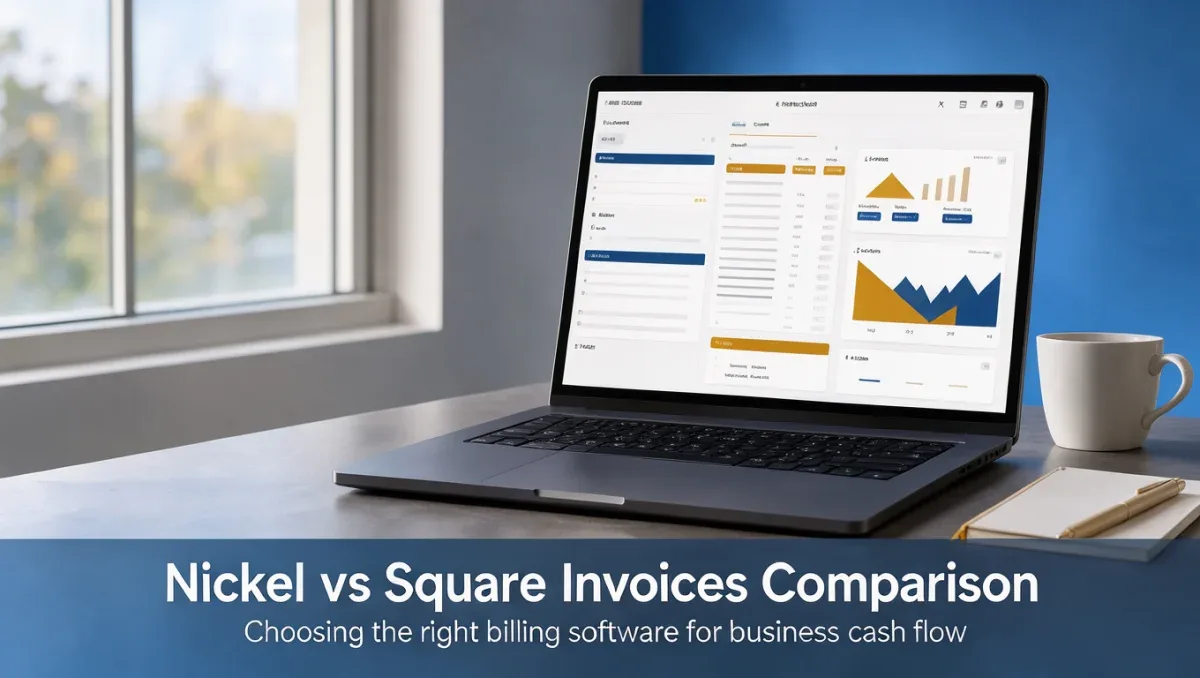
Nickel vs Square Invoices represents a common comparison for small businesses and independent contractors seeking structured billing software in 2026. Choosing between these tools depends on whether your organization focuses primarily on streamlined payment collection or broader merchant transaction workflows, which our team examines at Trust Reviews X to simplify operational software decisions.
Both platforms address client invoicing, receivable management, and payment processing for commercial accounts. Assessing how each software aligns with your routine client interactions ensures your administrative overhead remains low while cash flow remains predictable.
Short answer: Choose Nickel if your priority is straightforward client invoicing tailored for service-based accounts, giving it an overall Trustreviewsx score of 7.7/10. Choose Square Invoices if your business demands a broader commerce infrastructure with point-of-sale capabilities, earning an overall score of 8.3/10.
| Evaluation Metric | Nickel | Square Invoices |
|---|---|---|
| Trustreviewsx score | 7.7/10 | 8.3/10 |
| Best for | Service providers seeking focused client billing | Merchants and service operators needing unified commerce |
| Core focus | Invoicing and accounts receivable workflows | Invoicing paired with multichannel payment processing |
| Consider if | You need clear payment tracking without complex store tools | You manage in-person transactions alongside digital billing |
1. How Trustreviewsx Compared Nickel and Square Invoices
This comparison looks at what Nickel and Square Invoices are built to do, who each one serves, and how to choose between them, using the seven Trustreviewsx criteria: features, ease of use, pricing and value, integrations, audience fit, support and competitive position. Plans, prices and limits change often, so we point out what to confirm on each official website before you buy. This article was researched and drafted with the help of AI tools, then reviewed and edited by the Trustreviewsx Editorial Team.
2. How Nickel and Square Invoices Differ in Focus

Nickel centers its product experience on business-to-business billing, tracking receivables, and coordinating invoice delivery for trade professionals and service businesses. Its software design prioritizes direct accounts receivable functions so operators can bill clients, verify incoming settlements, and monitor overdue accounts without managing retail components.
Square Invoices develops its platform around integrated payment processing, allowing service providers and retail sellers to issue digital bills connected directly to commercial payment ecosystems. Because parent company Block maintains a wide commerce ecosystem, Square Invoices targets operators who may collect payments online, by estimate conversion, or through physical payment hardware across varied business operations.
3. Which One Fits Your Situation
Evaluating this nickel vs square invoices decision requires matching each platform's architectural priorities to your daily transaction patterns. Billing tools perform best when their core operational design mirrors how your customers prefer to pay.
| Situation | Choose Nickel if | Choose Square Invoices if |
|---|---|---|
| Primary revenue comes from project-based client retainers | You prefer a dedicated accounts receivable interface without store configuration | You plan to expand into selling physical goods alongside advisory work |
| Client payments occur both online and at physical job sites | You handle balance settlements strictly through online invoice links | You require options to capture card transactions on-site with physical hardware |
| Your business operates as an independent trade contractor | You prioritize simple line-item invoicing and scheduled reminders | You create recurring milestones linked to customer deposit records |
| Workflow demands estimates before final billing | You require direct estimate generation for service approval | You convert accepted estimates into payable installments automatically |
| Bookkeeping oversight requires basic transaction exporting | You export transaction records to independent Accounting spreadsheets | You synchronize receivables directly with a broader commerce transaction log |
4. How to Compare Them Yourself
4.1 Features
Examine how each system structures invoice creation, line-item customization, and customer communication. Send sample bills to internal testing addresses using both platforms during your evaluation period. Pay attention to how clearly payment terms, tax calculations, and due dates appear on the customer-facing bill, ensuring the format meets your professional standards.
4.2 Ease of Use
Evaluate the administrative effort required to draft an invoice from scratch and save client records. Many invoicing solutions require multiple setup steps before sending your first bill, so measure the time it takes your staff to add contacts, set recurring schedules, and issue payment links on both tools.
4.3 Pricing and Value
Review the fee schedules published on the official Nickel and Square Invoices pricing pages. For digital billing tools, processing fees per card transaction and recurring subscription charges often combine to determine your total expenditure. Confirm what each base plan includes before making a purchase decision.
4.4 Integrations
Determine how transaction data flows from your invoicing tool to your external ledgers and reporting systems. Confirm on the official software documentation pages whether your preferred accounting platform supports direct data synchronizations with Nickel or Square Invoices to avoid manual reconciliations at tax season.
4.5 Audience Fit
Assess whether the software aligns with your specific industry conventions. Service contractors often favor straightforward payment link delivery, whereas multi-service businesses may require milestone-based deposit collection and itemized material inventories on their invoices.
4.6 Support
Review the documentation, help centers, and official contact options published on the software providers' sites. Understanding how each platform delivers administrative guidance helps prevent payment disruptions when client billing questions arise.
4.7 Competitive Position
Consider how each platform positions itself within the broader software landscape. A tool dedicated solely to billing keeps your back-office simple, while a platform connected to a sprawling merchant ecosystem offers pathways for multi-channel sales expansion.
5. Cost Checklist for Both Tools

Subscription and processing costs for billing software adjust over time based on business tier and market trends. Buyers must evaluate specific cost drivers directly through each company's published pricing disclosures.
| Cost Item | Ask About Nickel | Ask About Square Invoices |
|---|---|---|
| Monthly or annual base subscription | Confirm whether base account access carries a recurring platform fee | Check which plan tier supports custom invoice fields and milestone billing |
| Credit card transaction processing | Review per-transaction percentages and fixed fees on payment processing | Confirm the current transaction rates for card-not-present invoice payments |
| ACH and bank transfer fees | Verify fees applied to direct bank transfers and settlement timelines | Check processing charges for bank-funded invoice settlements |
| Multi-user seat costs | Confirm if adding administrative staff increases the monthly subscription fee | Check whether role permissions require an upgraded plan or additional seat costs |
| Add-on functional charges | Review whether automated payment reminders require an upgraded tier | Confirm whether advanced reporting tools require a specific subscription level |
6. How to Decide
- List your core billing channels, noting whether transactions occur strictly online or include physical payments.
- Review the official Nickel pricing page and Square Invoices pricing page to calculate expected processing overhead for your typical monthly transaction volume.
- Draft sample invoices on both platforms during your evaluation window to compare client presentation and ease of line-item entry.
- Consult your accountant or qualified financial advisor to confirm how sales taxes and invoice data should integrate with your primary ledger.
- Select the software that minimizes administrative data entry while meeting your clients' preferred payment methods.
7. Frequently Asked Questions
How complex is migrating client records between invoicing tools
Migrating client lists generally requires exporting customer names, email addresses, and physical addresses to a structured spreadsheet format before importing them into your new software. Because active payment authorizations do not transfer between distinct payment gateways, clients must re-enter their payment details on their initial invoice under the new platform.
Can a company use invoicing software alongside external bookkeeping platforms
Invoicing platforms typically record receivables and incoming payments, which must be reconciled against your broader financial ledger. Many business owners export settlement summaries periodically or connect automated data feeds to maintain complete books, a process your certified public accountant should help structure to avoid double-counting receipts.
How should growing businesses evaluate client payment methods
Client payment preferences vary significantly by trade, with corporate clients often requiring bank transfers and individual consumers favoring credit cards or digital wallets. Reviewing the transaction processing options on the official software websites ensures you choose an invoicing tool that supports the payment channels your customers rely on.
When should an organization choose a broader commerce system over simple invoicing
A business should consider a broader commerce system when operations expand beyond remote invoicing to include point-of-sale hardware, on-site card swipes, or retail product sales. If your business model remains exclusively focused on digital estimates, project milestones, and remote settlements, a dedicated invoicing platform helps prevent operational clutter.
8. Final Verdict
| Criterion | Nickel Score /10 | Square Invoices Score /10 | Reason |
|---|---|---|---|
| Features | 7.2 | 8.4 | Square Invoices supports extensive milestone and estimate capabilities, while Nickel focuses on clean, core billing. |
| Ease of Use | 8.5 | 8.6 | Both platforms offer clear navigation, with Nickel providing a focused setup and Square Invoices offering straightforward bill creation. |
| Pricing and Value | Confirm before buying | Confirm before buying | Verify current software subscription costs and transaction processing percentages on official provider websites. |
| Integrations | Confirm before buying | Confirm before buying | Check official software marketplaces to ensure compatibility with your existing bookkeeping tools. |
| Audience Fit | 7.8 | 8.2 | Nickel fits focused service operations, whereas Square Invoices spans diverse service and merchant environments. |
| Support | Confirm before buying | Confirm before buying | Review available documentation and official communication channels on each vendor website. |
| Competitive Position | 7.3 | 8.0 | Square Invoices benefits from Block ecosystem breadth, while Nickel provides an unbundled invoicing choice. |
| Overall score | 7.7/10 | 8.3/10 | Overall scores reflect the average of all rated criteria evaluated across our framework. |
Businesses operating strictly as service contractors who value uncluttered accounts receivable tracking will find Nickel an effective billing tool. Organizations that balance client invoicing with in-person card payments or plan to utilize integrated point-of-sale hardware will achieve greater administrative alignment with Square Invoices. Check both official platforms before selecting your software.
Have a question about choosing software? Send it to the Trustreviewsx team through our contact page or follow Trustreviewsx on LinkedIn for new reviews and comparisons.