Trustreviewsx may earn a commission when you buy through links on this page, at no extra cost to you. This does not affect our ratings.
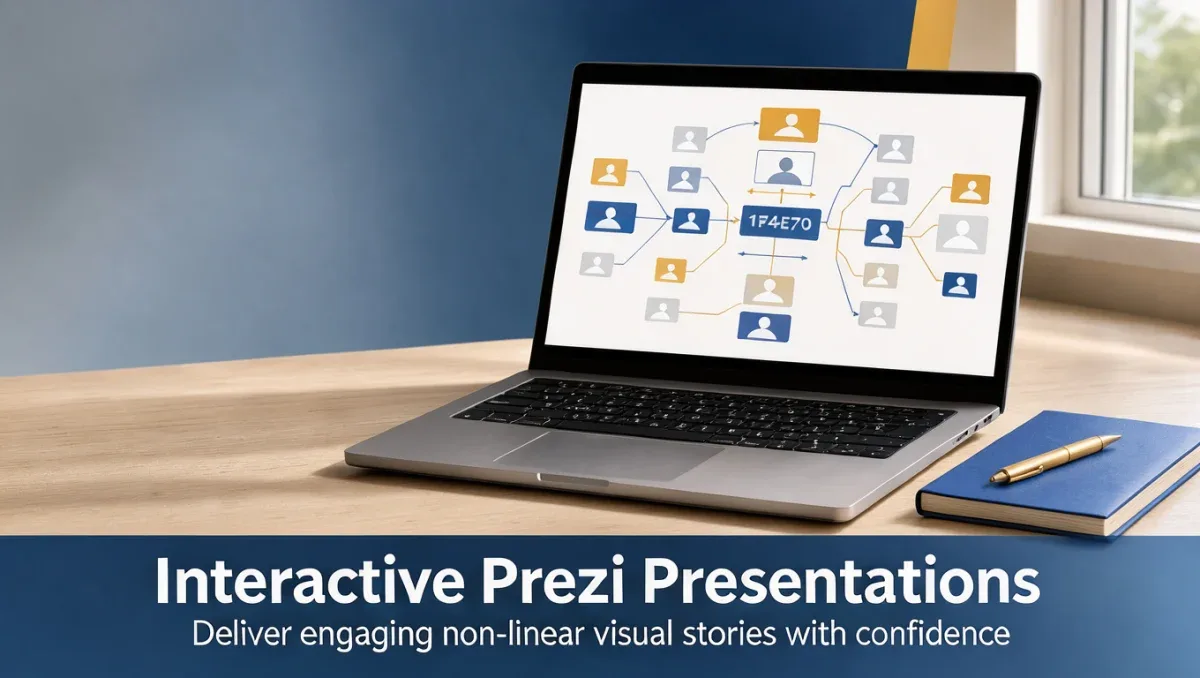
How to make an interactive presentation with Prezi begins with abandoning rigid linear slide decks in favor of an organized spatial canvas. At Trustreviewsx, we evaluate digital workplace tools to help teams communicate concepts clearly without wasting hours on clunky design workflows.
Interactive visual storytelling allows speakers to adapt to audience questions on the fly by zooming into details or pulling back to the big picture. When built properly, an interactive deck transforms a one-way monologue into a productive conversation that keeps clients, students, or team members engaged.
Quick answer: To create an interactive deck with Prezi, outline your core message into three main thematic clusters, organize content on a visual canvas from macro concepts to supporting details, establish logical zoom paths between subtopics, and practice non-linear navigation to respond dynamically to audience questions.
| Element | Details |
|---|---|
| Who this guide is for | Professionals, educators, and presenters wanting dynamic, audience-driven visual storytelling |
| What you need before starting | A structured content outline, high-resolution media assets, and defined audience goals |
| What you will have at the end | A functional conversational presentation that navigates freely across topics |
1. How Trustreviewsx Put This Guide Together
This guide combines what the software covered here is built to do with the Trustreviewsx buying framework, so you can make the decision that fits your business. Plans, prices and limits change often, so we point out what to confirm on the official website before you buy. This article was researched and drafted with the help of AI tools, then reviewed and edited by the Trustreviewsx Editorial Team.
2. Before you start
Constructing a non-linear narrative requires clear advance preparation so your visual canvas remains structured rather than chaotic. Modern presentation software gives you vast creative freedom, but preparation ensures your audience follows along comfortably.
- Define your core narrative anchor: Write down your primary takeaway in a single sentence before structuring any visual topics on screen.
- Cluster supporting arguments: Group your points into distinct visual buckets rather than a sequential list of sequential slides.
- Gather media assets in advance: Collect high-resolution vector graphics, diagrams, and video files in an organized folder to maintain brand consistency.
- Identify key audience checkpoints: Plan natural pause moments where audience feedback will determine which subtopic you examine next.
3. Step-by-step workflow for creating an interactive Prezi presentation

Executing a presentation with Prezi involves focusing on the cognitive map of your topic rather than clicking through repetitive slide transitions. Following this systematic workflow ensures you understand how to make an interactive presentation with prezi without confusing your audience with excessive motion.
- Sketch your topic framework: Map your presentation like a physical whiteboard or geographical territory. Establish your central subject in the middle and place primary themes around it, confirming layout conventions on the official Prezi help center.
- Structure high-level topics and nested subtopics: Organize your information into hierarchical layers so viewers grasp broad themes before diving into detailed metrics. This multi-layered structure prevents information overload on the main canvas.
- Incorporate contextual visual assets: Embed relevant diagrams and charts directly within each subtopic cluster, ensuring imagery reinforces the specific point being discussed. Visual hierarchy prevents the overall canvas from appearing cluttered.
- Configure deliberate zoom and overview paths: Connect your subtopics with meaningful visual transitions that reveal context when zooming in and provide orientation when zooming back out. Always test transitions to ensure motion feels natural.
- Rehearse conversational navigation: Practice delivering your material by jumping between topics based on imaginary audience questions. Checking navigation options on the official software documentation ensures you can present smoothly from any device.
4. Your first 30 days of mastering interactive presentations

Shifting from traditional linear slides to dynamic visual storytelling takes practice. Use this structured four-week routine developed by Trust Reviews X to refine your presentation habits systematically.
| Week | Routine to build | Why it matters |
|---|---|---|
| Week 1 | Storyboard on paper using mind-mapping techniques | Prevents you from copying slide-by-slide linear thinking onto an open canvas |
| Week 2 | Build basic hierarchical topic structures with minimal text | Forces you to communicate through visual structure rather than bulleted lists |
| Week 3 | Rehearse non-linear navigation paths without using fixed cues | Builds confidence to let the audience steer the direction of your talk |
| Week 4 | Conduct a live dry run with colleagues to collect feedback | Identifies whether your motion transitions cause disorientation or clarify context |
5. Common mistakes and how to avoid them
Working on an open visual canvas introduces unique presentation challenges that do not exist with conventional slide formats. Recognizing common pitfalls will help keep your interactive sessions polished and professional.
- Overusing rapid zoom transitions: Moving quickly across distant coordinates on your canvas can disorient viewers, so keep related topics grouped close together.
- Crowding the macro canvas with micro text: Placing tiny paragraphs on the high-level overview creates visual noise, so save granular data for nested subtopics.
- Losing narrative direction during live delivery: Allowing listeners to choose topics can derail your schedule, so always establish a clear timeframe for each thematic section.
- Ignoring accessibility standards: Ensure sufficient color contrast and readable typography across both overview frames and nested detail views.
6. When to ask for help
While modern presentation software is designed for independent creators, certain scenarios warrant extra expertise or external resources. Keep these considerations in mind as your communication demands grow.
- Complex data visualization requirements: If your presentation demands custom animated charts or technical data sets, consult a graphic specialist to design dedicated infographic assets.
- Enterprise branding compliance: When corporate brand guidelines mandate strict layout uniformity, check official Prezi workspace resources for team templates and administrative styling options.
- Automated visual generation needs: When exploring emerging tools in Artificial Intelligence for content drafting, compare automated slide platforms to ensure they fit your interactive presentation goals.
- High-stakes keynote staging: For large auditoriums or major investor pitches, work with an audiovisual technician to calibrate display aspect ratios and presentation display resolutions.
7. Frequently asked questions
How much time does it take to learn Prezi for interactive meetings?
Most presenters can build their first functional non-linear canvas within a few hours of planning their narrative structure. The main learning investment involves adapting your mindset from sequential slide transitions to mind-map arrangements rather than mastering technical software operations.
What should you do if an audience member gets disoriented by canvas movement?
Return immediately to the central overview frame to re-establish spatial context for your listeners. Staying on the broad overview gives everyone a visual anchor while you summarize the previous point before smoothly navigating into the next relevant topic.
Do interactive presentations require advanced graphic design skills?
Effective visual communication relies more on logical information architecture than complex graphic design abilities. Keeping typography minimal, using ample whitespace, and clustering related ideas into clean visual groups creates an engaging experience without requiring specialized creative training.
How can you practice non-linear presenting before a live meeting?
Rehearse by presenting your material out of sequential order using random topic prompts from a peer. Practicing jumps between different subtopics ensures you know your canvas layout thoroughly and can respond smoothly to spontaneous participant inquiries.
8. Next steps
Mastering conversational storytelling with Prezi creates memorable interactions that leave lasting impressions on stakeholders. Put this guide into practice by taking these initial steps:
- Draft an outline of your next project as a three-part conceptual diagram rather than sequential bullet points.
- Verify current account features and administrative permissions on the official Prezi website before beginning design work.
- Assemble your visual media assets into dedicated topic folders to streamline canvas assembly.
- Deliver a mock presentation to a peer, allowing them to choose the order of topics to evaluate your conversational agility.
Have a question about choosing software? Send it to the Trustreviewsx team through our contact page or follow Trustreviewsx on LinkedIn for new reviews and comparisons.