Some links on this page may earn Review Craft X a commission when you purchase through them, with no added cost to you. Our ratings are unaffected.
Momence online booking is a scheduling and administration platform built with boutique studios, wellness centers, and appointment-based businesses in mind. It helps teams manage instructor calendars, sign up attendees, and send routine client messages from one central dashboard. In this guide, we assess whether the platform fits a particular operational setup, and where it may not.
Choosing booking software comes down to weighing how easy registration is for customers against what staff need behind the scenes. A good system lowers the admin burden at the front desk while letting clients view availability, book a spot, and manage repeat visits without friction.
Quick verdict: Momence scores 7.9/10 on the Review Craft X scale. It suits boutique fitness, yoga, and wellness studios that want class registration and member communication in one place. It is less suitable for solo practitioners who only need simple calendar slots. Read the official contract terms and add-on pricing before buying.
| Metric | Momence Online Booking Overview |
|---|---|
| Review Craft X score | 7.9/10 |
| Best for | Growing fitness and wellness studios that run recurring class timetables, workshops, and member rosters |
| Not ideal for | Solo professionals who only book one-to-one slots and have no need for class rosters or event tiers |
| Key strengths | Combined class scheduling, self-service client registration, and automated customer messaging |
| What to check before buying | Verify transaction fees, payment processing rules, and staff seat limits on the official vendor site |
1. How Review Craft X Evaluated Momence
This review covers what Momence is designed to do, the audience it targets, and how it stacks up against comparable tools. We rated it across seven criteria: features, ease of use, pricing and value, integrations, audience fit, support, and competitive position. Plans and prices change frequently, so we flag the details you should confirm directly with the vendor. This article was drafted with AI assistance and then reviewed and edited by the Review Craft X editorial team.
2. What Momence Is and Who It Serves
Momence is a studio management and appointment scheduling platform that handles class timetables, event hosting, and member records. It targets the everyday coordination needs of yoga studios, Pilates centers, dance academies, and wellness practices. Instead of juggling disconnected calendars and paper rosters, operators consolidate client bookings into one administrative workspace.
The platform is aimed at studio owners, managers, and organizations with several instructors who need flexible class management alongside private appointment booking. Tools in this category must make booking easy for attendees while still giving instructors, payroll staff, and administrators precise control over roster capacity. Momence is built for teams that need unified coordination across recurring group sessions and individual client work.
3. Core Features of Momence Online Booking

Studio booking software has to keep several operational areas in sync. Momence groups these responsibilities into four main functional areas.
3.1. Schedule and Appointment Management
The platform includes timetable builders for recurring group classes, single workshops, multi-day retreats, and private one-on-one sessions. Administrators set room capacities, assign instructors to sessions, and define registration windows that control when clients can book or cancel. Clients browse open sessions through an online portal, choose a preferred instructor, and join a waitlist when a class is full.
3.2. Class Registration and Attendance Tracking
Roster tools let staff check attendees in as they arrive. When a registered attendee cancels within the permitted window, the waitlist updates automatically and offers the open spot to the next person, with no phone calls or manual emails needed. Operators can configure policies for late cancellations and no-shows to protect studio capacity.
3.3. Client Records and Communication Tools
The software keeps individual customer profiles that record booking history, attendance patterns, family links, and remaining pass balances. Automated message sequences cover booking confirmations, class reminders, and post-visit surveys. Broadcast tools let admin teams send announcements about schedule changes or holiday hours to selected groups of attendees.
3.4. Administrative Reporting and Dashboard Oversight
Managers use dashboards to track class attendance rates, revenue performance, and instructor fill ratios across chosen reporting periods. These figures reveal which time slots generate the most demand and which instructors retain the most clients. Accounting staff can pull gross session sales and produce clean summaries for external bookkeeping.
4. Ease of Use and Learning Curve
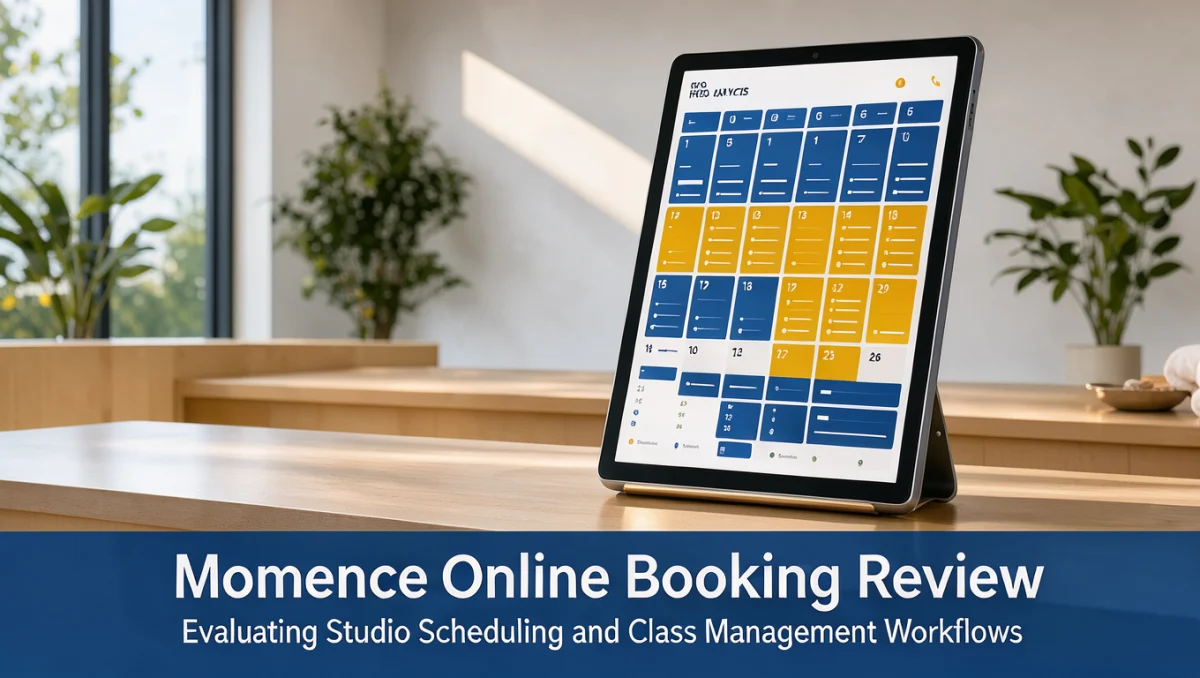
For everyday clients, the booking interface presents a clear calendar where filtering by instructor, class style, or time of day is simple. Customers can manage passes, review upcoming visits, and update payment details with little guidance, which cuts down on front-desk questions.
For studio administrators, the back end offers extensive configuration options. Setting up complex class schedules, tiered membership permissions, and custom cancellation rules takes real time at the start. Teams moving from basic spreadsheet calendars should plan for an adjustment period while staff learn roster updates, refund handling, and automated messaging rules.
5. Pros and Cons
Every administrative platform involves trade-offs, depending on how an organization is structured and how large it is.
5.1. Operational Advantages
- Group classes and private appointments managed together in one administrative hub
- Automated waitlist handling that fills vacated spots according to preset studio rules
- Built-in messaging that reduces manual follow-ups for confirmations and reminders
- Detailed client profiles that help instructors track attendance trends over time
5.2. Operational Considerations
- Initial setup requires careful data entry for complex recurring class schedules
- A broad feature set may feel excessive for individual practitioners with simple schedules
- Hardware, payment gateway, and third-party software connections need deliberate checking during implementation
6. Momence vs Similar Tools
The studio and appointment booking market includes several established alternatives, each suited to different operational preferences.
| Platform | Primary Positioning | Best Suited For | Operational Consideration |
|---|---|---|---|
| Momence | Modern studio management combining scheduling, events, and client messaging | Boutique fitness, yoga, and wellness centers needing combined class and event workflows | Requires careful review of add-on costs and contract structure |
| Mindbody | Enterprise-scale wellness and health management ecosystem | Large wellness facilities and multi-location franchises that want broad marketplace exposure | Complex admin interface with heavier onboarding demands |
| Glofox | Boutique gym and fitness studio management system | Gyms and fitness studios focused on member retention and class attendance | Concentrated on fitness formats rather than a wide range of wellness appointments |
| Acuity Scheduling | General-purpose appointment scheduling platform | Solo practitioners and consultants who mainly book one-on-one time slots | Lacks specialized class roster and studio capacity management tools |
Mindbody is positioned as an enterprise-grade option for multi-location operators who value exposure through a consumer marketplace. Glofox concentrates on boutique fitness gyms that prioritize class registrations and retention. Acuity Scheduling offers lightweight appointment booking for solo consultants but lacks native tools for managing multi-instructor class capacity or studio waitlists. Momence balances multi-class studio needs with modern client communication workflows.
7. Who Should Use Momence?

Matching a tool's capabilities to your organization's needs ensures that the investment produces measurable gains in daily operations.
7.1. Boutique Fitness and Yoga Studios
Boutique studios running daily group classes benefit from automated waitlists, instructor timetable management, and integrated event registration. These businesses need quick check-in so front-desk staff can greet guests rather than handle paperwork.
7.2. Multi-Disciplinary Wellness Practices
Centers that offer both group workshops and private therapy sessions can run each booking type within one system. This removes the confusion of managing separate software for classes and individual consultations.
7.3. Organizations Not Recommended for This Platform
Freelancers, solo beauty technicians, and business consultants who only take occasional one-on-one bookings usually find a full studio platform excessive. These professionals get better value from basic appointment tools that leave out multi-instructor coordination and class roster features.
8. How to Choose the Right Plan
Subscription models for studio software vary widely. Vendors often price tiers based on active client counts, staff logins, number of locations, or access to advanced messaging automation.
| What to Check on the Official Website | Why It Matters |
|---|---|
| Staff seat allowances | Adding multiple admin and instructor accounts can change your recurring monthly cost |
| Payment processing rates | Merchant processing fees and payout schedules directly affect cash flow and margins |
| SMS and email sending limits | Automated reminders and promotional broadcasts may incur per-message charges beyond base tiers |
| Contract terms and cancellation clauses | Agreements may involve annual commitments or required termination notice |
| Onboarding and data migration fees | Moving existing client rosters and historical records from legacy software may carry setup costs |
Before a software demo, buyers should record their current monthly transaction volume, expected active member count, and required instructor logins. Review Craft X researchers recommend getting written clarification on merchant processing rates and third-party gateway compatibility before signing any long-term agreement.
9. Frequently Asked Questions
Which business models benefit most from class booking platforms?
Businesses that run recurring group sessions, workshops, and multi-instructor calendars get the most value from specialized booking software. Studios offering yoga, Pilates, martial arts, or group fitness use these tools to enforce capacity caps and automate waitlists without manual calls.
What records should a studio prepare before migrating to new software?
Export clean customer contact lists, active membership statuses, remaining class package balances, and upcoming reservations from your current system. Removing duplicate email addresses and archiving inactive profiles beforehand makes the migration faster and less error-prone.
How do merchant processing setups affect the choice of studio software?
Payment processing determines how quickly funds reach your bank account and which transaction fees apply to class sales. Studio owners should review official fee schedules and consult a financial advisor to confirm that integrated processing suits their typical transaction sizes.
Why should studios review messaging delivery rules before launching a booking tool?
Automated reminders and confirmations help keep attendance up, but some software tiers charge extra for high-volume text messaging. Deciding whether client communication will rely mainly on email or on text alerts prevents surprise costs as your client roster grows.
10. Final Verdict on Momence Online Booking
Momence online booking offers a focused, modern environment for boutique studios and multi-instructor wellness centers. Its main strength is bringing class timetables, event registrations, and client messaging into a single interface. Solo operators may find it broader than they need, but growing studios will benefit from automated roster handling and administrative dashboards.
| Review Craft X Criterion | Score /10 | Reasoning |
|---|---|---|
| Features | 8.5 | Comprehensive coverage of group scheduling, private appointments, waitlists, and client records |
| Ease of Use | 8.0 | Intuitive client-facing interface with a manageable admin learning curve for studio staff |
| Pricing and Value | 7.5 | Requires careful review of processing costs, messaging fees, and active-user tier limits |
| Integrations | 7.0 | Standard connections are available, though specific hardware and third-party setups must be verified |
| Audience Fit | 8.5 | Well targeted toward boutique studios, fitness collectives, and multi-service wellness spaces |
| Support | 7.5 | Onboarding help and operational guidance depend on the service tier and vendor channels chosen |
| Competitive Position | 8.0 | A contemporary alternative to legacy studio platforms with balanced scheduling workflows |
| Overall Score | 7.9 | A solid, well-rounded platform for group fitness and wellness operators managing active class rosters |
If you have questions about choosing software for your studio or want to share operational feedback, contact our team at https://trustreviewsx.com/contact/ or follow Trustreviewsx on LinkedIn at https://www.linkedin.com/company/trustreviewsx/.
See More Collaboration & Productivity