Trustreviewsx may earn a commission when you buy through links on this page, at no extra cost to you. This does not affect our ratings.
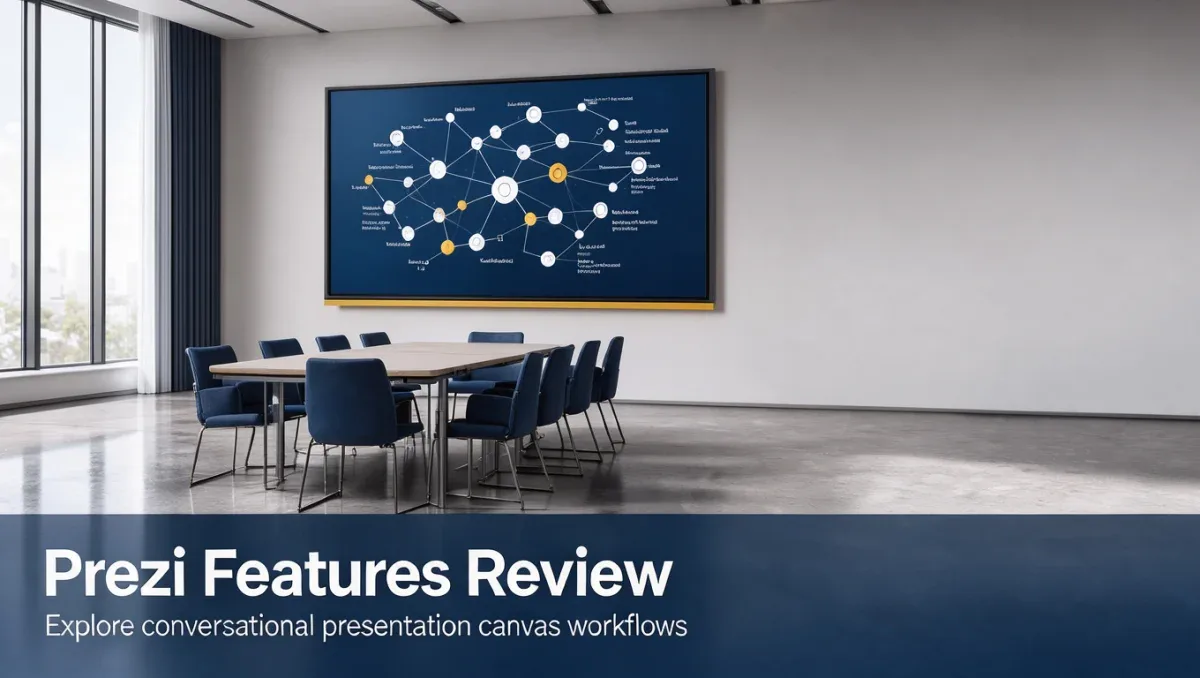
Prezi features center on an open visual canvas designed for conversational presenting rather than rigid linear slide decks. At Trustreviewsx, we evaluate presentation software by examining how well its structural layout, delivery capabilities, and collaborative workflows serve real communication demands.
Understanding how this spatial canvas operates helps communicators decide whether conversational visuals align with their team goals or if conventional slide sequences remain preferable. Selecting presentation software requires balancing narrative flexibility against the initial design effort required across your organization.
Quick verdict: Prezi earns an overall Trustreviewsx score of 8.1 / 10 for its interactive open-canvas structure and fluid narrative delivery. It serves educators, keynote speakers, and creative pitch teams seeking interactive discussions, while teams needing fast bulleted slide creation may prefer standard linear formats.
| Metric | Summary Details |
|---|---|
| Trustreviewsx score | 8.1 / 10 |
| Best for | Interactive presenters, educators, dynamic trainers, and pitch teams |
| Not ideal for | Organizations needing strict slide-by-slide text reporting or quick bullet lists |
| Key strengths | Spatial canvas navigation, dynamic zooming, visual structure mapping |
| What to check before buying | Review official subscription plans for active user seats, presentation privacy, and asset storage limits |
1. How Trustreviewsx Reviewed Prezi
This review looks at what Prezi is built to do, who it serves, and how it compares with similar tools, using the seven Trustreviewsx criteria: features, ease of use, pricing and value, integrations, audience fit, support and competitive position. Plans, prices and limits change often, so we point out what to confirm on the official website before you buy. This article was researched and drafted with the help of AI tools, then reviewed and edited by the Trustreviewsx Editorial Team.
2. What is Prezi and who is it for
Prezi is visual presentation software developed to help speakers deliver ideas through spatial relationships rather than static slide transitions. The platform approaches communication through a continuous digital board where presenters zoom into subtopics and zoom out to show the overarching big picture.
The software primarily targets educators, keynote speakers, marketing consultants, project leaders, and sales professionals. Exploring prezi features reveals a distinct focus on conversational presenting, letting audiences explore topics organically during live discussions.
3. What Prezi helps you do

Modern presentation platforms serve specific narrative requirements. Prezi organizes communication around structural exploration, allowing viewers to see conceptual connections between distinct discussion areas.
3.1. Spatial presentation mapping
Prezi organizes concepts within an interconnected visual plane. Presenters arrange main topics and nested subtopics, allowing speakers to navigate freely between details without paging sequentially forward and backward.
3.2. Conversational delivery
Rather than advancing through rigid chronological slides, presenters can adapt to audience reactions in real time. Speakers can click directly into relevant topics when a listener asks a question, maintaining conversational flow during business pitches or lectures.
3.3. Collaborative canvas editing
Teams can construct visual layouts together, assigning distinct sections to different contributors. Co-creators can build interactive graphics, assemble media assets, and refine shared presentation flow before public delivery.
As creative workspaces adopt automated presentation aids across Artificial Intelligence software categories, evaluating visual adaptability remains central to choosing the right design platform.
4. Ease of use and learning curve
Non-linear design requires a shift in how creators organize their thoughts. While linear slide tools encourage vertical outline thinking, Prezi demands spatial planning where every topic connects visually to a larger context.
Novice users frequently encounter an adjustment period when mastering camera movements, topic sizing, and visual paths. Without proper restraint, excessive zooming transitions can distract viewers, meaning teams must spend time learning balanced layout practices before delivering critical client presentations.
5. A two-week evaluation plan for Prezi
Evaluating new presentation software requires systematic testing across typical communication scenarios. The following two-week workflow helps teams assess spatial presenting without rushing procurement decisions.
- Days 1 to 3: Import existing outline notes and build a small three-topic concept map on the canvas to understand topic grouping and movement paths.
- Days 4 to 7: Build a complete sample pitch presentation, practicing non-linear navigation by jumping between topics out of sequence during a mock session.
- Days 8 to 14: Conduct a live collaborative review session with team members, collecting candid reactions regarding canvas readability, navigation clarity, and message retention.
6. Where Prezi shines and where it may fall short

Understanding structural trade-offs prevents software mismatch and ensures your chosen presentation platform supports organizational communication habits.
| Area | Shines when | May fall short when |
|---|---|---|
| Narrative structure | Explaining interconnected ecosystems and high-level strategy | Presenting dense financial tables or text-heavy compliance documentation |
| Audience engagement | Conducting interactive workshops and Q&A sessions | Distributing printable handouts or static slide notes |
| Design consistency | Presenters follow structured path templates | Untrained creators apply erratic zoom levels and rapid path jumps |
7. Prezi compared with similar tools
Presentation software categories include distinct design approaches, from traditional slide formats to automated templates and non-linear canvases.
| Tool | Best for | Core focus |
|---|---|---|
| Prezi | Interactive storytelling and conversational delivery | Non-linear zoomable visual canvas |
| Microsoft PowerPoint | Enterprise reporting and formal slide sequences | Traditional linear slide deck authoring |
| Canva | Quick visual design and multi-format graphics | Template-driven visual content creation |
| Google Slides | Fast cloud collaboration and simple presentations | Lightweight browser-based slide decks |
8. Who should use Prezi
Determining whether Prezi suits your workflow depends on how your team shares information and engages audiences during key meetings.
| User group | Recommendation | Operational context |
|---|---|---|
| Freelancers and consultants | Recommended | Pitching strategic concepts and creative campaigns during dynamic client discussions |
| Small business owners | Recommended | Explaining product visions, team workflows, and brand values to prospective partners |
| Marketers | Recommended | Delivering memorable visual narratives and campaign concepts at webinars and conferences |
| Office workers | Consider with caution | May find linear slide software faster for routine status updates and brief internal standup decks |
| Students and educators | Recommended | Visualizing historical timelines, scientific hierarchies, and structured academic lectures |
To discover more detailed software evaluations across business tools, visit the Trust Reviews X homepage for clear purchasing guidance.
9. Pricing at a glance
Software vendors adjust tier structures and feature access regularly. When reviewing subscription levels on the official Prezi website, verify these critical points before committing funds:
- Confirm presentation privacy permissions, checking whether private offline presentations require specific subscription tiers.
- Check team seat minimums and admin management options if several colleagues need shared asset libraries and centralized billing.
- Verify export options, confirming whether standalone offline presentation files and high-resolution exports fit your target tier.
10. Frequently asked questions
Which presentation styles work best on a zoomable canvas?
Conceptual overviews, product architecture explanations, training workshops, and sales pitches benefit most from a zoomable canvas. These formats rely on explaining how individual components relate to an overarching system, making visual zooming far more informative than separate slide pages.
What should teams prepare before migrating presentations to Prezi?
Teams should outline their core narrative structure visually, grouping related points into central themes and subordinate details. Preparing graphic assets in vector format or clear resolutions helps maintain sharpness when presenters zoom into specific visual areas during live deliveries.
How does non-linear presenting change meeting conversations?
Non-linear presenting transforms structured lectures into interactive discussions. Instead of asking attendees to hold questions until slide forty, speakers can immediately navigate to relevant canvas clusters, answer questions visually, and zoom back out to preserve narrative continuity.
What should evaluators check on the official Prezi website?
Evaluators should confirm user management controls, team collaboration features, presentation storage allocations, and supported export formats directly on the official Prezi pricing page to ensure the chosen subscription meets operational requirements.
11. Final verdict
Prezi delivers a distinct approach to digital presentations by replacing repetitive slide progressions with an engaging spatial canvas. For presenters who prioritize interactive audience participation and conceptual clarity, the platform offers unmatched structural flexibility.
| Criterion | Score /10 | Reason |
|---|---|---|
| Features | 8.5 / 10 | Dynamic zoomable canvas, visual pathing, and flexible visual structuring provide strong presentation capabilities. |
| Ease of Use | 7.2 / 10 | The non-linear spatial approach requires deliberate practice and design restraint compared to traditional slide tools. |
| Pricing and Value | Confirm before buying | Review official plan terms to confirm seat allocations, offline access, and presentation privacy settings. |
| Integrations | Confirm before buying | Verify current collaboration, cloud storage, and video conferencing compatibility on the official vendor site. |
| Audience Fit | 8.0 / 10 | Serves dynamic keynote speakers, pitch leads, and educators, though less suitable for static compliance reports. |
| Support | Confirm before buying | Check current vendor assistance channels, response commitments, and resource libraries on the official site. |
| Competitive Position | 8.7 / 10 | Maintains a distinct conversational niche separate from conventional linear slide platforms. |
| Overall score | 8.1 / 10 | Calculated average across evaluated qualitative criteria. |
Choose Prezi if your primary communication goal is engaging listeners through flexible storytelling and clear conceptual connections. For teams primarily needing rapid, standard bulleted decks for internal distribution, linear tools may prove more practical.
Have a question about choosing software? Send it to the Trustreviewsx team through our contact page or follow Trustreviewsx on LinkedIn for new reviews and comparisons.