Trustreviewsx may earn a commission when you buy through links on this page, at no extra cost to you. This does not affect our ratings.
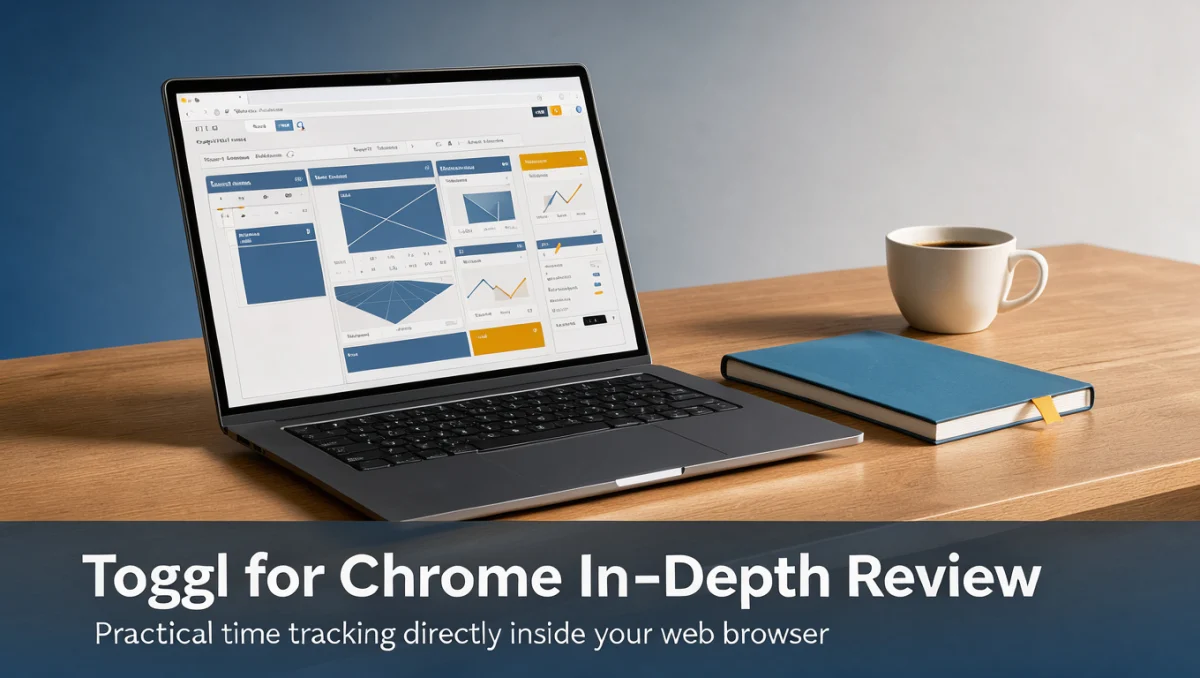
Toggl for Chrome provides in-browser time recording designed to capture work hours directly from active web tabs and digital workspaces. For professionals who manage client deliverables, remote tasks, and internal operations, this browser-based extension aims to eliminate friction by keeping timer controls accessible without switching windows. At Trustreviewsx, we evaluate productivity software to assist teams and independent operators in selecting utility tools that genuinely support daily output.
Browser extensions for time capture serve a specific operational function: recording project durations without forcing you to abandon active research or client documents. As online workspaces expand, recording billable minutes accurately becomes vital for financial reporting and client invoicing. Evaluating how this add-on integrates into daily browser usage helps determine whether it meets your operational requirements.
Quick verdict: Toggl for Chrome earns a Trustreviewsx score of 8.0 / 10. It is best suited for independent workers and distributed teams seeking immediate timer activation inside online documents, task boards, and web tabs. It is less suitable for organizations that require centralized employee surveillance, keystroke logging, or automated hardware monitoring.
| Evaluation Metric | Summary Details |
|---|---|
| Trustreviewsx score | 8.0 / 10 |
| Best for | Professionals seeking quick timer access within browser tabs |
| Not ideal for | Organizations requiring automated background employee surveillance |
| Key strengths | Direct browser-level timer activation and project categorization |
| What to check before buying | Confirm user seat allocations and workspace permission settings on official plan pages |
1. How Trustreviewsx Reviewed Toggl for Chrome
This review looks at what Toggl for Chrome is built to do, who it serves, and how it compares with similar tools, using the seven Trustreviewsx criteria: features, ease of use, pricing and value, integrations, audience fit, support and competitive position. Plans, prices and limits change often, so we point out what to confirm on the official website before you buy. This article was researched and drafted with the help of AI tools, then reviewed and edited by the Trustreviewsx Editorial Team.
2. What is Toggl for Chrome and who is it for

Toggl for Chrome is a specialized browser extension developed by Toggl to bring time-tracking functionality directly into web browsers. Instead of navigating away to a separate dashboard, users can initiate, pause, and categorize timers while reading client emails, writing copy, or organizing sprint boards. This setup solves the common problem of forgotten time entries caused by context switching between multiple independent software windows.
The extension functions as an immediate access point for logging hours under specific client tags, projects, and task descriptions. For professionals operating within cloud-heavy tech stacks, having a persistent timer icon allows smooth transition recording. Teams using structured systems in Collaboration & Productivity often rely on this type of inline time tracking to maintain accurate internal timesheets.
2.1. Target user groups
Freelance contractors who bill hourly represent a primary user base for this extension. Because client billing demands precision, being able to click a timer the moment client research begins prevents unbilled leakage. Similarly, digital agencies with multiple client retainers benefit from staff attributing specific research or creative hours directly from browser tabs.
Remote teams and knowledge workers also find utility in browser-based time logging. When team members collaborate across shared cloud workspaces, tracking individual focus blocks helps project managers understand where task execution encounters bottlenecks, all without requiring intrusive monitoring tools.
3. Core features of Toggl for Chrome
The operational framework of toggl for chrome centers around core time management pillars that allow users to account for billable and non-billable periods accurately. Understanding these functional groups ensures that your team implements the extension effectively.
3.1. Timer controls and manual entry
At its foundation, the extension provides rapid start and stop controls directly from the browser toolbar. Users click the icon to begin recording time against a specific task name, select a project, and tag the entry as billable or non-billable. When real-time tracking is interrupted by unexpected offline discussions or phone calls, manual logging fields allow you to record historical work segments accurately.
3.2. Project and tag categorization
Organizing recorded time into meaningful business data requires clear categorization. The extension surfaces project selection menus, client assignment fields, and customizable tags directly inside the pop-up interface. This organization ensures that when data syncs with your central account, reports reflect distinct client accounts and functional departments accurately.
3.3. Idle detection and reminder systems
Maintaining continuous time-tracking discipline often suffers when users walk away from workstations without stopping active timers. Browser-based trackers address this through idle detection mechanisms that recognize prolonged input inactivity. When you return, the tool presents options to discard inactive intervals or keep recorded blocks, maintaining the integrity of client timesheets.
3.4. Inline browser integration buttons
Beyond the standalone toolbar pop-up, the extension embeds timer buttons directly inside compatible web-based project management cards, helpdesk tickets, and document suites. Clicking these embedded triggers automatically pulls existing task titles into the timer description, removing manual typing and standardizing project nomenclature across the team.
4. Ease of use and learning curve
Adopting any productivity utility depends heavily on minimal user friction. Browser extensions succeed when they remain lightweight and avoid intrusive interface overlays that distract from primary tasks. Toggl for Chrome maintains a clean display that mirrors the clean aesthetic of modern browser menus.
New users typically grasp the core functionality immediately. Clicking the toolbar icon reveals clear entry fields for task descriptions, project selectors, and a prominent start button. Because the interface mirrors familiar digital stopwatch concepts, teams do not require lengthy training sessions to begin capturing project hours.
Potential friction points involve remembering to assign accurate client tags before starting a timer. When users initiate tracking in a hurry, entries can accumulate without associated projects, requiring subsequent manual clean-up in central timesheet dashboards. Regular end-of-day reviews help users build sustainable habits around tag hygiene.
5. Pros and cons of Toggl for Chrome
Assessing productivity extensions requires weighing operational advantages against practical limitations. While inline timers boost recording consistency, browser extensions inherit structural dependencies inherent to browser environments.
5.1. Advantages of in-browser time tracking
- Enables immediate timer initiation without opening separate desktop programs.
- Embeds functional tracking triggers directly within web-based project cards.
- Provides idle notifications to help prevent accidentally inflated client invoices.
- Synchronizes recorded time entries immediately with centralized workspace accounts.
5.2. Limitations and operational trade-offs
- Tracking capabilities pause whenever browser sessions close or crash unexpectedly.
- Does not provide offline desktop application monitoring or background usage logs.
- Requires consistent team discipline to categorize project tags accurately at start.
- Browser permission updates occasionally require manual re-authentication.
6. Toggl for Chrome vs similar tools

When selecting a time management platform, buyers regularly evaluate Toggl alongside recognized industry alternatives such as Harvest and Clockify. Each platform addresses time capture with distinct functional emphases, making alignment with your operational model critical.
| Software Platform | Primary Market Focus | Core Functional Orientation | Best Suited For |
|---|---|---|---|
| Toggl Track (Chrome) | Intuitive time capture | User-initiated tracking and web workflow integration | Teams prioritizing friction-free adoption and clean entry |
| Harvest | Time tracking and billing | Integrated time entries, expense tracking, and invoicing | Service firms needing direct client billing connections |
| Clockify | Broad timesheet management | Structured team timesheets and organizational tracking | Workplaces managing diverse staff schedules and kiosks |
Toggl focuses heavily on clean, non-intrusive personal tracking that respects user privacy while generating reliable project records. Teams that value autonomy and want staff to track their own hours without feeling surveilled often gravitate toward this design philosophy.
Harvest, by contrast, targets service agencies where timesheet data connects directly into outgoing client invoices and internal expense management. Teams seeking an unbroken path from tracked hours to billing ledgers frequently assess Harvest for financial administrative workflows.
Clockify provides broad timesheet infrastructure suitable for large workforces needing structured timesheet approvals and shared organizational calendars. Reviewing organizational requirements on official vendor pages helps identify whether basic tracking or full financial administration is your primary need.
7. Who should use Toggl for Chrome
Determining whether a browser extension fits your team involves evaluating your typical daily operating environment. The independent software assessments on Trust Reviews X focus on matching digital tools to specific user workflows and business scales.
7.1. Freelance professionals and solo consultants
Independent contractors managing multiple client projects need simple tools to guarantee accurate invoices. The extension allows solo practitioners to transition between client tasks in separate browser tabs while ensuring every research hour is properly attributed to the right client account.
7.2. Digital agencies and marketing teams
Creative and marketing specialists spend substantial workdays inside web applications, content management platforms, and ad managers. Using inline browser buttons allows account coordinators and copywriters to track campaign execution without interrupting ongoing creative processes.
7.3. Office workers and administrative staff
Corporate staff managing internal reporting benefit from logging specific focus periods to identify process inefficiencies. Documenting how many hours recurring meetings and inbox administration consume assists departments in refining meeting cadences and administrative workloads.
7.4. Teams that are not a fit
Organizations that mandate continuous desktop background surveillance, automated screenshot capture, or keystroke tracking will find this extension unsuitable. The software deliberately avoids invasive monitoring, focusing instead on voluntary, intentional time capture by responsible team members.
8. How to choose the right plan for your time tracking needs
Time-tracking software vendors generally sell access through tiered subscription structures based on feature scope and team administrative controls. Because vendor tiers and feature packaging change over time, prospective buyers should consult official plan comparison resources before subscribing.
| What to Check on the Official Page | Why It Matters for Your Team |
|---|---|
| User seat access rules | Team member thresholds dictate monthly operating costs across your organization. |
| Reporting and export capabilities | Client billing demands specific data formatting and summary export permissions. |
| Project access controls | Differentiating internal project visibility protects sensitive client data across teams. |
| Timesheet approval workflows | Formal sign-off steps are necessary for structured organizational compliance. |
When reviewing software tiers, establish whether your business requires baseline personal tracking or advanced managerial auditing. Many software vendors restrict automated timesheet approval chains and detailed profitability analytics to higher-tier subscriptions, so confirm where those boundaries sit on the official Toggl pricing page.
9. Frequently asked questions about Toggl for Chrome
9.1. How should teams handle forgotten timers when tracking time in browsers?
Users should review active timers periodically and leverage manual adjustment fields to correct discrepancies. When timers run continuously past actual work sessions, editing the entry duration in the central timesheet ensures client billing records remain accurate and trustworthy.
9.2. What should buyers check regarding team workspace permissions?
Prospective buyers should inspect administrator permission options on the official vendor plan page. Verifying whether individual members can create unapproved client tags or edit historical records preserves database integrity across growing organizations.
9.3. How do browser extensions synchronize time across different devices?
Browser tracking tools link directly to your central cloud account, ensuring entries initiated in the browser toolbar appear inside unified reports. Confirming an active internet connection ensures that project selections and timer triggers upload without synchronization delays.
9.4. What steps help ensure accurate client billing with browser timers?
Establish consistent internal naming conventions for projects, tasks, and client tags before onboarding team members. Standardizing how staff describe tasks ensures that generated time reports present clear, professional breakdowns for external client audits.
10. Final verdict on Toggl for Chrome
Toggl for Chrome delivers an accessible, dependable time-tracking mechanism for individuals and teams operating primarily within web browsers. By lowering the effort required to start and stop task timers, it promotes steady time recording habits across digital teams.
| Criterion | Score /10 | Reason |
|---|---|---|
| Features | 7.8 / 10 | Provides solid timer mechanics and inline web triggers without unnecessary complexity. |
| Ease of Use | 8.8 / 10 | Minimalist toolbar design allows quick adoption with virtually no training curve. |
| Pricing and Value | 7.5 / 10 | Buyers should verify current seat allowances and tier inclusions on official pages. |
| Integrations | 8.0 / 10 | Embeds practical tracking triggers directly inside standard web productivity portals. |
| Audience Fit | 8.5 / 10 | Exceptionally suited for digital freelancers, agencies, and autonomous remote teams. |
| Support | 7.0 / 10 | Buyers should review official documentation and available support channels before rollout. |
| Competitive Position | 8.1 / 10 | Maintains strong distinction as a lightweight, user-focused tracking option. |
Overall Trustreviewsx Score: 8.0 / 10
For freelancers, digital marketing agencies, and remote knowledge workers who prioritize user autonomy and swift time capture, Toggl for Chrome remains an effective addition to browser workflows. Organizations needing automated background monitoring or rigid corporate timesheet oversight should explore dedicated enterprise timesheet platforms.
If you have questions about selecting productivity software for your business, reach out to our team at https://trustreviewsx.com/contact/ or connect with Trustreviewsx on LinkedIn at https://www.linkedin.com/company/trustreviewsx/.