Trustreviewsx may earn a commission when you buy through links on this page, at no extra cost to you. This does not affect our ratings.
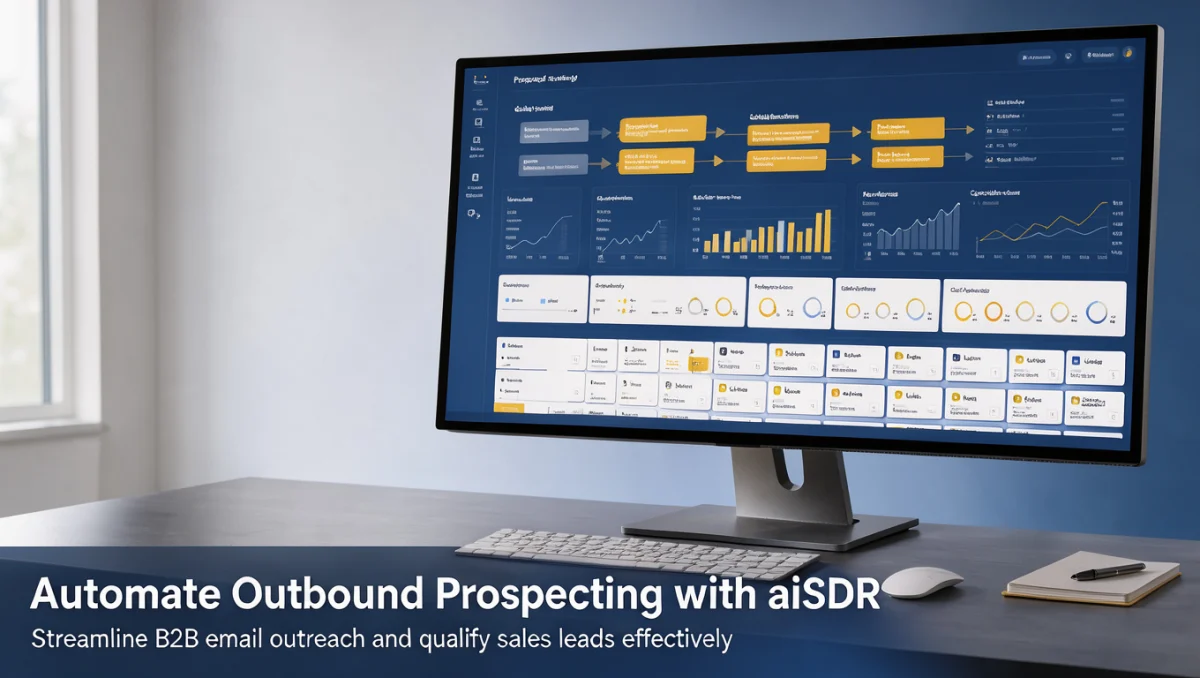
How to automate outbound prospecting with aiSDR begins with understanding how artificial intelligence software handles email personalization, contact discovery, and qualification workflows. Outbound sales teams use this category of sales engagement platform to scale conversation starters, manage follow-up sequences, and qualify inbound replies without manual intervention on every message. At Trustreviewsx, we evaluate sales development software based on workflow clarity, target audience alignment, and practical setup requirements so revenue teams make informed purchasing choices.
Before adopting any automated sales representative tool, teams must establish clear target profiles and messaging guardrails. Using automation without disciplined segmentation risks deliverability penalties and irrelevant messaging. Teams seeking a structured overview of modern sales software within the Artificial Intelligence space should evaluate how automated agents process prospect data, how they draft responses, and what level of human review remains necessary before launching live campaigns.
Quick verdict: aiSDR scores 7.6 out of 10. The platform fits revenue teams seeking automated outbound email drafting and autonomous reply qualification across structured buyer segments. It is less suitable for organizations that require bespoke account-based marketing with heavy manual research or complex multi-channel phone and event touchpoints.
| Metric | Summary |
|---|---|
| Trustreviewsx score | 7.6 / 10 |
| Best for | Sales teams wanting automated lead messaging, outbound sequence execution, and autonomous qualification workflows |
| Not ideal for | Teams requiring entirely manual bespoke messaging, specialized field sales routines, or extensive telephone-first campaigns |
| Key strengths | Automated email drafting, responsive message handling, and pipeline qualification for outbound campaigns |
| What to check before buying | Confirm email sending volume allowances, seat structures, and workspace connectivity on the official aiSDR website |
1. How Trustreviewsx Reviewed aiSDR
This review looks at what aiSDR is built to do, who it serves, and how it compares with similar tools, using the seven Trustreviewsx criteria: features, ease of use, pricing and value, integrations, audience fit, support and competitive position. Plans, prices and limits change often, so we point out what to confirm on the official website before you buy. This article was researched and drafted with the help of AI tools, then reviewed and edited by the Trustreviewsx Editorial Team.
2. Before You Start with aiSDR

Automating outbound email campaigns requires foundational preparation before activating any software. Sales platforms in the automated outreach space rely heavily on the quality of your underlying domain architecture and data accuracy.
First, secure dedicated secondary sending domains to protect your primary corporate workspace. Most email service providers monitor sudden spikes in outbound volume, meaning any newly established domain requires a gradual warm-up phase. Consult the official technical documentation for recommended DNS configuration records, including SPF, DKIM, and DMARC protocols, which establish domain legitimacy before sending your first sequence.
Second, define your ideal customer profile with strict geographic, industry, and role-based boundaries. When sales automation tools generate messaging, precision in the underlying persona data determines whether outreach feels relevant or generic. Review your prospect lists to remove duplicate contacts, outdated company entries, and invalid email formats before importing records into any campaign workspace.
Third, align your internal sales targets with specific meeting booking workflows. Decide whether positive prospect responses should route directly to an account executive calendar or trigger an internal qualification review. Outlining these handoff procedures in advance ensures your pipeline handles incoming leads without operational friction.
3. Getting Started Workflow for aiSDR

Executing outbound prospecting through autonomous software follows a sequential series of administrative and strategic stages. Setting up your workspace systematically reduces technical errors and ensures messages reflect your brand standards.
Step 1: Workspace and Sending Channel Configuration
Begin by connecting your sending accounts to your campaign environment. Follow the verification instructions on the official aiSDR portal to authenticate your outgoing mailboxes. Ensure tracking domains, reply routing, and custom sending schedules align with the local business hours of your target accounts.
Step 2: Defining Value Propositions and Campaign Goals
Configure the contextual guidance that directs how the automated system creates outreach copy. Outline the primary operational challenges your business solves, relevant case points, and the intended call to action, such as scheduling an introductory briefing or requesting a brief feedback exchange. Providing focused parameters helps the software draft conversational messages without generic buzzwords.
Step 3: Audience Segmentation and Contact Data Ingestion
Upload your prospect lists into dedicated segments based on shared pain points or organizational size. Segmenting contacts into focused clusters ensures the automated messaging engine references challenges relevant to that specific audience. Check data mapping fields carefully so recipient names, company titles, and company attributes align accurately with the draft variables.
Step 4: Setting Review Guardrails and Human Oversight
Establish whether your operating model uses autonomous dispatching or pre-send human inspection. For new campaigns, revenue leaders often select manual approval workflows where an internal team member inspects drafts before dispatch. Once message accuracy, persona fit, and tone satisfy your organizational standards, you can shift toward autonomous execution.
Step 5: Managing Inbound Replies and Qualification
Configure how the system interprets incoming answers. Automated sales development tools parse positive inquiries, scheduling links, objections, and unsubscribe requests. Ensure that objection responses adhere to your product messaging and that confirmed meeting requests transfer cleanly into your sales representatives calendars.
4. Best Practices for Automated Outbound Sequences
Sustaining dependable outbound engagement requires disciplined execution over extended periods. High-performing revenue teams treat automated platforms as assistants that require ongoing maintenance and message refinement.
- Keep copy concise and reader-focused: Decision-makers scan emails rapidly on handheld devices. Structure messages around a specific operational problem rather than lengthy corporate background.
- Maintain strict sending hygiene: Spread outbound volume across multiple verified mailboxes rather than concentrating all outreach through a single address. Check deliverability indicators regularly to detect domain reputation changes early.
- Update reference data periodically: Provide fresh case points and industry updates to your messaging configuration. Stale prompts produce repetitive templates that decrease response rates over time.
- Monitor unsubscribe patterns: Treat opt-outs as feedback on targeting precision. High opt-out rates indicate that a specific prospect segment does not match your value proposition.
- Refine qualification criteria regularly: Review conversations flagged as qualified leads to confirm they meet your sales criteria. Adjust negative prompt constraints whenever low-intent accounts slip into sales calendars.
5. Common Mistakes to Avoid in Outbound Automation
Many organizations stumble during automated outreach implementation by treating software as a complete replacement for market strategy. Avoiding these frequent missteps protects domain health and prospective client relationships.
Neglecting Deliverability Fundamentals
Launching high-volume sequences immediately after acquiring sending domains leads directly to spam folders. Every automated outreach system depends entirely on deliverability. Warming up domains steadily and verifying email addresses prior to sending remains mandatory for consistent campaign delivery.
Targeting Broad and Unrefined Lists
Broad audience lists dilute message relevance. Feeding thousands of unrelated prospects into an automated campaign forces the copy generation engine to rely on vague generalizations. Group prospects by specific operational responsibilities to maintain message resonance across every recipient group.
Relying on Generic Objection Handling
Autonomous agents handle common objections by generating contextual replies, but unmonitored scripts can misinterpret nuanced enterprise requirements. Periodically inspect objection threads to verify that the automated system represents pricing boundaries, security questions, and geographic availability accurately.
Failing to Track Buyer Handoffs
Securing an initial positive response is only the first phase of customer acquisition. When an automated platform books a demonstration, an internal representative must review the conversation history immediately. Arriving at a discovery conversation without context undermines the efficiency gained through automated prospecting.
6. Who Should Use aiSDR for Outbound Automation
Selecting outbound sales automation tools depends heavily on company operational models, team bandwidth, and target market complexity. Evaluating your operational maturity helps determine if this platform category suits your workflow.
Small Business Owners and Startup Founders
Founders managing sales alongside product development often struggle to maintain consistent daily outreach. Automated sales engagement tools allow lean teams to sustain steady top-of-funnel activity without dedicating entire days to manual inbox composition. Founders should ensure they have sufficient time to handle inbound discovery meetings once campaigns activate.
Mid-Market Sales and Marketing Teams
Growing sales departments use automated outreach platforms to support junior representatives. By offloading initial message drafting and follow-up tracking, business development teams can focus on account research, qualification calls, and customer relationship building. Team managers must establish clear guidelines regarding tone and qualification thresholds.
Agencies and Demand Generation Consultancies
Consulting firms running multi-client lead generation operations require structured campaign environments to manage distinct brand messaging. Using dedicated automated workspaces allows consultants to deliver predictable outreach without expanding administrative headcount across each client account.
Who Should Consider Other Approaches
Organizations targeting a small universe of high-value strategic accounts should avoid fully automated outbound email engines. Account-based enterprise sales require deep relationship building, executive networking, and customized collateral that automated platforms cannot replicate. Additionally, businesses operating primarily through direct consumer retail or wholesale calling find little utility in B2B email sequence automation.
7. Evaluating Outbound Sales Automation Platforms
When selecting software in this product category, revenue leaders should measure options against structured operational criteria. Research conducted through independent evaluators like Trust Reviews X emphasizes evaluating software architecture before committing operational resources.
| Evaluation Criterion | What to Review on Official Vendor Pages | Operational Importance |
|---|---|---|
| Messaging Control | Inspect prompt configuration boundaries and approval modes | Protects brand reputation and prevents inaccurate customer commitments |
| Sending Infrastructure | Check mailbox connection limits and DNS record guidance | Ensures sustainable inbox deliverability across target domains |
| Inbound Classification | Review how autonomous agents identify intent and objections | Reduces administrative burden on sales development staff |
| Workflow Connectivity | Verify CRM and calendar synchronization options | Maintains clean pipeline reporting and prevents missed prospect bookings |
| Commercial Terms | Review subscription tiers, user seats, and credit policies | Ensures software costs align with realistic sales pipeline returns |
8. Frequently Asked Questions
How should teams prepare domain records before launching outbound campaigns?
Teams should purchase dedicated secondary domains and configure standard DNS records including SPF, DKIM, and DMARC before starting outreach. Warming up mailboxes gradually over several weeks prevents email service filters from flagging sudden sending volume spikes as suspicious activity.
What safeguards prevent automated software from sending off-brand messages?
Most modern sales development platforms provide manual approval modes that hold generated emails for human inspection before dispatch. Sales leaders can enforce these review steps during initial campaign phases until copy precision meets organizational standards.
How do automated prospecting systems qualify incoming email replies?
Automated sales tools parse incoming text to differentiate positive meeting interest from objections, out-of-office notices, and unsubscribe requests. Based on these classifications, the software either drafts a contextual reply, offers a booking link, or pauses outreach for that recipient.
What ongoing maintenance is required once campaigns are running?
Revenue teams must monitor deliverability metrics, prune invalid contacts from lists, and refresh value proposition prompts regularly. Routine inspection of qualified conversations ensures the autonomous messaging engine remains aligned with product and commercial updates.
What technical items should buyers verify on the official website before subscribing?
Prospective buyers should check the official plan comparison page to determine allowed sending accounts, contact credits, and CRM connection options. Reviewing these details ensures the subscription tier accommodates planned outreach volumes without unexpected upgrade requirements.
9. Final Verdict on aiSDR
aiSDR offers a capable platform for organizations seeking to streamline outbound email outreach and automate early-stage qualification conversations. By combining structured persona targeting with autonomous copy generation and reply handling, it reduces repetitive administrative tasks for commercial teams. Buyers should assess their domain setup, target account volumes, and internal follow-up processes before deployment.
| Criterion | Score / 10 | Reason |
|---|---|---|
| Features | 7.8 | Provides automated email drafting, responsive reply management, and automated meeting scheduling workflows. |
| Ease of Use | 8.2 | Presents a guided workflow structure that simplifies campaign setup once sending domains are authenticated. |
| Pricing and Value | 7.2 | Buyers should verify current plan tiers, mailbox limits, and lead credit terms on the official pricing page. |
| Integrations | 7.4 | Supports standard workspace and CRM connections, though buyers should verify specific pipeline mapping requirements. |
| Audience Fit | 8.0 | Well-suited for B2B sales teams and agencies executing targeted outbound email sequences at predictable scale. |
| Support | 7.0 | Users should check available technical documentation, onboarding guides, and support response channels. |
| Competitive Position | 7.5 | Competes effectively in the emerging AI sales assistant category against established sales engagement platforms. |
Overall Score: 7.6 / 10
For sales leaders evaluating how to automate outbound prospecting with aiSDR in 2026, success depends on solid domain preparation, accurate prospect lists, and consistent review of incoming replies. Teams with disciplined sales messaging will find meaningful productivity gains by automating routine top-of-funnel touchpoints.
Have questions about structuring your sales software stack? Connect with our editorial team at https://trustreviewsx.com/contact/ or follow Trustreviewsx on LinkedIn at https://www.linkedin.com/company/trustreviewsx/ for ongoing enterprise technology evaluations.