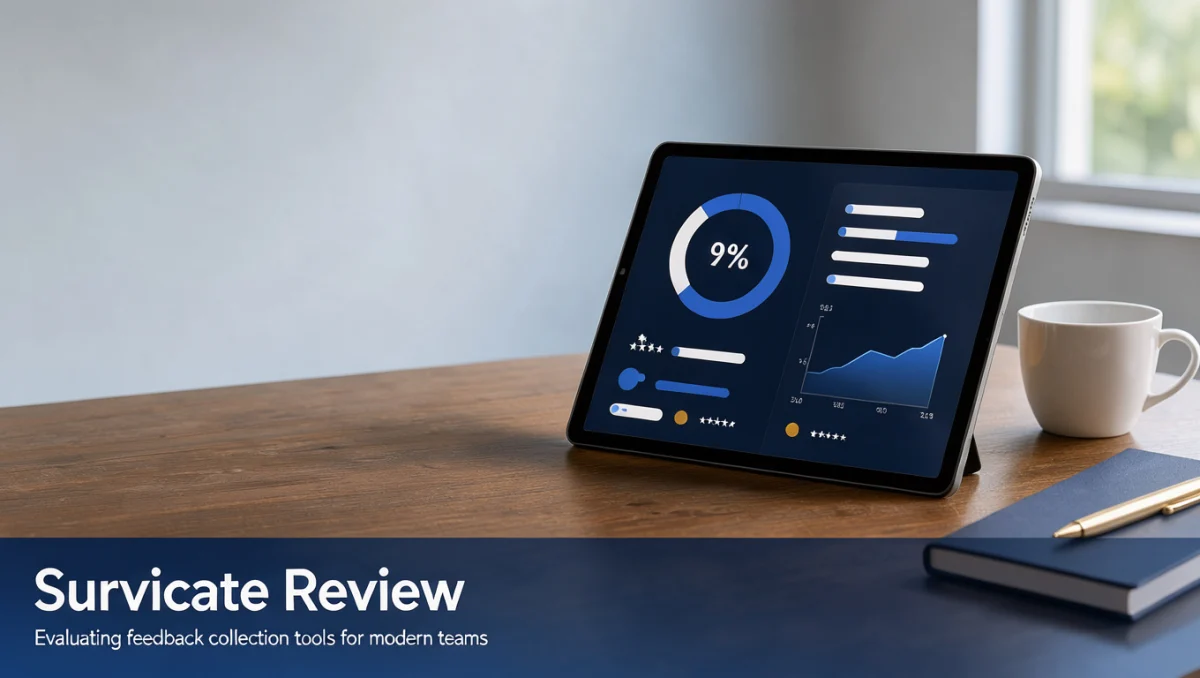
Before committing to any feedback tool, many buyers want to know whether is Survicate legit for their specific workflow. In short, Survicate is an established survey platform built to collect user input across websites and digital products, with a clear focus on targeted feedback rather than broad enterprise research.
Trustreviewsx may earn a commission through links on this page, at no extra cost to you. Our ratings are not affected.
How Trustreviewsx Evaluated Survicate
We assessed Survicate against seven criteria: features, ease of use, pricing and value, integrations, audience fit, support, and competitive position. Plans and limits change frequently, so treat the details below as a starting point and verify current figures on the official site before purchasing. This article was drafted with AI assistance and then reviewed and edited by the Trustreviewsx Editorial Team.
What Survicate Does and Who It Suits
Survicate helps organizations gather direct input from customers and website visitors. Teams use it to build questionnaires, display feedback prompts at relevant moments, and analyze the responses that come back.
Its main audience includes product managers, customer experience specialists, marketers, and support leaders, especially those running software, ecommerce, or subscription businesses who need to spot pain points and track satisfaction over time.
Survicate is best understood as a complement to, not a replacement for, a full customer service desk. It is designed to measure satisfaction after interactions rather than handle the interactions themselves.
Core Features

Survicate focuses on three areas: writing questions, distributing surveys, and reviewing results.
Survey Creation and Question Design
The platform supports multiple-choice questions, rating scales, Net Promoter Score questions, and open-ended text fields. Conditional logic lets administrators route respondents to follow-up questions based on their earlier answers.
Multi-Channel Distribution
Surveys can appear directly on websites, inside web applications, through email, or via shareable links. This allows teams to reach people where the feedback is most relevant to the experience.
Response Tracking and Reporting
Responses are collected into a central dashboard where users can view aggregated scores, filter by date or survey version, and read individual comments. Data can also be exported to spreadsheets for archiving and internal reporting.
Ease of Use and Learning Curve
The interface is approachable. The visual builder shows layout previews in real time, and most administrators can launch a simple survey without writing code or receiving extensive training.
Setting up advanced behavioral targeting or multi-step logic takes more planning, particularly around user segments and timing. Growing teams should agree on naming conventions and response tagging early to keep their workspace organized.
Pros and Cons
Pros
- A focused survey builder with intuitive editing and real-time previews
- Flexible digital distribution across web, in-product, email, and shareable links
- Straightforward branching logic that tailors question flow to answers
- A clean dashboard summarizing both ratings and written comments
Cons
- Its specialized design means it is not an all-in-one customer communication platform
- Moving response data into other operational tools may require manual steps
- Advanced research methods, such as conjoint analysis or heavy statistical modeling, need separate software
Survicate Compared With Similar Tools
Typeform emphasizes conversational, one-question-at-a-time forms suited to branded lead capture and engaging surveys. Teams that prioritize visual style often lean toward Typeform, while teams wanting embedded feedback widgets for web applications tend to choose Survicate.
Qualtrics targets large enterprises that need academic-grade research tools, complex statistical analysis, and extensive experience-management programs. It offers deep capabilities, but specialized tools like Survicate provide a simpler setup for ongoing digital customer feedback.
SurveyMonkey is a long-standing general-purpose survey tool used across industries for market research and polling. Survicate differentiates itself by concentrating on targeted digital customer feedback and in-product touchpoints rather than broad polling.
Who Should Use Survicate

Small Business Owners and Digital Founders
Owners of web apps or online stores can use Survicate to collect post-purchase opinions and usability comments, gaining structured customer insight without custom engineering work.
Product and Customer Experience Teams
Product managers and UX researchers benefit from triggering contextual surveys during specific workflows, which provides timely data for roadmap decisions.
Marketing and Communication Specialists
Marketers can run email and web surveys around product launches to refine messaging and improve retention efforts.
Teams That Should Look Elsewhere
Organizations running offline academic studies, field polling, or enterprise econometric modeling should consider dedicated statistical systems. Teams that need an integrated help desk with live chat and ticket assignment will be better served by a full customer service platform.
How to Choose the Right Plan
Subscription tiers are typically based on response volume, team seats, domains or installations, data retention, and export options. Estimate your monthly survey responses before committing, because exceeding limits can pause collection or force an upgrade.
| What to Check | Why It Matters |
|---|---|
| Response volume allowances | Exceeding monthly limits can halt collection or trigger unexpected upgrades |
| Team seat counts | Limited seats restrict how many people can build surveys and view reports |
| Domain and installation limits | Multiple websites or apps may require a higher-tier plan |
| Data retention duration | Older surveys may expire unless your plan includes long-term storage |
| Export and reporting formats | Confirm file types so raw data matches your internal databases |
Frequently Asked Questions
What should buyers evaluate before choosing Survicate?
Calculate your expected monthly response volume, identify the digital channels where surveys will appear, and count how many team members need administrative access, since pricing often depends on these factors.
How does feedback software fit into existing workflows?
It runs alongside your current channels, delivering surveys after support interactions or during product use. Responses are reviewed in the dashboard or exported to reports to guide decisions.
When does a team need a higher-tier plan?
Typically when survey traffic grows significantly, when several departments need separate logins, or when managing multiple web properties. Confirm current thresholds on the official website.
How can organizations avoid paying for unused capacity?
Audit active surveys regularly and base plan choices on actual monthly respondent counts rather than speculative growth. Align billing cycles with concrete feedback campaigns.
Final Verdict
Is Survicate legit? Yes. It is a functional, established survey application that provides dependable tools for building questionnaires, distributing them across channels, and tracking customer feedback. Organizations that want to collect user sentiment across web and product touchpoints will find it well suited to practical needs.
| Criterion | Score /10 | Reason |
|---|---|---|
| Features | 7.6/10 | Dependable survey authoring, multi-channel distribution, and response tracking. |
| Ease of Use | 8.4/10 | Visual builder lets non-programmers create and launch surveys. |
| Pricing and Value | 7.1/10 | Match expected response volumes to official plan limits to ensure good value. |
| Integrations | 7.2/10 | Confirm export and connection options on the official site for your workflow. |
| Audience Fit | 8.2/10 | Well targeted to digital product managers, online businesses, and CX professionals. |
| Support | 6.9/10 | Verify current support channels and hours directly on the official website. |
| Competitive Position | 7.4/10 | Clear focus on digital feedback, distinct from broad enterprise research suites. |
Overall Trustreviewsx score: 7.5/10
For small businesses and growing digital product teams, Survicate offers a focused way to hear directly from end users. Before buying, review your expected response volumes and seat requirements on the official Survicate website to select the right plan.
Have questions about choosing customer feedback software? Contact our editorial team at https://trustreviewsx.com/contact/ or follow Trustreviewsx on LinkedIn at https://www.linkedin.com/company/trustreviewsx/ for ongoing software analyses and buying guides.
See More Review Craft X