Trustreviewsx may earn a commission when you buy through links on this page, at no extra cost to you. This does not affect our ratings.
Sending visitor inquiries from your website straight into a structured sales pipeline saves time and keeps prospects from going cold. A pipedrive wordpress integration lets web forms, quote requests and consultation bookings flow directly into customer records, removing manual copy-and-paste. At Review Craft X, we examine how these setups connect marketing sites to everyday sales work.
Linking a content management system to CRM software is essential for teams that want organized deal tracking. A dependable connection turns each website submission into a contact record and pipeline deal, without developers needing to build custom database links for every form.
Quick verdict: Pipedrive earns an overall score of 8.0/10 for its pipeline-centric approach to lead routing. It suits sales teams that want clear visibility into inbound web submissions, but it is less suited to organizations needing multi-channel service ticket handling or deep enterprise marketing automation out of the box.
| Metric | Summary |
|---|---|
| Trustreviewsx score | 8.0/10 |
| Best for | Sales teams wanting direct pipeline visibility for inbound web inquiries and straightforward deal tracking |
| Not ideal for | Organizations wanting built-in customer service helpdesks or heavy enterprise marketing journey builders |
| Key strengths | Visual pipeline management, contact record creation, and focused activity scheduling for sales representatives |
| What to check before buying | Form connector compatibility, plan tier requirements for automated workflows, and user seat license expenses |
1. How Trustreviewsx Reviewed Pipedrive
This review looks at what Pipedrive is built to do, who it serves, and how it compares with similar tools, using the seven Trustreviewsx criteria: features, ease of use, pricing and value, integrations, audience fit, support and competitive position. Plans, prices and limits change often, so we point out what to confirm on the official website before you buy. This article was researched and drafted with the help of AI tools, then reviewed and edited by the Review Craft X Editorial Team.
2. What Is Pipedrive and Who Is It For
Pipedrive is customer relationship management software built around pipeline tracking and deal progress. Designed for business-to-business deal managers, sales consultants, agencies and growing commercial teams, the platform centers daily work on moving opportunities through custom sales stages. Rather than treating customer records as static address books, it presents opportunities as cards on visual boards.
Across the wider sales software landscape, businesses connect public websites to internal pipelines so they can capture leads as soon as prospect forms are submitted. When deployed alongside WordPress, the software ingests form submissions, assigns follow-up activities to team members, and attaches notes or custom fields to the new organization record. This setup suits organizations whose main goal is closing inbound commercial requests rather than resolving post-purchase support tickets.
3. Core Features of Pipedrive for Web Inquiries

Managing prospects who arrive from web properties requires capabilities spanning intake, organization, prioritization and task coordination. Pipedrive handles these needs through a handful of core functional areas.
Visual Pipeline and Deal Tracking
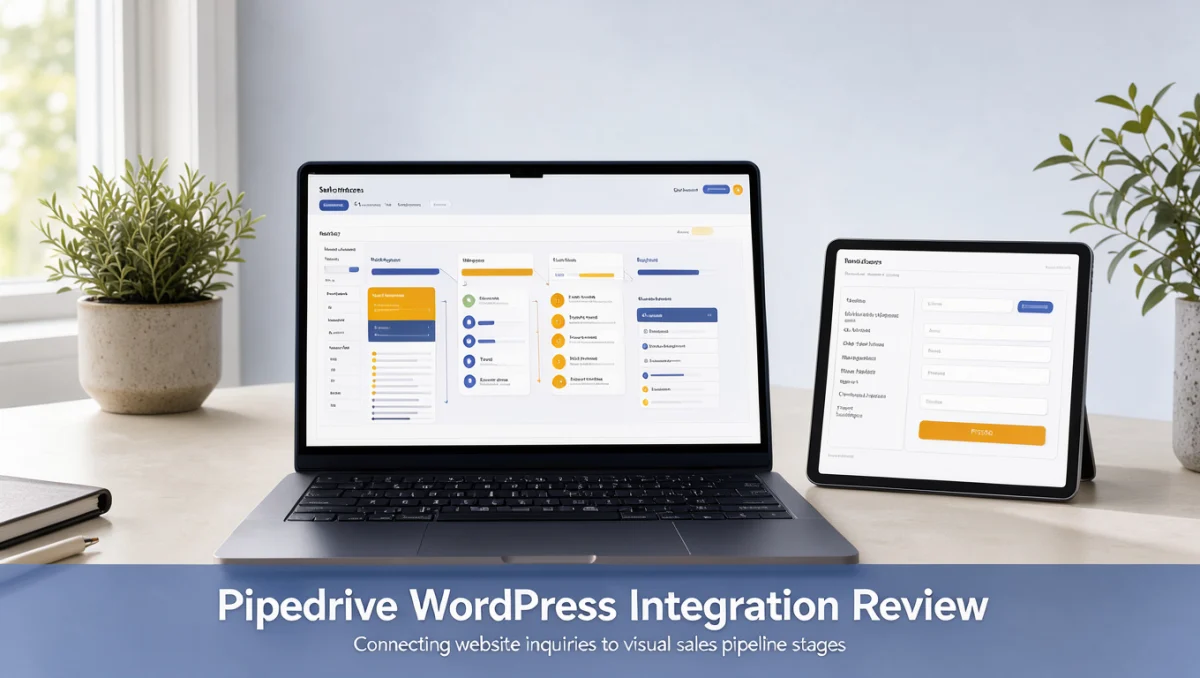
The visual pipeline is the operational center of the platform. When a website visitor submits an inquiry on WordPress, the submission generates a deal card in a chosen stage such as initial contact, qualification or proposal scheduled. Representatives can check deal values, update expected close dates and move cards across stages as conversations advance, keeping clear visibility over team pipeline health.
Contact and Organization Data Management
Every website submission pairs incoming personal details with company records. The system creates or updates contact timelines, logging email conversations, meeting notes, phone call summaries and file attachments against one shared profile. This timeline prevents duplicate outreach and gives team members historical context before they contact a prospect.
Activity Scheduling and Task Automation
Activity-based selling encourages reps to schedule a follow-up action for every active deal. The platform organizes daily tasks into prioritized agendas and reminds team members when follow-up calls, proposal deliveries or discovery sessions are due. When connected to web intake forms, automated rules can schedule an introductory outreach task the moment a form is submitted.
Reporting and Pipeline Analytics
Reporting tools summarize sales performance across conversion stages. Sales leaders can review stage conversion rates, deal velocity from first web inquiry to signed contract, and individual representative activity volume. These figures show whether inbound website leads convert predictably through later qualification milestones.
4. Ease of Use and Learning Curve
Pipedrive keeps its interface uncluttered and focuses attention on actionable deals. New team members can grasp the visual board quickly, since moving deals across stages mirrors a physical kanban board. Settings for custom fields, pipeline stage names and lead routing rules use clean configuration menus rather than complex scripting environments.
However, connecting third-party forms or mapping multi-step WordPress form data into specialized custom fields introduces technical setup considerations. Administrators must verify field types, such as making sure dropdown values match exactly between web forms and CRM properties, to prevent sync discrepancies.
5. Pros and Cons of Managing WordPress Inquiries in Pipedrive
Evaluating any CRM setup means balancing operational strengths against platform boundaries.
Advantages of the Platform
- Pipeline visibility lets sales representatives prioritize follow-up on new website inquiries without sorting through raw email notifications.
- Contact histories store correspondence, form submission data and team notes in a single chronological view.
- Custom fields let teams capture industry-specific form responses directly from web inquiries.
- Activity scheduling prevents incoming prospects from stalling without an assigned next step.
Platform Limitations and Mitigations
- The software does not include native customer support ticketing or helpdesk queues for handling post-sale client complaints; organizations with large support volumes should pair it with a dedicated helpdesk system.
- Extensive marketing automation involving multi-branch email nurturing sequences is outside the core design; teams needing complex drip journeys often link an external email marketing service.
- Subscription pricing scales per user seat; growing organizations should review the official Pipedrive pricing page regularly to audit inactive accounts and align licenses with actual sales staff.
6. Pipedrive vs Similar Tools
Choosing a CRM involves assessing how different platforms handle pipeline tracking, contact storage and ecosystem requirements.
| Solution | Core Positioning | Ideal Operational Fit | Key Difference to Evaluate |
|---|---|---|---|
| Pipedrive | Sales-focused pipeline and activity tracking | Teams prioritizing deal progress and visual stage management | Concentrated on sales workflows rather than native service tickets |
| HubSpot | Broad inbound marketing, sales and service ecosystem | Companies seeking unified marketing, CMS and customer service under one vendor | Wider platform scope with tier structures spanning multiple distinct hubs |
| Zoho CRM | Broad business application suite with extensive customization | Organizations using expansive software suites across billing, support and operations | Broader configuration options requiring deeper setup planning |
| Salesforce | Enterprise-scale customer relationship management | Large enterprise teams needing complex governance and custom data architecture | Built for deep organizational hierarchy and specialized administration teams |
7. Who Should Use Pipedrive
Operational needs vary across business models, and fit depends on sales cycle structure and team collaboration patterns.
Small Business Owners and Agencies
Agency owners handling project inquiries find the visual board practical for tracking proposals, client discovery calls and contract approvals. When prospect forms on landing pages feed directly into the pipeline, founders and account managers spend less time consolidating spreadsheets and more time talking with prospective clients.
B2B Sales Representatives and Consultants
Consultants and dedicated sales representatives benefit from the activity-driven method. Because the system prompts users to define a next step for every opportunity, solo operators and commercial reps keep momentum across long negotiation cycles.
Teams Unsuited for Pipedrive
E-commerce retailers processing high-volume transactional checkouts typically need specialized store databases rather than deal pipeline tracking. Likewise, support-heavy businesses that require multi-agent ticket queues and knowledge base hosting will find the deal-centric design misaligned with ticket resolution workflows.
8. How to Choose the Right Plan for Website Lead Capture

Vendors structure subscription tiers around automation depth, custom field capacity and reporting capabilities. Before ordering, evaluating subscription levels helps prevent unexpected budget surprises.
| What to Check on the Official Pricing Page | Why It Matters |
|---|---|
| Workflow automation availability | Automating lead routing and task assignment from web forms often requires specific subscription levels. |
| Custom field allocations | Capturing many detailed questions from web forms demands adequate custom field capacity per account. |
| User seat licensing model | Adding part-time coordinators or managers increases recurring costs under per-user billing. |
| Add-on tool requirements | Specialized web visitor identification or web form add-ons may carry separate monthly charges. |
| Reporting dashboard limits | Advanced pipeline forecasting and custom sales metric dashboards may sit on upper-tier subscriptions. |
9. Frequently Asked Questions
What should buyers check regarding WordPress form compatibility?
Buyers should confirm whether their WordPress form builder connects directly through vendor-supported add-ons, third-party webhook tools or intermediary workflow automation platforms. Verifying that text fields, dropdown selections and file uploads map cleanly to CRM properties avoids data formatting errors during inbound lead capture.
How should businesses calculate the total cost of ownership?
The true cost includes individual user seat fees, any form connector plugin subscriptions, intermediary data automation services and possible data migration expenses. Consulting the official Pipedrive pricing page ensures budgets account for monthly or annual fee variations alongside essential third-party software costs.
Can a sales team manage multiple distinct website forms?
Organizations often run contact forms, consultation booking widgets and downloadable resource forms across different pages. Buyers should check how the platform handles multi-pipeline setups or custom tags so incoming records sort into the right qualification queues based on the originating form.
When should an organization seek external helpdesk software instead?
Teams should consider dedicated helpdesk software when customer inquiries mainly concern post-purchase billing questions, bug reports or warranty claims. Pipedrive is built around sales opportunity stages, so post-sale ticket routing generally works better in dedicated ticketing systems.
10. Final Verdict on Pipedrive WordPress Integration
Connecting web lead generation directly to deal management turns static websites into active business development funnels. As evaluated by Trustreviewsx, Pipedrive delivers focused pipeline tracking that keeps commercial teams organized without unnecessary enterprise complexity.
| Evaluation Criterion | Score /10 | Reasoning Based on Product Positioning |
|---|---|---|
| Features | 8.2 | Visual deal boards, activity scheduling and contact timelines cover daily sales execution needs. |
| Ease of Use | 8.8 | Intuitive board layouts let team members understand pipeline progression without extensive formal training. |
| Pricing and Value | 7.5 | Per-seat subscriptions require buyers to audit team size and plan tier prerequisites carefully. |
| Integrations | 7.9 | Form connections and third-party automation tools should be verified against official documentation. |
| Audience Fit | 8.5 | Well matched to business-to-business deal tracking, commercial consultants and client-service agencies. |
| Support | 7.2 | Assistance channel access and response tiers vary by subscription level and warrant pre-purchase review. |
| Competitive Position | 8.0 | Keeps a clear identity focused on visual pipeline progress rather than sprawling all-in-one suites. |
Overall Trustreviewsx Score: 8.0/10
For organizations seeking a clear, pipeline-centered way to capture website inquiries and drive structured deal progress, Pipedrive provides a focused platform. Prospective buyers should confirm form mapping requirements and plan limits on the official vendor site before deploying.
Have questions about choosing CRM software? Send them through the Review Craft X Contact Page or follow the team's updates on the Trustreviewsx LinkedIn Page.