Trustreviewsx may earn a commission when you buy through links on this page, at no extra cost to you. This does not affect our ratings.
The salesflare app is a customer relationship platform built mainly for small and mid-sized B2B sales teams that want clear pipeline visibility without spending hours on manual data entry. At Trustreviewsx, we judged whether it gives commercial teams enough structure to manage long, complicated client cycles.
To see where a CRM really fits, you have to look at how contacts, conversation histories and prospect stages connect across a team. This software pulls interactions into organized account timelines, so reps spend less time writing meeting notes and more time moving live deals forward.
Quick verdict: Trustreviewsx gives it an overall rating of 7.8/10. It suits B2B teams that want simple visual pipeline tracking and automatic activity capture. It is a weaker fit for large enterprises that need custom database hierarchies, bespoke development environments or multi-tier territory governance.
| Evaluation Dimension | Summary Assessment |
|---|---|
| Trustreviewsx score | 7.8/10 |
| Best for | Small to midsize B2B sales teams that want automated contact timelines and easy-to-read pipeline views |
| Not ideal for | Organizations running complex multi-layer channel networks or high-volume B2C support desks |
| Key strengths | Automated conversation capture, transparent contact profiles, visual pipeline management |
| What to check before buying | Current seat limits, storage allowances and mailbox sync requirements on the vendor website |
1. How Trustreviewsx Reviewed Salesflare
This review covers what the software is built to do, who it serves and how it stacks up against similar tools. We scored it against seven Trustreviewsx criteria: features, ease of use, pricing and value, integrations, audience fit, support and competitive position. Plans, prices and limits change frequently, so we flag what you should confirm on the official website before buying. This article was researched and drafted with help from AI tools, then reviewed and edited by the Trustreviewsx Editorial Team.
2. What Salesflare Is and Who It Is For
Salesflare is a commercial relationship tracking system designed for B2B service agencies, consultancies and early-stage software companies that manage sales opportunities. Instead of making staff log every meeting, email and phone call by hand, CRM platforms in this category gather those touchpoints into unified account timelines.
The software suits businesses running high-touch consultative sales cycles, where several stakeholders take part in negotiations. Teams that rely on consistent follow-up reminders, clear visibility into pipeline bottlenecks and shared customer records get systematic structure from this design.
By contrast, businesses running consumer eCommerce stores or high-speed retail storefronts will find B2B pipeline systems poorly matched to transactional retail work. Organizations that need advanced field service dispatching or custom enterprise resource planning databases should look at specialized enterprise platforms.
3. Core Features of the CRM Platform

Modern commercial tools rely on distinct functional modules to help reps move prospects through qualification, negotiation and contract signing. Testing how these features work in practice shows whether the tool fits your daily routine.
3.1. Visual Sales Pipeline and Opportunity Tracking
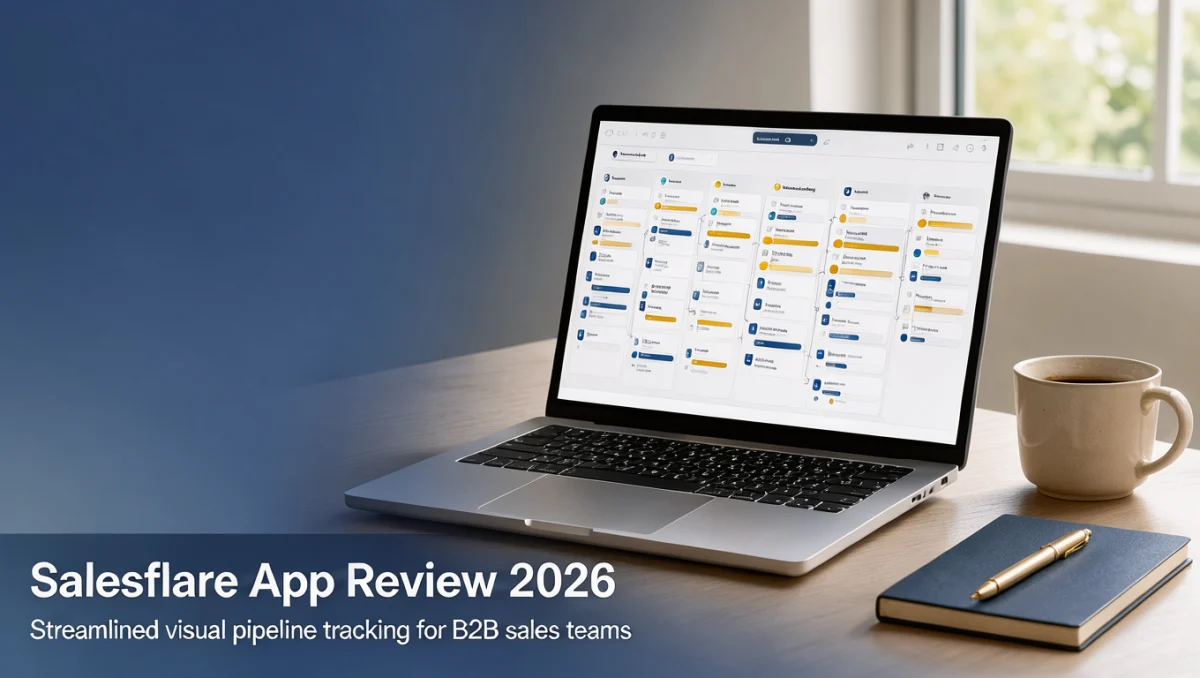
Opportunity management sits at the heart of the platform. It arranges potential contracts into drag-and-drop columns that reflect active deal stages. Team members can review contract values, assigned account executives, expected close dates and upcoming milestones from one central overview screen.
Visible stages help sales managers spot inactive accounts before prospects go cold. Reps can rename pipeline stages to match internal milestones, so handoffs between prospecting teams and closing executives follow standard procedures.
3.2. Automated Contact and Account Timelines
Contact aggregation tools collect email exchanges, calendar appointments and logged interaction notes into centralized company cards. When a team member opens a client file, the interface shows a chronological record of interactions from every colleague involved.
This shared history keeps team members from sending conflicting messages to executive stakeholders. New account owners can review past interactions quickly, without asking former deal owners for manual briefings.
3.3. Task Management and Follow-Up Workflows
Deal velocity often stalls when reps forget to send revised proposals, technical documentation or follow-up questions. The platform includes task lists that highlight pending responsibilities alongside related client records.
Because tasks link directly to account profiles, reps avoid keeping disconnected notes in external spreadsheets or personal calendars. Automated reminders encourage disciplined outreach and support steady closing rates over long review periods.
3.4. Commercial Reporting and Activity Insights
Sales leaders need clear views of pipeline momentum, conversion rates by stage and outbound communication volume. Built-in dashboards show metrics on deal aging, won opportunities and team engagement levels.
Measuring baseline performance across your team lets managers see which stage transitions cause the longest delays. Structured reporting also helps leadership forecast monthly revenue with greater consistency.
4. Ease of Use and Learning Curve
Adoption often decides whether a CRM rollout succeeds inside a busy sales department. If a platform demands heavy administrative work or confusing configuration, reps tend to fall back on scattered personal notes.
Salesflare keeps its visual layout approachable, which reduces resistance from administrators and reps. New team members can navigate account profiles, update deal stages and review interaction records without lengthy formal training.
Setting up pipeline stages and onboarding new staff is straightforward. Still, maintaining company-wide data hygiene matters, because automatic interaction recording works best when employees consistently connect their mailboxes and calendars.
5. Pros and Cons of Salesflare
Choosing software means weighing its operational strengths against its real functional limits. Looking at both sides helps buyers decide whether the product matches their team's capabilities.
5.1. Advantages
- Focuses on B2B sales cycles, so reps are not cluttered by retail or eCommerce modules they will never use.
- Consolidates client touchpoints into chronological account timelines, cutting the tedious manual logging that commercial reps dislike.
- Offers intuitive drag-and-drop pipeline views that give immediate visibility into active revenue opportunities.
- Provides simple setup steps that let small organizations start tracking clients without dedicated IT consultants.
- Supports collaboration by sharing account communication histories across assigned owners.
5.2. Limitations and Mitigation Strategies
- The B2B structure has no native point-of-sale or retail inventory features, so consumer-facing brands will need separate retail systems.
- Advanced enterprise governance tools, such as detailed role-based permission matrices, are less extensive than those in heavyweight corporate suites.
- Reporting emphasizes core pipeline stages rather than deep multi-attribute statistical modeling. Buyers who need more can supplement it with dedicated business intelligence exports.
6. Salesflare vs Similar Tools
Comparing candidate systems against established market peers gives useful context on software scope and design philosophy. Many organizations evaluating B2B sales software also look at HubSpot CRM, Pipedrive and Zoho CRM.
| Platform | Target Audience | Primary Design Focus | Key Consideration |
|---|---|---|---|
| Salesflare | Small and medium B2B teams | Automated contact data collection and streamlined visual pipelines | Best for consultative deal structures |
| HubSpot CRM | Scaling inbound marketing and sales groups | Broad marketing automation combined with sales contact management | Expands into broad marketing operations |
| Pipedrive | Activity-focused sales organizations | Structured visual pipeline stages and direct activity scheduling | Emphasizes individual representative actions |
| Zoho CRM | Organizations seeking extensive multi-department suites | Broad customization across diverse commercial departments | Requires more time for deep configuration |
Pipedrive puts rep activity scheduling first, and HubSpot links inbound content marketing to deal records. The salesflare app focuses on cutting data entry for B2B client management. Zoho CRM offers broad modular customization for large cross-functional teams, while Salesflare keeps operational overhead low for lean consultancies.
7. Who Should Use Salesflare
Identifying user profiles helps prospective buyers invest in platforms that match their business model. Different company sizes get different value from this software category.
7.1. Freelancers and Boutique Consultancies
Solo professionals and boutique consulting firms handling high-value advisory contracts gain a lot from organized relationship tracking. Having full email history inside account cards prevents miscommunication during long contract negotiations.
7.2. Small Business Owners and Growing Agencies
Digital marketing agencies, creative studios and professional service firms often run complex sales cycles with several stakeholder approvals. Shared account cards let team leads track deal progress without interrupting account executives for status updates.
7.3. High-Growth Tech Startups
Early-stage software companies pursuing enterprise contracts need clear tracking of prospect stages and investor relationships. Transparent opportunity management helps founding teams forecast cash flow and align development schedules with client commitments.
7.4. Groups That Should Consider Alternatives
High-volume consumer support desks and transactional online stores need ticketing queues and cart recovery tools rather than consultative B2B pipelines. Multinational conglomerates with complex divisional hierarchies will also find enterprise suites better suited to regional regulatory separation.
8. How to Choose the Right Plan

Choosing a software subscription means assessing long-term business needs rather than picking an introductory tier too early. As teams grow, licensing terms, communication volume thresholds and administrative privileges all affect total software spending.
| What to Check on the Official Website | Why it Matters to Your Organization |
|---|---|
| User seat minimums and billing cadence | Seat structures set ongoing departmental budgets, especially when onboarding seasonal or part-time sales staff. |
| Email account connection parameters | Confirming allowed connected inboxes per seat ensures all client-facing reps can sync communications properly. |
| Contact database and file storage allocations | Ensuring record limits fit your projected lead lists prevents unexpected mid-year upgrade requirements. |
| Workflow automation execution provisions | Teams relying on automated internal notifications must confirm monthly workflow run allowances cover expected outreach volume. |
Before finalizing a purchase, buyers should check the official salesflare app website for current subscription tiers, service terms and add-on options. The Trustreviewsx evaluation framework recommends auditing your administrative requirements once a year to confirm the software agreement still fits your team size.
9. Frequently Asked Questions
9.1. How do consultative teams confirm if this platform matches internal sales processes?
Map out your standard prospect progression from discovery call to signed contract. If negotiations involve several executive stakeholders, custom proposal milestones and extended deliberation phases, a B2B pipeline platform fits your rhythm well. Businesses with instant retail transactions should evaluate eCommerce solutions instead.
9.2. What hidden costs should buyers budget for when adopting new sales software?
Beyond the core subscription, plan for team onboarding time, data cleanup and possible third-party connection tools. Organizing and deduplicating existing customer spreadsheets before migration cuts down on transition friction.
9.3. What steps keep shared customer records consistent?
Assign an internal administrator to define standard deal stages and required contact fields so the whole team stays consistent. Routine pipeline review meetings encourage staff to update active opportunities promptly, keeping shared records reliable for executive forecasting.
9.4. How should a business know when to move from spreadsheets to a dedicated sales tool?
When several colleagues start contacting the same client accounts without coordinating, or follow-ups get lost in disconnected personal inboxes, spreadsheets have outlived their usefulness. Structured software restores shared memory and accountability.
10. Final Verdict
Choosing a commercial customer management system means balancing administrative simplicity against the analytical depth leadership needs. The salesflare app gives B2B sales teams a focused environment and reduces tedious manual logging.
| Criterion | Score /10 | Reason |
|---|---|---|
| Features | 7.8/10 | Provides dependable visual deal tracking, contact timeline consolidation and practical task management for commercial teams. |
| Ease of Use | 8.8/10 | Offers an approachable visual interface that needs little formal training for reps to adopt. |
| Pricing and Value | 7.4/10 | Follows standard commercial SaaS models, though buyers must verify current seat inclusions and contract terms directly. |
| Integrations | 7.2/10 | Connects with essential communication tools; buyers should confirm external software compatibility on the official site. |
| Audience Fit | 8.6/10 | Delivers an excellent environment for boutique agencies, professional consultancies and emerging B2B sales teams. |
| Support | 7.0/10 | Provides standard customer guidance resources; buyers should review service level agreements before deployment. |
| Competitive Position | 7.6/10 | Keeps a clear focus on automated B2B activity tracking against broader multi-department CRM competitors. |
| Overall Score | 7.8/10 | Balanced evaluation reflecting solid operational value for small to midsize consultative sales departments. |
For small and midsize B2B sales organizations, this software offers a reliable way to organize opportunities and keep account context intact across team handoffs. If your business handles high transactional consumer volume or needs deep custom enterprise database setups, look at broader corporate suites instead.
Readers with questions about choosing commercial software can send inquiries via Review Craft X or follow the Trustreviewsx team on LinkedIn for updated evaluation insights.