Trustreviewsx may earn a commission when you buy through links on this page, at no extra cost to you. This does not affect our ratings.
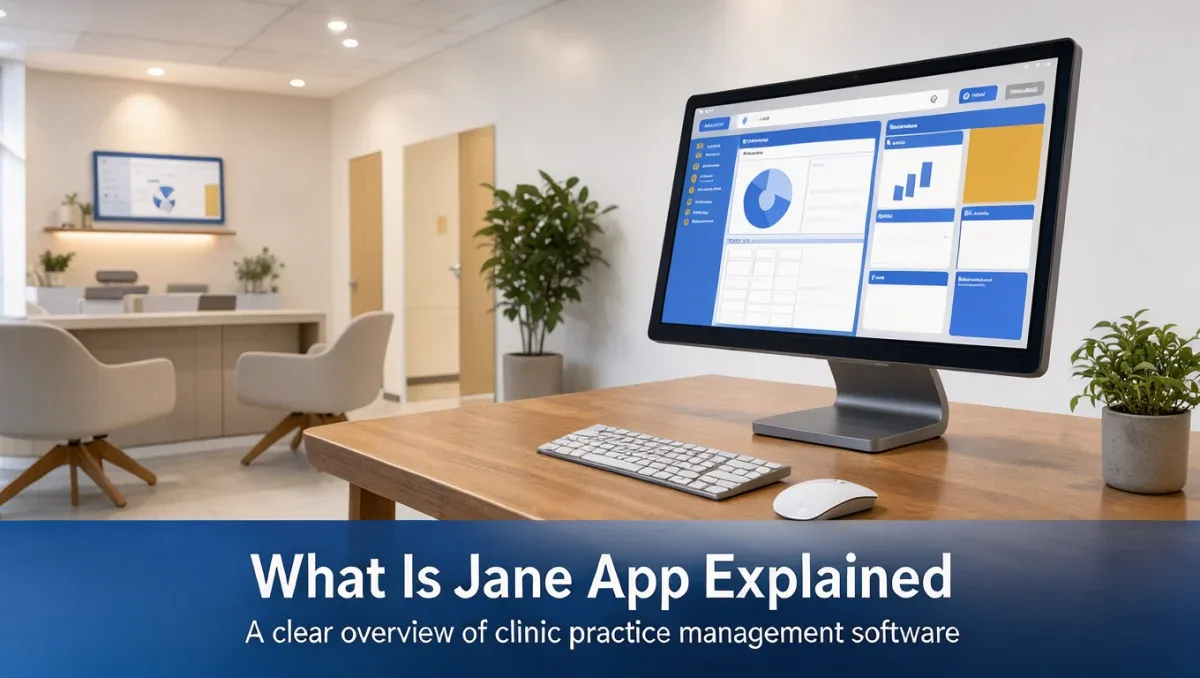
What is Jane App and how does it fit into daily clinical operations? At its core, Jane App is a specialized practice management solution created to centralize scheduling, client charting, invoicing, and appointments for independent health and wellness professionals. Rather than juggling disconnected calendars and paper notes, clinic owners turn to Trustreviewsx to understand whether this platform matches their operational requirements.
Healthcare administration requires strict organization, from managing patient documentation to issuing receipts for services rendered. Exploring modern administrative tools helps solo practitioners and multidisciplinary clinics discover whether dedicated practice software reduces administrative overhead or whether simpler office software remains adequate.
In short: Jane App is a comprehensive practice management platform designed for healthcare, allied health, and wellness clinics. It centralizes appointment booking, clinical charting, client communication, and administrative billing into one unified system, helping clinics run administrative duties without relying on separate generic office programs.
| Aspect | Details |
|---|---|
| Software category | Practice management and electronic health charting software |
| Main job | Centralizing patient appointments, clinical notes, and billing records |
| Typical users | Physiotherapists, mental health practitioners, chiropractors, and wellness clinics |
| Similar tools | SimplePractice, Cliniko, TherapyNotes |
1. How Trustreviewsx Put This Guide Together
This guide combines what the software covered here is built to do with the Trustreviewsx buying framework, so you can make the decision that fits your business. Plans, prices and limits change often, so we point out what to confirm on the official website before you buy. This article was researched and drafted with the help of AI tools, then reviewed and edited by the Trustreviewsx Editorial Team.
2. What Jane App does

Understanding the operational reach of clinical software helps healthcare workers decide if specialized systems are necessary. Practice management platforms handle several essential functions across administrative and clinical workflows.
- Appointment scheduling: Organizes practitioner calendars, manages shift availability, coordinates room bookings, and enables automated appointment reminders for clients.
- Clinical charting and documentation: Provides digital templates for patient history, treatment plans, intake forms, and clinical notes during patient appointments.
- Billing and financial records: Tracks service charges, produces itemized receipts, generates client invoices, and records payments for clinical consultations.
- Patient communication: Delivers appointment confirmations, intake questionnaires, and direct reminders to minimize missed appointments.
- Virtual consultations: Facilitates remote telehealth sessions directly through secure client connections when in-person visits are not feasible.
3. Where Jane App fits in your workflow

Software automates repetitive administrative tasks, yet practitioners retain full control over medical judgment and direct client interactions. Comparing software functions against human duties clarifies expectations.
| Business task | How this type of software helps | What you still do yourself |
|---|---|---|
| Patient onboarding | Sends digital intake forms and documents before the first visit | Reviews health history and confirms clinical suitability |
| Treatment planning | Stores standardized charting templates and tracks note history | Writes clinical observations and exercises diagnostic judgment |
| Daily scheduling | Displays multi-practitioner calendars and blocks reserved treatment rooms | Sets working hours and handles urgent calendar exceptions |
| Session billing | Generates itemized invoices and records patient payment history | Audits monthly accounts and coordinates with local accountants |
| Client retention | Sends automated booking reminders and confirmation notices | Delivers professional care and manages direct patient communication |
Maintaining responsive patient support remains vital across all operational stages, which is why clinics frequently study Customer Service techniques alongside administrative software adoption.
4. Key terms explained
Entering the clinical software landscape introduces specialized industry terminology that buyers encounter frequently.
- Electronic Health Record: A digital version of a patient medical history and chart maintained over time across clinical encounters.
- Intake Form: An administrative or medical questionnaire completed by patients prior to treatment to outline symptoms and contact information.
- Charting Template: A reusable structured document format that standardizes how clinicians record treatment notes and physical observations.
- Telehealth: The delivery of healthcare consultations and therapy sessions using live video communication technology.
- Superbill: An itemized document detailing healthcare services provided, designed for patients to submit directly to health insurance providers.
5. Who uses it and who does not need it
Practitioners should confirm whether dedicated clinical software aligns with their discipline before committing administrative resources.
Groups that benefit most from this category of software include:
- Solo allied health practitioners seeking to replace manual paper charting and physical appointment books.
- Multidisciplinary clinics featuring massage therapists, acupuncturists, and chiropractors sharing treatment rooms.
- Mental health counselors and physical therapists requiring organized treatment notes and secure client records.
- Wellness business owners who want clients to handle booking and intake submissions independently.
Groups that may not need specialized clinical software include:
- General retail businesses that sell physical merchandise without clinical consultations or therapy sessions.
- Corporate consultants whose scheduling and invoicing requirements are satisfied by standard calendar tools and basic spreadsheets.
- Large hospital networks requiring complex inpatient hospital information infrastructure and enterprise pharmacy management.
6. How to get started
Selecting and implementing software requires deliberate preparation to avoid operational disruptions during daily clinic hours.
- Document your current clinic workflow: Map out how patients book sessions, how charts are stored, and how payments are collected to identify bottlenecks.
- Consult your professional licensing body: Confirm local regulatory requirements for client health record storage and digital documentation standards for your specific modality.
- Visit the official Jane App website: Review plan tiers, user account rules, and listed operational capabilities to confirm alignment with your clinic size.
- Organize client data for migration: Gather existing patient registries and treatment outlines into structured spreadsheets so information transfers smoothly.
- Schedule an internal testing period: Set up sample client profiles, simulate an entire booking and charting cycle, and seek guidance from an accountant regarding financial reporting.
Independent evaluations and operational guides published on Trust Reviews X help practitioners compare practice management systems with clarity.
7. Frequently asked questions
What clinical disciplines utilize Jane App?
Jane App serves allied health and wellness professionals, including physiotherapists, registered massage therapists, chiropractors, psychotherapists, counselors, and naturopathic doctors. Clinics featuring solo operators or multidisciplinary teams employ this platform to organize shared facility rooms, individual practitioner schedules, and patient records.
How does dedicated clinical software differ from generic scheduling tools?
Generic calendar software manages simple time slots and meetings but lacks specialized clinical capabilities. Dedicated practice software incorporates clinical charting templates, secure intake workflows, treatment plan histories, and specialized health invoicing formats designed specifically around professional therapy and medical practices.
What technical expertise is necessary to operate practice management platforms?
Modern clinical systems rely on web browsers and standard internet connections, requiring general computer literacy rather than specialized technical training. Practitioners familiar with basic web browsing, word processing, and email communication can manage daily appointments, client notes, and billing entries without coding skills.
How should a clinic prepare existing patient records before adopting new software?
Clinic administrators should export or clean current patient contact lists, ensure active client files are up to date, and archive outdated records. Preparing standardized intake questions and charting outlines in advance facilitates a smooth configuration process when setting up treatment documentation.
8. Bottom line
Understanding what is Jane App allows clinic owners and wellness practitioners to assess their practice management needs with confidence. By uniting scheduling, clinical documentation, and billing into an integrated environment, the software addresses the operational friction common to allied health practices. Review your specific regulatory documentation standards, assess practitioner requirements, and confirm subscription specifications on the official Jane App website before transitioning your clinic workflows in 2026.
Have a question about choosing software? Send it to the Trustreviewsx team through our contact page or follow Trustreviewsx on LinkedIn for new reviews and comparisons.