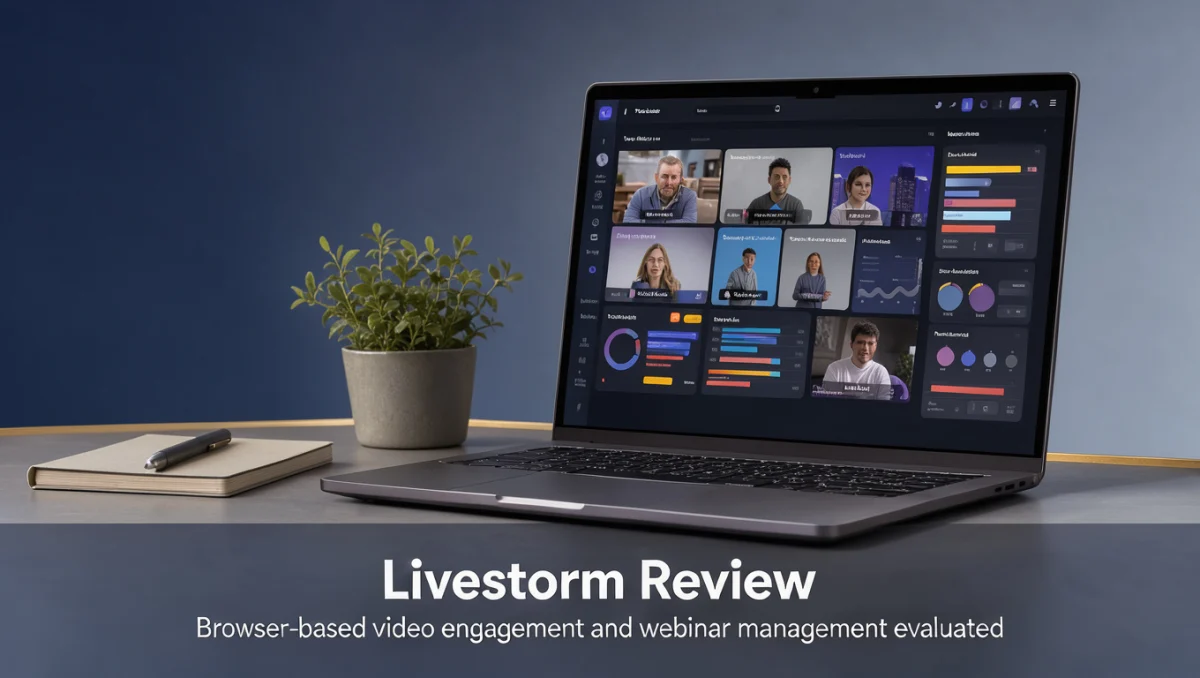
Every product we review is evaluated on how it performs in real workflows, not on marketing claims. Trustreviewsx may earn a commission when you buy through links on this page, at no extra cost to you, and this does not affect our ratings. Our livestorm review begins by examining how organizations handle video engagement, interactive presentations and registration without forcing attendees to install complex desktop software.
Teams today rely on dedicated virtual event software to run product demos, staff training and remote customer conferences. The real question is how each tool balances attendee convenience against backstage control. General meeting apps focus on casual calls, while webinar systems center on audience interaction, sign-up forms and post-session reporting. Before choosing, consider your production workflow, how often you host events and how much audience interaction you need.
Quick verdict: Scoring 7.8/10 overall, this platform suits marketing teams, product educators and corporate trainers who prioritize browser-based attendee participation and structured registration. It is a weaker fit for quick internal huddles or large multi-track conventions that need a dedicated production studio.
| Metric | Summary Details |
|---|---|
| Trustreviewsx score | 7.8/10 |
| Best for | Organizations hosting structured webinars, customer training sessions and external marketing presentations. |
| Not ideal for | Teams wanting quick informal catch-ups or organizations needing elaborate multi-stage broadcast setups. |
| Key strengths | Dedicated registration page creation, interactive audience engagement tools and post-event attendee reporting. |
| What to check before buying | Review attendee capacity thresholds, host seat allowances and recording storage limits on the official website. |
1. How Trustreviewsx Reviewed Livestorm
This review examines what Livestorm is built to do, who it serves and how it compares with similar tools, using seven Trustreviewsx criteria: features, ease of use, pricing and value, integrations, audience fit, support and competitive position. Plans, prices and limits change often, so we flag what to confirm on the official website before buying. This article was researched and drafted with AI assistance, then reviewed and edited by the Trustreviewsx Editorial Team.
2. What Livestorm Is and Who It Is For
Livestorm is a dedicated video engagement and webinar management platform developed by Livestorm SAS to help companies organize, host and analyze online events. Unlike basic conferencing tools built for conversational calls, webinar platforms manage the full lifecycle of an audience presentation: registration, email reminders, interactive delivery and follow-up engagement tracking.
The platform serves marketing professionals running lead-generation seminars, customer success representatives running group onboarding and HR teams delivering structured internal training. By standardizing registration and audience interaction, it reduces the logistical friction of coordinating public or private digital presentations.
Teams looking for Collaboration & Productivity tools often ask whether standard workplace video chat meets their presentation goals or whether dedicated webinar architecture is necessary. Webinar software separates presenters from audience members, creating an organized broadcast environment suited to formal communication.
3. Core Features of Livestorm

Webinar platforms succeed or fail on their core infrastructure for registration, presentation and data collection. In this detailed review, we analyze the primary functional areas that define the platform.
3.1. Event Creation and Registration Management
Registration tools let organizers capture attendee contact details, configure sign-up forms and manage invitee lists before an event begins. Organizers can customize form fields, set automated reminder schedules and embed registration components on external web pages. Central intake data gives sales and marketing teams clear visibility into pre-event interest.
3.2. Live Event Hosting and Stage Presentation
Hosting tools give designated presenters control over video feeds, screen sharing and slide decks while audience members watch. Stage administrators can invite guest speakers, manage active microphones and spotlight relevant materials. Presenters keep authority over stage flow, so general attendees cannot accidentally interrupt the session.
3.3. Audience Engagement and Interaction Modules
Engagement modules maintain attention through interactive questions, real-time polls and text chat. Attendees can upvote questions, respond to structured polls and answer pinned prompts shown during the presentation. These touchpoints turn passive viewing into active participation.
3.4. Post-Event Analytics and Attendee Reporting
Reporting tools compile attendance records, participation rates, poll responses and drop-off times once a session ends. Event managers can inspect individual engagement logs, export attendance summaries and see which topics drew the most interaction. These summaries help teams qualify leads or confirm training completion across groups.
4. Ease of Use and Learning Curve
Browser access simplifies participation because attendees join through standard web interfaces without downloading software. Removing local installation barriers reduces technical drop-off and support requests from corporate participants bound by strict device security policies. Organizers benefit from predictable guest entry across different operating systems.
For administrators, the interface arranges event setup into clear stages: pre-event configuration, live room controls and post-session reporting. New administrators can configure registration forms and prepare presentation rooms after a short period of familiarization. The learning curve centers on understanding stage moderation roles and managing audience chat during live broadcasts.
First-time presenters should run dry rehearsals to become familiar with backstage stage management, media sharing permissions and poll launch sequences. The dashboard is approachable, but coordinating live speaker transitions during high-stakes presentations takes deliberate practice.
5. Pros and Cons of Livestorm
5.1. Advantages of Livestorm
- Browser-based entry lets participants access sessions directly without mandatory client installation.
- Structured registration workflows automate sign-up confirmation and event access delivery.
- Interactive stage moderation tools help teams manage attendee questions and polls cleanly.
- Post-session data logs give clear visibility into individual audience engagement levels.
- Automated replay distribution helps maintain contact with registrants who missed the live session.
5.2. Limitations and Considerations
- Organizations seeking casual instant messaging or unstructured team calls will find formal webinar scheduling too rigid.
- Complex multi-day virtual summits with several simultaneous breakout stages may require specialized enterprise broadcast production suites.
- Subscription limits for attendee counts and team seats need careful verification on the official website to match your expected audience sizes.
6. Livestorm vs Similar Tools
Understanding where Livestorm sits in the wider market helps buyers decide whether dedicated webinar software or broader video conferencing fits their operating model.
| Platform | Primary Positioning | Ideal Operational Scenario |
|---|---|---|
| Livestorm | Browser-based dedicated webinar and interactive video event platform. | Marketing webinars, customer onboarding and external training sessions. |
| Zoom Video Communications | General video conferencing ecosystem offering add-on webinar modules. | Organizations wanting one unified environment for internal calls and occasional events. |
| GoTo Webinar | Traditional structured webinar broadcasting software for scheduled presentations. | Corporate environments accustomed to established webinar workflows and registration setups. |
| Webex by Cisco | Enterprise-grade conferencing and digital event infrastructure. | Large enterprises with rigorous governance and existing telepresence hardware. |
General conferencing tools like Zoom handle day-to-day internal communication well, but dedicated webinar platforms focus their development on registration conversion, audience interaction and marketing reporting. Traditional tools such as GoTo Webinar emphasize structured broadcasting, whereas Livestorm prioritizes browser-based accessibility for frictionless participant entry.
7. Who Should Use Livestorm?
7.1. B2B Marketing and Growth Teams
Marketing teams generating prospective client demand benefit from customized registration forms, branded waiting rooms and integrated engagement logs. Tracking poll answers and engagement scores helps growth specialists prioritize sales follow-up after the event.
7.2. Customer Success and Product Enablement Teams
Customer education specialists running recurring product demonstrations or onboarding cohorts need reliable presentation rooms with interactive question queues. The ability to invite attendees onto the digital stage lets trainers resolve customer questions in real time.
7.3. Corporate HR and Internal Training Coordinators
Internal training leads delivering compliance updates or professional development need verified attendance tracking and participation records. Structured session archives help organizations keep educational continuity for distributed staff.
7.4. Teams That May Need Alternative Tools
Solo entrepreneurs or informal teams needing rapid, ad-hoc screen sharing without registration hurdles are better served by standard communication tools. Producers organizing extensive multi-day digital conventions with vendor expo halls should explore dedicated virtual event production suites.
8. How to Choose the Right Plan

Software vendors adjust subscription terms frequently. Buyers should review the official plan comparison page to verify capacity allowances before subscribing.
| What to Check on the Official Page | Why It Matters |
|---|---|
| Live Attendee Capacity Limits | Webinar tiers typically tie pricing to concurrent attendee thresholds, so unexpected registration spikes may require a plan upgrade. |
| Host and Administrator Seats | The number of team members allowed to schedule and run events affects operational flexibility across departments. |
| Session Duration Ceilings | Some tiers cap the length of continuous broadcasts, which matters for long training workshops. |
| Recording Storage and Replay Terms | Storage rules determine how many hours of event recordings stay available for on-demand distribution. |
| Custom Registration Fields and Branding | Advanced white-labeling and custom data collection are often reserved for higher subscription levels. |
9. Frequently Asked Questions
9.1. How should teams estimate required webinar attendee capacity?
Review historical registration lists and calculate typical live attendance rates, which often run near half of total registrants. Choose a tier that comfortably covers peak registration targets to avoid locking out attendees at popular broadcasts.
9.2. What hardware and bandwidth considerations apply to browser presentations?
Hosts should use stable wired internet connections, dedicated USB microphones and an up-to-date browser to keep broadcasts clear. Presenters should close unnecessary background applications to free processing power for real-time video encoding.
9.3. How do administrators coordinate multi-speaker events?
Schedule a private rehearsal before the public presentation to check speaker audio levels, webcam framing and slide advance permissions. A backstage communication channel lets hosts and co-presenters coordinate transitions without interrupting audience audio.
9.4. What should be verified before buying an annual subscription?
Check concurrent attendee limits, the cost of additional seats for colleagues and overage policies on the official pricing page. Estimating your monthly event frequency will show whether month-to-month flexibility or an annual commitment offers better value.
10. Final Verdict
| Criterion | Score /10 | Reason |
|---|---|---|
| Features | 8.2 | Strong focus on end-to-end webinar workflows, registration design and interactive audience tools. |
| Ease of Use | 8.8 | Browser-based participant entry removes desktop client downloads for attendees. |
| Pricing and Value | 7.2 | Buyers must align expected audience size with published tier limits to control spending. |
| Integrations | 7.4 | Workflow automation depends on connecting registration pipelines to existing customer data systems. |
| Audience Fit | 8.5 | Highly suited to marketing professionals, customer trainers and teams running structured external webinars. |
| Support | 7.0 | Prospective buyers should check official documentation for live-event support availability. |
| Competitive Position | 7.8 | Offers a focused, modern alternative to legacy conferencing suites by prioritizing clean web-based event coordination. |
Overall Score: 7.8/10
Livestorm provides an effective, organized solution for businesses that treat webinars as structured communication and lead-generation channels. By removing client installation requirements for attendees, the platform reduces attendance friction and sustains engagement through live polls and organized question handling. Teams focused on high-conversion marketing presentations and recurring group onboarding will find it well aligned with their goals. Review Craft X continues to test these tools against the same seven criteria so buyers can compare options on equal terms.
Readers with software selection questions are welcome to contact our editorial team at https://trustreviewsx.com/contact/ or follow Trust Reviews X on LinkedIn at https://www.linkedin.com/company/trustreviewsx/ for updated evaluation frameworks.