Trustreviewsx may earn a commission when you buy through links on this page, at no extra cost to you. This does not affect our ratings.
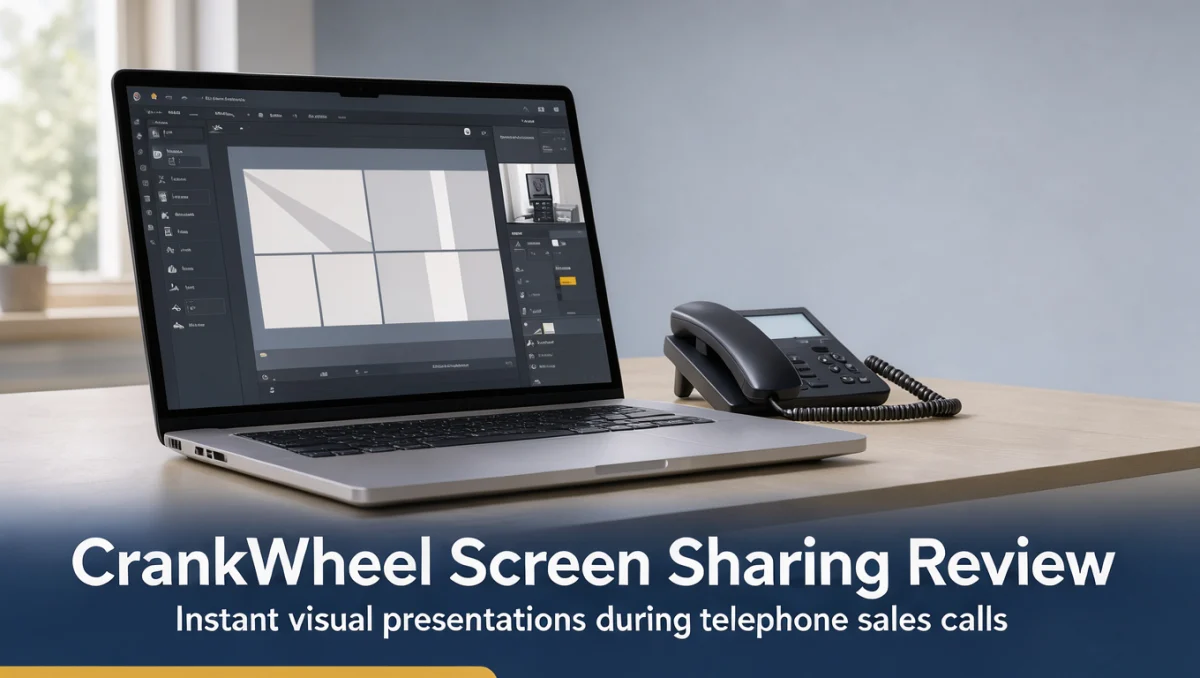
Sales professionals who need to display visual material mid-call are paying close attention to crankwheel new features. Inside sales teams regularly lose momentum when a prospect asks to see a deck or quote during an unplanned conversation and cannot open a link fast enough. Trustreviewsx tested how visual engagement tools remove that obstacle without forcing customers through technical hurdles.
Knowing how modern screen sharing products develop over time makes it easier to judge whether this kind of software fits a direct sales approach. For background on how visual presentation tools sit alongside wider workplace systems, see our coverage of Collaboration & Productivity platforms. The right setup depends on how your team is organized, how complex your presentations are, and how your customers usually engage.
Quick verdict: CrankWheel earns 7.7/10 for its focused take on instant screen sharing during phone calls. It fits telephone sales reps who need immediate visual backup while speaking with prospects. Companies that require full two-way conferencing, breakout rooms and audio bridges will likely be better served by broader collaboration suites.
| Metric | Summary |
|---|---|
| Trustreviewsx score | 7.7/10 |
| Best for | Sales professionals who conduct phone conversations and need immediate visual confirmation from prospects |
| Not ideal for | Organizations wanting multi-participant video webinars with collaborative document co-editing |
| Key strengths | Instant link generation for viewers without software downloads, browser-level screen streaming, and visual engagement tracking |
| What to check before buying | Confirm user license rules, connection thresholds, and CRM syncing capabilities on the official CrankWheel website |
1. How Trustreviewsx Reviewed CrankWheel
This review examines what CrankWheel is designed to accomplish, the users it targets, and how it stacks up against comparable products. We applied seven Trustreviewsx criteria: features, ease of use, pricing and value, integrations, audience fit, support, and competitive position. Plans, prices, and usage limits change frequently, so we flag the items you should verify on the official website before purchasing. This article was researched and drafted with AI assistance, then reviewed and edited by the Trustreviewsx Editorial Team.
2. What CrankWheel Is and Who Uses It
CrankWheel is a visual communication product that lets sales representatives share their computer screens right away during live phone calls. Conventional web conferencing tools usually depend on meeting IDs, installation steps, or calendar invitations booked in advance. CrankWheel concentrates on instant viewer access: the representative sends a brief link or message during a call, and the prospect can open the presenter's screen within seconds.
The product is aimed at outbound and inbound sales agents, insurance advisors, financial service representatives, and software demonstrators who talk with customers over voice lines. Prospects are often reluctant to download files or set up guest accounts during an early exploratory call. CrankWheel tackles that friction by delivering visual content straight into the prospect's browser.
Organizations researching crankwheel new features should keep in mind that sales engagement technology changes through the vendor's official release channels. Reviewing the vendor's announcements page will show recent interface changes and the current state of visual streaming before you commit to an annual deployment.
3. Core Screen Sharing Capabilities

Understanding the basic capabilities of screen sharing platforms helps buyers tell specialized sales visualization tools apart from general group conferencing products.
3.1. Instant Viewer Connection and Link Delivery
The main purpose of visual presentation software in sales is to connect a presenter with an unexpected prospect right away. The presenter can generate a connection link or send a direct prompt to the prospect's phone or inbox while the voice conversation continues. The viewer taps the notification and sees the presenter's display in any modern web browser. Sales organizations value this approach because it avoids drop-offs caused by lost meeting links or client-side IT security blocks.
3.2. Targeted Screen and Browser Tab Sharing
Visual presentation software should give representatives precise control over what the viewer can see. Presenters can choose a single browser tab, an isolated application window, or a full desktop monitor. This prevents accidental exposure of confidential client records, internal chat notifications, or personal email during a demonstration. Presenters keep their workspace private while walking the prospect through quotes, contract terms, or software screens.
3.3. Engagement Awareness and Viewer Visibility Indicators
Knowing whether the prospect is still focused on the shared content is a real challenge during voice-only calls. Screen presentation platforms can show whether the customer is actively viewing the presentation or has minimized the browser tab. This feedback helps the sales agent pause, ask clarifying questions, or recapture attention before moving on to complex proposals.
3.4. Remote Control and Presentation Handoff Considerations
Some customer demonstrations call for interactive participation, such as letting a client enter information or try out software controls. Many collaboration platforms limit remote interaction depending on account settings and browser permissions. Prospective buyers should check the official CrankWheel feature breakdown page to see how interactive controls and co-browsing work under each plan.
4. Ease of Use and Onboarding Experience
CrankWheel is built to reduce operational complexity for both presenter and viewer. The representative's interface runs inside the browser, so activating it takes one click while the agent is still handling a handset or computer softphone. Presenters do not have to set up complicated audio routing, because the voice conversation stays on the existing phone channel.
For the recipient, the experience is especially simple. Prospects do not install executables, create user accounts, or approve administrative permissions. They open a web address and the stream appears. This streamlined path helps non-technical customers, such as homeowners reviewing contractor estimates or older clients reviewing insurance coverage, follow along visually without frustration.
Training new sales agents on visual calling tools is straightforward because the workflow mirrors a normal phone call with a visual aid added. Representatives concentrate on conversational pacing rather than troubleshooting meeting room permissions, which shortens onboarding time for growing business development teams.
5. Pros and Cons of CrankWheel
Weighing the strengths and functional trade-offs of specialized presentation tools helps your organization choose software that fits daily operations.
5.1. Key Advantages
- Instant visual delivery without requiring prospective customers to download software or register accounts.
- Minimal impact on internal IT permissions because the viewing experience runs entirely in standard web browsers.
- Visual attention indicators that alert representatives when a prospect navigates away from the shared screen.
- Focused design that works alongside existing voice telephony rather than requiring a separate audio conference setup.
5.2. Functional Trade-Offs
- The sales-presentation focus means it lacks built-in multi-party video conferencing and webinar hosting.
- It is not designed for internal company collaboration where persistent project rooms and document co-authoring are needed.
- Depth of integration with particular customer relationship management databases varies, so teams should confirm connector availability.
- Large enterprise teams must audit user permissions and administrative reporting settings directly in the vendor portal before rollout.
6. CrankWheel Compared With Alternative Meeting Tools
Seeing where CrankWheel sits in the wider market makes it clearer whether a dedicated visual sales tool or a general web meeting suite suits your team.
| Software Category | Representative Tools | Core Focus | Consider When |
|---|---|---|---|
| Phone-First Visual Sharing | CrankWheel | Instant screen streaming during phone calls without downloads | Your sales workflow relies primarily on direct phone outreach to prospects |
| General Web Conferencing | Zoom, Microsoft Teams | Scheduled video conferences, internal meetings, and webinars | Your team requires two-way video, team chat channels, and calendar-scheduled meetings |
| Enterprise Sales Engagement | GoTo Meeting, Webex | Formal presentations with multi-party audio, video, and recording | You host planned demonstrations with multiple external stakeholders simultaneously |
General conferencing platforms such as Zoom and Microsoft Teams offer complete communication environments covering internal chat, scheduled video calls, and file storage. However, they add overhead when a sales agent wants to display a document immediately during an unscheduled phone call. CrankWheel puts instant connection ahead of extensive conference management features.
When comparing options, evaluate your main sales touchpoints. If representatives make outbound calls and need to show a single pricing sheet on the spot, specialized instant sharing tools reduce customer drop-off. If your business runs sixty-minute committee meetings with ten participants, general conferencing platforms provide the multi-user infrastructure you need.
7. Who Should Choose CrankWheel

Different roles and commercial operations gain different levels of value from instant screen sharing software.
7.1. Outbound and Inbound Phone Sales Teams
Inside sales departments handling dozens of calls each day benefit directly from instant screen sharing. When an interested prospect asks about product construction, contract terms, or design layouts, the agent can display the relevant document within seconds. That immediacy keeps buyer interest high and shortens transaction timelines.
7.2. Independent Insurance and Financial Service Agents
Insurance brokers and financial advisors often explain complex policy charts and numeric quotes over the phone. Clients frequently find it hard to follow policy details from verbal descriptions alone. Showing the proposal visually while staying on the call makes the coverage clear and lets the agent confirm the client understands it.
7.3. Field Service and Trade Contractors
Contractors discussing remodeling projects, roofing estimates, or equipment repairs can walk homeowners through detailed estimates and diagrams. Since homeowners often use mobile devices, a viewing link that opens cleanly in any mobile browser avoids technical troubleshooting during estimate calls.
7.4. Teams That May Need Alternative Tools
Software development agencies running daily standups, educational institutions hosting online classes, and corporate boards holding formal committee reviews will likely find CrankWheel too narrow. These use cases need persistent group channels, interactive whiteboards, and multi-user video grids that general collaboration platforms provide.
8. How to Choose the Right Subscription
Subscription structures differ by team size, call volume, and administrative needs. Review the points below on the official vendor website before finalizing a purchase.
| What to Check | Why It Matters |
|---|---|
| User seat definitions | Determines whether licenses are assigned per individual or shared across a sales pool, which affects budgeting. |
| Concurrent presentation limits | Confirms how many simultaneous screen sharing sessions your sales floor can run during peak call hours. |
| CRM synchronization capabilities | Verifies how call logs, viewer metrics, and presentation histories export into your customer relationship database. |
| Administrative access controls | Ensures supervisors can manage user permissions, monitor presentation activity, and enforce company security rules. |
| Branding customization options | Checks whether the viewing interface displays your company logo and custom domain elements during client sessions. |
To avoid surprise costs, buyers should estimate their actual monthly call volume. Vendors often tie plan tiers to administrative controls or custom branding, so reading the plan definitions on the official site keeps your team from paying for features it will not use.
9. Frequently Asked Questions
How does phone-first screen sharing differ from standard video conferencing?
Phone-first screen sharing depends on an active telephone conversation for voice while streaming visual content through a browser link. Traditional video conferencing bundles audio, webcam feeds, and screen sharing into one meeting room that usually requires scheduling, meeting codes, and software downloads before participants can join.
What should sales teams check regarding customer relationship management integrations?
Sales teams should confirm how the screen sharing platform communicates with their existing customer relationship database. Check whether session timestamps, prospect engagement durations, and presentation notes sync automatically to customer records, or whether representatives must copy session histories into client logs manually after each call.
How should businesses evaluate screen sharing security and presentation privacy?
Businesses should review how presentation tools restrict viewer visibility to particular browser windows or applications. Confirming that representatives can isolate single tabs helps prevent accidental disclosure of confidential customer information or internal messages during live demonstrations.
What technical requirements exist for prospective customers viewing a presentation?
Prospects typically need only an active internet connection and a modern web browser on a desktop, tablet, or smartphone. They do not need to download applications, set up audio hardware, or register accounts, which allows immediate visual access during live phone discussions.
How does visual attention monitoring assist inside sales representatives?
Attention monitoring alerts the representative if a prospect switches to another browser tab or minimizes the presentation window. This feedback lets the agent adjust pacing, ask engagement questions, or clarify complicated points before continuing the sales pitch.
10. Final Verdict on CrankWheel
Independent software research from Trust Reviews X helps buyers select business tools based on functional capabilities and clear workflow needs. CrankWheel addresses a specific niche for sales teams that depend heavily on voice telephony and need immediate visual engagement without software downloads.
| Criterion | Score /10 | Reason |
|---|---|---|
| Features | 7.2 | Delivers instant screen streaming and viewer awareness indicators but lacks general collaboration tools. |
| Ease of Use | 8.8 | Zero-download viewing experience makes it exceptionally simple for prospects to join immediately. |
| Pricing and Value | 7.5 | Provides focused value for phone sales teams; buyers must verify concurrent connection rules on the official site. |
| Integrations | 7.0 | Syncs core presentation data with sales systems; confirm specific CRM connectors on the vendor directory. |
| Audience Fit | 8.5 | Well suited for outbound sales reps, insurance advisors, and service contractors speaking directly on the phone. |
| Support | 7.4 | Offers standard customer assistance resources; verify direct support channels on the official portal before buying. |
| Competitive Position | 7.8 | Occupies a clear position as an instant, phone-first visual presentation tool alongside traditional meeting platforms. |
Overall score: 7.7/10
For sales organizations whose main customer contact happens by phone, CrankWheel offers a practical way to present documents, quotes, and software interfaces without technical delays. Teams with complex webinar or internal conferencing needs should evaluate broader collaboration suites.
For questions about software evaluations, contact us at https://trustreviewsx.com/contact/ or follow the Trustreviewsx team on LinkedIn at https://www.linkedin.com/company/trustreviewsx/.
See More Review Craft X