Trustreviewsx may earn a commission when you buy through links on this page, at no extra cost to you. This does not affect our ratings.
Outbound-focused contact centers often need a platform that moves calls quickly while keeping contact data organized and compliant. Choosing an readymode call center software option means weighing dialing speed against governance needs, so leaders can invest with confidence. At Review Craft X, we assess software across operational dimensions to help teams make informed decisions.
Growing teams handle heavy calling schedules, which makes workflow structure essential. Before committing budget, it helps to examine contact management, supervisor visibility, campaign setup and the effort required for team adoption.
Quick verdict: ReadyMode earns an overall score of 7.7/10. It suits outbound sales organizations running continuous campaigns with dedicated phone agents, and is less suitable for small teams that need light ticketing without outbound calling.
| Metric | Summary Details |
|---|---|
| Trustreviewsx score | 7.7/10 |
| Best for | Sales teams conducting intensive outbound phone outreach |
| Not ideal for | Organizations wanting inbound ticket helpdesks without phone outreach |
| Key strengths | Automated outbound dialing, lead distribution, and live supervisor tracking |
| What to check before buying | Seat minimums, telecommunication carrier costs, and onboarding terms |
1. How Trustreviewsx Reviewed ReadyMode
This review examines what ReadyMode is designed to do, who it serves, and how it compares with similar tools. We applied seven Trustreviewsx criteria: features, ease of use, pricing and value, integrations, audience fit, support and competitive position. Plans, prices and limits change frequently, so we highlight what to confirm on the official website before purchasing. This article was researched and drafted with AI assistance, then reviewed and edited by the Trustreviewsx Editorial Team.
2. What Is ReadyMode and Who Is It For?
ReadyMode is call center software built to support outbound sales outreach and contact center operations. It accelerates live agent connections by automating dialing sequences and presenting contact records to staff as calls connect.
Outbound sales groups, lead generation teams and appointment-setting agencies are the main audience for this category. These organizations employ dedicated sales staff who spend working hours on the phone reaching prospects and qualified buyers.
Organizations focused on passive inbound support or asynchronous email resolution will find less alignment with predictive dialer platforms. Operational leaders should assess their contact mix to confirm whether outbound calling sits at the centre of daily work.
3. Core Features of ReadyMode

Call center platforms combine several functional areas to manage phone queues, handle data and supervise distributed staff. ReadyMode organizes its environment around several core groups that matter for outbound phone initiatives.
3.1. Predictive Outbound Dialing and Queue Handling
Automated dialing is the foundation of outbound communication technology. Predictive algorithms work through lead lists, place calls across multiple lines at once, and route answered calls to available agents immediately.
Agents avoid manual number entry, busy-signal delays and unanswered attempts. Platforms in this space aim to maximize active conversation time per shift while filtering out unproductive dialing states.
3.2. Lead Routing and Contact Pipeline Management
Contact records need structured routing based on operational rules, geography, agent skills or campaign stage. ReadyMode includes distribution mechanisms that deliver contact details directly to agent screens when a live connection is made.
Sales managers can structure campaign lists, organize prospect call cadences and maintain disposition tags once calls end. Effective pipeline routing prevents duplicate calling and keeps records current across shared databases.
3.3. Supervisor Dashboards and Quality Monitoring
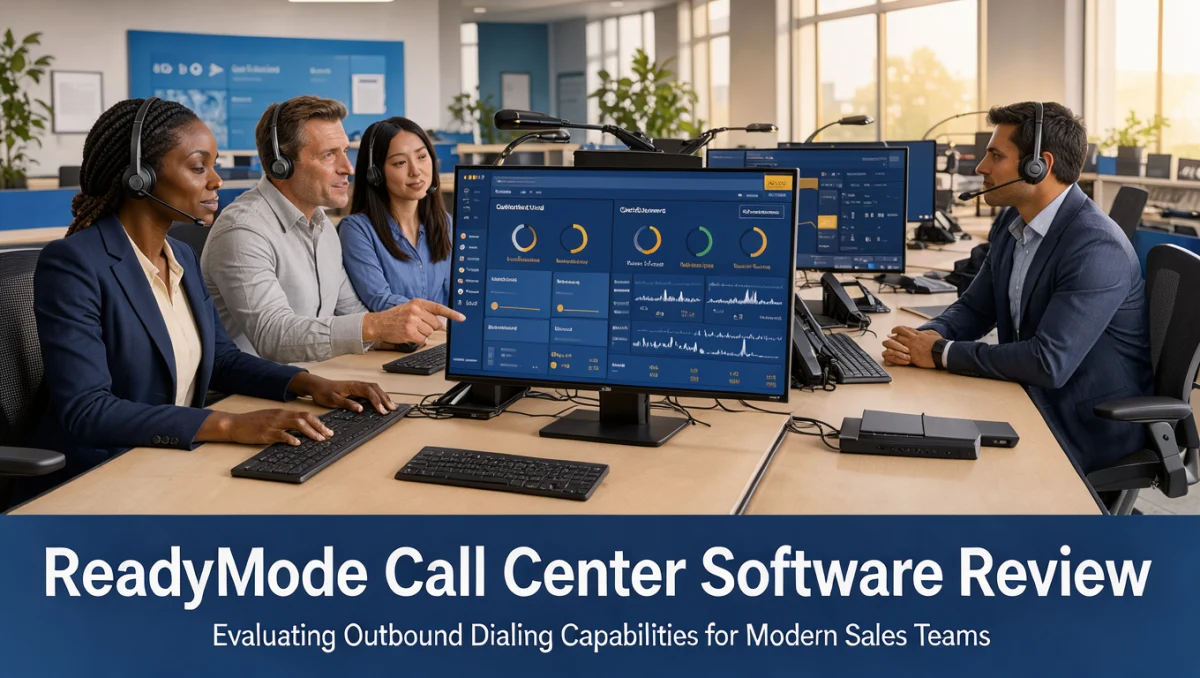
Operations management requires continuous oversight of calling activity, queue volume and agent availability. Call center software gives administrators dashboards showing live agent statuses, connected calls and campaign completion pace.
Supervisors can use listen-in, call whispering and barge features during live conversations to support agents through difficult discussions. Quality review modules let managers inspect recorded calls for coaching purposes.
3.4. Campaign Reporting and Conversion Analytics
Performance metrics help leaders identify profitable outreach campaigns and operational bottlenecks. Reporting dashboards track call duration, connection rates, contact outcomes and individual agent performance.
Contact center directors use these reports to adjust list distribution, evaluate team efficiency and refine scheduling. Business software within the broader Collaboration & Productivity space depends on transparent data visibility to sustain team accountability.
4. Ease of Use and Learning Curve
Predictive dialers have distinct user experience dynamics because system pacing directly shapes agent activity. Agents work with call screens that display client records, disposition dropdowns and active telephone controls.
The administrative learning curve requires technical competence in lead data formatting, field mapping, campaign logic and carrier configuration. New campaign managers often need focused orientation to understand disposition routing and administrative rules.
Sales representatives find a simpler interface dedicated to active calls and note entry. Because call pacing is rapid, however, agents need thorough orientation so they can move between conversations without hesitation.
5. Pros and Cons of ReadyMode

Assessing call center technology means balancing high-speed outbound mechanics against administrative complexity. Weighing operational benefits against structural trade-offs clarifies whether a platform suits an organization.
5.1. Advantages
- Automates outbound calling routines to increase live conversation opportunities throughout each shift.
- Centralizes contact record presentation alongside active telephone controls for streamlined record management.
- Equips supervisors with real-time monitoring, call whispering and administrative oversight.
- Delivers reporting summaries covering dialing pace, agent disposition statuses and campaign metrics.
5.2. Considerations and Limitations
- Requires structured training for administrators responsible for setting up lead flows and campaign logic.
- High-volume dialer configurations demand close attention to national calling regulations and telecommunication compliance rules.
- Organizations with low call volumes or simple customer service lines face unnecessary operational complexity.
6. ReadyMode vs Similar Tools
Comparing software options means evaluating market orientation, target workflows and architectural choices across established alternatives.
6.1. ReadyMode
ReadyMode positions its solution for outbound-heavy sales organizations and appointment generation centers. Its core strength lies in fast predictive dialing, automated pacing and sales campaign workflows designed for dedicated phone teams.
6.2. Five9
Five9 is an enterprise-grade contact center platform serving large organizations with complex blended inbound and outbound needs. While it handles extensive multi-channel demands at enterprise scale, buyers with simpler outbound sales workflows may prefer focused dialing platforms.
6.3. Talkdesk
Talkdesk offers cloud contact center solutions that emphasize modern interface usability, omni-channel customer service and flexible administrative controls. Organizations focused heavily on inbound service and customer satisfaction ticketing often prefer Talkdesk over pure outbound sales engines.
7. Who Should Use ReadyMode?
Choosing communication software means aligning its strengths with internal roles, business scale and operational priorities.
7.1. Outbound Sales Teams
Sales development teams, mortgage brokerages and insurance agencies running persistent cold outreach benefit from automated queue management. These teams rely on rapid connection mechanics to sustain prospecting.
7.2. Lead Generation Agencies
Marketing and outsourced appointment-setting operations managing multiple client lists at once gain control through campaign segmentation. Supervisory tools let agency managers allocate staff across client accounts as needs change.
7.3. Organizations That Should Seek Alternatives
Freelancers, solo consultants and low-volume customer service desks should look elsewhere. Running dedicated predictive dialing infrastructure adds unnecessary friction for teams that make only occasional calls.
8. How to Choose the Right Plan
Subscription models for contact center software vary by administrative tier, operational allowances and telecommunication fees. Confirm details directly on the vendor's website before signing any agreement.
| What to Check on the Official Pricing Page | Why It Matters |
|---|---|
| Per-seat commitment requirements | Confirm minimum agent seat rules, because enterprise minimums set your initial financial baseline. |
| Telecommunication usage rates | Review per-minute or carrier charges, because dialing volume changes monthly telecommunication costs. |
| Onboarding and setup fees | Check whether administrative configuration services carry upfront implementation charges. |
| Data storage policies | Examine call recording archive rules to make sure compliance requirements match your retention obligations. |
| Technical guidance tiers | Confirm what support level comes with your subscription to avoid unexpected deployment obstacles. |
9. Frequently Asked Questions
How should an organization evaluate dialer readiness?
Organizations should confirm that their sales pipeline holds enough leads to keep several agents consistently busy. Running predictive dialing without a steady flow of contact records leaves agents idle between calls. Contact center managers should assess lead replenishment capacity before adopting automated dialing.
What administrative overhead comes with call center platforms?
Administrators must manage campaign data hygiene, lead list formatting, agent skill assignments and outbound compliance. They regularly adjust dialing ratios, review disposition accuracy and monitor caller ID reputation with major carriers to protect answer rates and avoid spam labeling.
What telecommunication compliance aspects require planning?
Outbound calling is governed by strict legal frameworks covering calling hours, consent tracking, national opt-out registries and automated dialing restrictions. Contact center directors should consult legal counsel to ensure list management and calling patterns meet regulatory requirements in every jurisdiction they target.
How do contact center teams ensure smooth software adoption?
Structured onboarding that teaches representatives software navigation, note documentation and disposition categories prevents confusion. Running simulation sessions before launching live campaigns helps agents stay comfortable handling instant connections while updating records in real time.
10. Final Verdict
ReadyMode provides dedicated outbound calling tools for performance-driven sales floors and appointment generation firms. It automates routine dialing to widen agent conversation windows while giving leadership oversight dashboards.
| Criterion | Score /10 | Reason |
|---|---|---|
| Features | 8.5/10 | Provides focused predictive dialing, lead distribution and real-time supervisory tracking. |
| Ease of Use | 7.5/10 | Offers clear agent dialing screens but requires focused administrator campaign setup. |
| Pricing and Value | 7.0/10 | Buyers should verify seat minimums and usage fees on the official page to gauge return. |
| Integrations | 7.0/10 | Users should check CRM integration compatibility on the official portal before setup. |
| Audience Fit | 8.5/10 | Closely matches high-intensity outbound sales floors, lead brokers and phone agencies. |
| Support | 7.5/10 | Deployment guidance should be verified on the vendor site to match your team's technical readiness. |
| Competitive Position | 8.0/10 | Occupies a distinct outbound niche against broader omni-channel customer service suites. |
Overall score: 7.7/10
For sales organizations whose growth depends on daily phone conversations, ReadyMode delivers specialized outbound machinery. Teams focused mainly on inbound service or infrequent calling should choose a general ticketing or helpdesk platform instead.
Have questions about selecting contact center software? Send your inquiries to the editorial team through the Trustreviewsx contact page, or follow Trustreviewsx on LinkedIn for software evaluation updates.