Trustreviewsx may earn a commission when you buy through links on this page, at no extra cost to you. This does not affect our ratings.
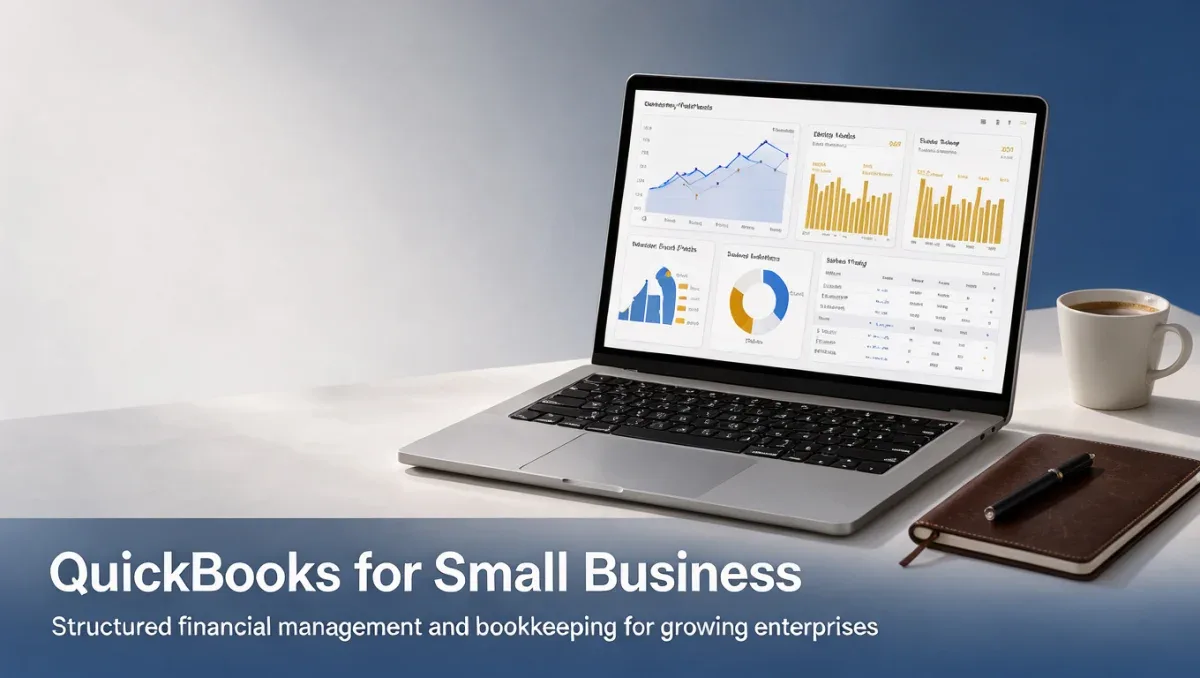
QuickBooks for small business operations provides a structured foundation for tracking income, organizing commercial expenses, creating client invoices, and generating essential fiscal statements. At Trustreviewsx, our evaluation focuses on how effectively this accounting software manages everyday financial records while maintaining orderly ledgers for growing commercial enterprises.
Selecting an accounting platform requires balancing financial tracking depth against the ongoing administrative effort your team must commit. Before adopting any financial management system, business owners must evaluate their specific operational needs, team roles, and routine documentation practices to determine whether quickbooks for small business operations matches their internal workflow requirements.
Quick verdict: QuickBooks scores 7.9/10 overall, serving established business owners who require structured double-entry bookkeeping, multi-step invoicing, and comprehensive financial reporting. It remains less suitable for solo freelancers needing minimal administrative tracking or sole operators who prefer an immediate, simplified invoicing setup without financial maintenance overhead.
| Evaluation Metric | Assessment Summary |
|---|---|
| Trustreviewsx score | 7.9/10 |
| Best for | Small business owners, growing teams, and businesses requiring structured bookkeeping. |
| Not ideal for | Solo micro-contractors seeking zero setup or teams seeking instant simplicity. |
| Key strengths | Complete record organization, invoice generation, financial statement preparation, expense categorization. |
| What to check before buying | Confirm user access allocations and optional administrative module costs on the official vendor website. |
1. How Trustreviewsx Reviewed QuickBooks
This review looks at what QuickBooks is built to do, who it serves, and how it compares with similar tools, using the seven Trustreviewsx criteria: features, ease of use, pricing and value, integrations, audience fit, support and competitive position. Plans, prices and limits change often, so we point out what to confirm on the official website before you buy. This article was researched and drafted with the help of AI tools, then reviewed and edited by the Trustreviewsx Editorial Team.
2. What is QuickBooks and who is it for
QuickBooks is an established accounting platform developed by Intuit to help commercial enterprises organize their financial records and maintain systematic books. The system is designed to handle daily monetary activities by recording incoming customer payments, logging outgoing operational expenses, tracking accounts payable, and compiling standardized financial balances. It operates primarily on a recurring subscription model, providing distinct package levels structured around different commercial operating scales.
The platform primarily serves independent businesses, partnerships, expanding commercial operations, and retail or service companies that need accurate records for tax preparation and internal reporting. Organizations that require reliable financial separation between personal and company funds benefit from its traditional ledger approach. When structuring your wider Accounting tech stack, verifying your administrative workflow ensures the platform supports your daily recordkeeping routines.
3. What QuickBooks helps you do

3.1. Invoicing and receiving receivables
QuickBooks allows business operators to create itemized bills for clients, apply relevant sales taxes, and maintain clear visibility over unpaid customer receivables. Organizations can verify how easily invoice items can be updated, how customer records store billing terms, and whether recurring billing schedules function smoothly for regular client accounts during software evaluation.
3.2. Tracking commercial expenses and cash outflows
The system lets users log vendor disbursements, sort receipts into distinct tax categories, and monitor outgoing bank transactions. Buyers should test transaction sorting rules, evaluate how receipts attach to spending entries, and verify that recurring utility or vendor disbursements allocate to appropriate spending accounts without manual reclassification.
3.3. Generating financial statements and operational summaries
QuickBooks produces standard commercial summaries including profit and loss statements, balance sheets, and cash flow summaries. Evaluators should review standard summary filters, check whether date ranges configure easily, and determine whether customized data views present necessary balance metrics clearly for financial advisors or lenders.
4. Ease of use and learning curve
Because QuickBooks functions as a double-entry bookkeeping system, newcomers unfamiliar with basic debit and credit mechanics face an initial adjustment period. Setting up chart accounts, aligning starting bank balances, and mapping sales items requires structured planning before issuing initial transactions.
Teams with prior administrative exposure generally adapt within a few working sessions, whereas first-time business operators often benefit from consulting external bookkeepers during setup. According to Trust Reviews X guidelines, companies should weigh the time needed to establish systematic bookkeeping against the operational benefits of structured records.
5. A two-week evaluation plan for QuickBooks
- Days 1 to 3: Initial setup and account structure: Establish your company profile, construct your baseline chart of accounts, configure commercial tax rates, and manually input starting vendor records to confirm setup flexibility.
- Days 4 to 7: Active transaction simulation: Generate draft customer invoices, log routine operational expenses, record dummy customer payments, and connect test bank data to observe automated sorting behavior.
- Days 8 to 14: Reporting review and workflow verification: Produce a sample balance sheet and profit summary, test report filtering options, evaluate multi-user permission settings, and review data export capabilities for your tax professional.
6. Where QuickBooks shines and where it may fall short

| Area | Shines when | May fall short when |
|---|---|---|
| Bookkeeping structure | Businesses need traditional double-entry ledgers and thorough audit documentation. | Operators require zero accounting terminology and prefer simplified personal bookkeeping. |
| Financial reporting | Management requires structured profit summaries and balance sheets for stakeholders. | A sole practitioner only needs a single-column list of received payments. |
| Commercial scalability | Growing teams gradually expand user responsibilities and invoice volumes. | A micro-business wants minimal software configuration and immediate out-of-the-box billing. |
7. QuickBooks compared with similar tools
| Tool | Best for | Core focus |
|---|---|---|
| FreshBooks | Freelancers and client-service agencies | Time tracking, streamlined invoicing, and client communication workflows. |
| Xero | Growing small businesses and collaborative teams | Double-entry accounting, financial oversight, and business tracking. |
| Wave | Micro-businesses and sole proprietors | Straightforward invoicing and foundational cash-flow tracking. |
8. Who should use QuickBooks
| User Group | Recommendation | Primary Reason |
|---|---|---|
| Small business owners | Recommended | Requires comprehensive records, invoicing, and balance sheets for ongoing compliance. |
| Growing commercial teams | Recommended | Benefits from structured transaction logs, defined roles, and detailed accounts payable. |
| Independent freelancers | Consider simpler alternatives | Routine operational overhead often exceeds the needs of straightforward solo billing. |
| Corporate marketing staff | Not recommended | General ledger management does not address campaign execution or marketing tasks. |
| Academic students | Not recommended | Commercial bookkeeping tools are unnecessary for personal educational assignments. |
9. Pricing at a glance
- Confirm on the official vendor pricing page how many active users each subscription tier includes, because adding extra team members alters ongoing software expenditure.
- Check the official plan comparison table to see whether advanced inventory tracking or project costing requires moving to an elevated plan tier.
- Verify on the vendor website whether payroll processing, employee tax filings, or specialized payment collection functions require separate supplementary monthly subscriptions.
10. Frequently asked questions
Which small businesses benefit most from adopting QuickBooks?
Enterprises managing multiple clients, maintaining ongoing vendor obligations, or requiring formal balance sheets find QuickBooks well aligned with their operational needs. Organizations planning long-term expansion especially value its structured double-entry architecture and detailed historical financial documentation.
What should a small business prepare before setting up QuickBooks?
Organizations should gather accurate opening bank balances, existing customer directories, vendor payment terms, and a defined chart of accounts. Having prior tax records organized ensures account configurations align with your commercial reporting conventions from day one.
How should businesses evaluate accounting software during an introductory period?
Prospective subscribers should create representative customer invoices, enter regular utility bills, simulate bank transaction reconciliations, and review standard financial statements. Testing realistic company operations reveals whether navigation patterns and reporting formats match internal accounting preferences.
When should an organization seek professional help during software configuration?
Businesses facing complex inventory valuations, multi-state sales tax obligations, or payroll requirements should consult certified accountants before finalizing initial configurations. Professional guidance prevents structural errors in chart accounts that require manual corrections later.
11. Final verdict
| Criterion | Score /10 | Reason |
|---|---|---|
| Features | 8.8/10 | Provides comprehensive invoicing, expense tracking, and structured financial statements. |
| Ease of use | 7.2/10 | Structured double-entry principles require an initial learning curve for novice users. |
| Pricing and value | Confirm before buying | Review current subscription fees and tier user allocations on the official vendor site. |
| Integrations | Confirm before buying | Check vendor compatibility directories to ensure integration with your existing business apps. |
| Audience fit | 8.2/10 | Matches established and expanding commercial businesses needing reliable bookkeeping. |
| Support | Confirm before buying | Check official service channels, assistance availability, and response options prior to purchase. |
| Competitive position | 7.4/10 | Maintains a distinct enterprise-ready orientation compared to simple solo billing tools. |
| Overall score | 7.9/10 | Calculated average across evaluated qualitative criteria (8.8 + 7.2 + 8.2 + 7.4) / 4. |
QuickBooks remains a dependable bookkeeping system for small business owners who require systematic financial controls, detailed reporting, and thorough compliance records. Smaller operators seeking basic invoice creation without formal ledger management may prefer simpler alternatives, whereas growing teams will appreciate the structural depth QuickBooks delivers.
Have a question about choosing software? Send it to the Trustreviewsx team through our contact page or follow Trustreviewsx on LinkedIn for new reviews and comparisons.