Trustreviewsx may earn a commission when you buy through links on this page, at no extra cost to you. This does not affect our ratings.
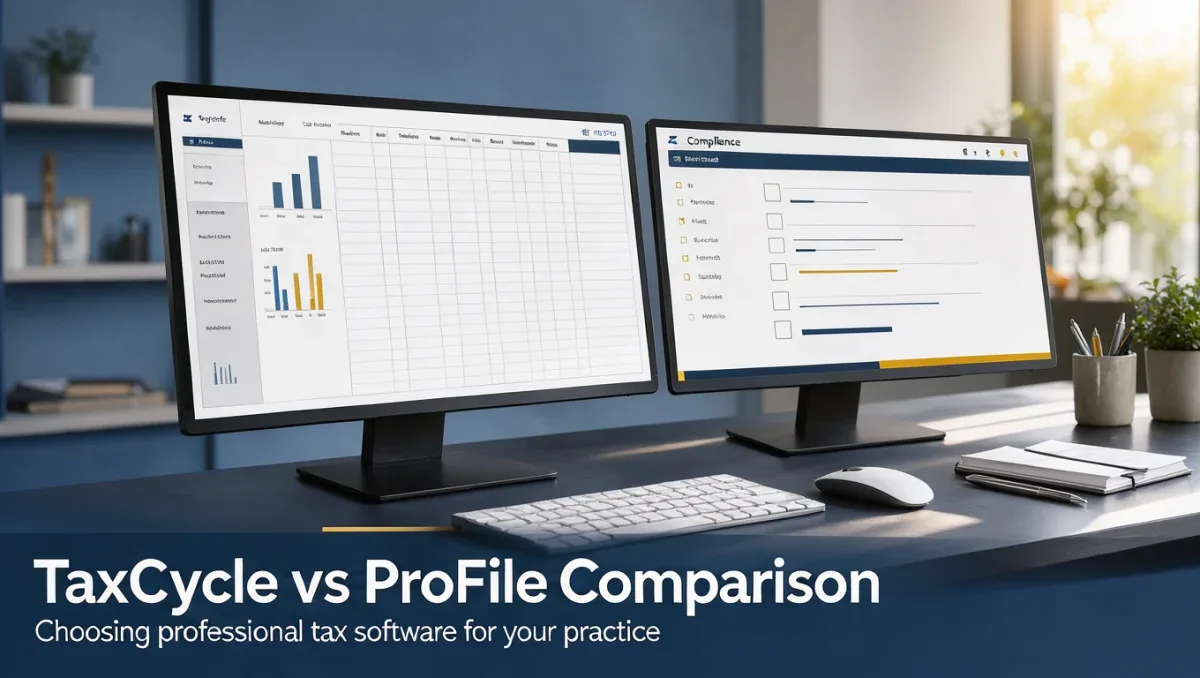
TaxCycle vs ProFile represents a primary software decision for professional tax preparers handling Canadian personal and corporate filings. Deciding between these two platforms depends on your preference for modern interface workflows or established multi-module processing systems. At Trust Reviews X, we analyze how each tool handles filing obligations so your practice selects the right operational fit for the 2026 tax season.
Both platforms serve professional accountants, bookkeepers, and tax preparation firms that manage complex client returns. While each solution covers compliance forms and electronic transmission routines, their operational approach and interface design cater to different firm requirements. Exploring this taxcycle vs profile comparison helps clarify where each tool aligns with your office workflow.
Short answer: Choose TaxCycle if your practice seeks modern workflow navigation and automated data linking across family returns, with an overall rating of 8.6/10. Choose ProFile if your office prefers traditional tax processing structures and form-centric navigation, carrying an overall score of 8.2/10.
| Evaluation Metric | TaxCycle | ProFile |
|---|---|---|
| Trustreviewsx score | 8.6/10 | 8.2/10 |
| Best for | Firms wanting modern workflow navigation and interconnected family return processing | Practices preferring traditional batch filing workflows and form-centric navigation |
| Core focus | Streamlined return preparation, visual error review, and multi-year data carrying | Structured multi-module tax compliance and standardized form entry routines |
| Consider if | Your team values rapid navigation and integrated review ribbons across returns | Your preparers are accustomed to standard form indexing and classical compliance tools |
1. How Trustreviewsx Compared TaxCycle and ProFile
This comparison looks at what TaxCycle and ProFile are built to do, who each one serves, and how to choose between them, using the seven Trustreviewsx criteria: features, ease of use, pricing and value, integrations, audience fit, support and competitive position. Plans, prices and limits change often, so we point out what to confirm on each official website before you buy. This article was researched and drafted with the help of AI tools, then reviewed and edited by the Trustreviewsx Editorial Team.
2. How TaxCycle and ProFile differ in focus

TaxCycle focuses on reducing repetitive manual entry through connected worksheets, active data monitoring, and visual tracking across related returns. The software targets tax professionals, small accounting firms, and independent practitioners who manage personal, corporate, and trust returns. Its product architecture emphasizes consolidated review bars, visual diagnostic messages, and automated carry-forward capabilities between consecutive tax years.
ProFile, developed under Intuit, emphasizes structured data entry and standardized form presentation across individual and business compliance modules. The software serves accounting practices, professional bookkeepers, and tax service bureaus that rely on direct form-line calculations and historical record archival. Its operational approach centers on traditional form indexing, batch transmission capabilities, and familiar diagnostic listings for compliance verification in modern Accounting environments.
3. Which one fits your situation
Selecting between these two tax platforms requires matching your office structure and client roster to software design strengths. The following assessment outlines operational situations commonly encountered by Canadian tax offices.
| Situation | Choose TaxCycle if | Choose ProFile if |
|---|---|---|
| Filing complex family returns | You need linked worksheets where partner and dependent data update across connected files simultaneously. | Your office prefers filing individual returns sequentially through separate active windows. |
| Transitioning new junior preparers | Your staff benefits from guided diagnostic sidebars and interactive error resolution prompts. | Your staff already understands traditional government form layouts and direct line entry codes. |
| Reviewing extensive diagnostic errors | You prefer visual warnings organized by severity level directly inside the active worksheet. | You prefer a consolidated bottom-panel auditor list displaying line-item jump codes. |
| Managing multi-entity corporate structures | You want flexible cross-return referencing and shared schedule linking across entities. | You maintain separate module files for each corporate schedule using rigid folder indexing. |
| Conducting multi-year client adjustments | You require seamless multi-year comparison views that display historical figures alongside current numbers. | You prefer opening separate archived return files individually for historical validation. |
4. How to compare them yourself
Evaluating tax preparation software requires direct operational testing using anonymized client data. Review the following core criteria during your software evaluation period.
4.1 Features
Test data entry workflows by recreating a sample personal return containing employment slips, self-employment schedules, and foreign property reporting. Evaluate how each platform carries forward prior-year information and recalculates dependent claims. Observe how review warnings appear when mandatory schedule fields remain uncompleted.
4.2 Ease of use
Measure the time required to locate non-standard provincial tax credits and supplemental forms. Notice whether the visual interface allows rapid jumping between client summary pages and detailed calculation sheets. Evaluate how easy it is for an unfamiliar preparer to navigate between form schedules without extensive training.
4.3 Pricing and value
Review the official pricing page of each provider to understand module bundling, renewal terms, and multi-user licensing conditions. Check whether personal, corporate, and trust modules must be acquired individually or within bundled suites. Confirm how many workstation installations or staff logins are permitted under each commercial agreement.
4.4 Integrations
Verify on the official vendor websites how each application interacts with external document management systems, client portals, and government electronic filing gateways. Test the export options for financial statement summaries and client invoice letters. Determine whether direct synchronization with external bookkeeping records matches your operational requirements.
4.5 Audience fit
Assess whether the software design matches your practice volume and staff technical background. A boutique firm handling high volumes of personal returns may prioritize visual data linking, whereas an established office with senior preparers may favor legacy keyboard shortcut structures. Confirm that the platform accommodates your full client demographic.
4.6 Support
Check the published support policies on the official vendor websites, noting available assistance channels, renewal coverage, and extended tax-season operational hours. Verify how software updates and legislative tax patches are distributed during critical filing deadlines. Evaluate community forums and official knowledge bases for troubleshooting resources.
4.7 Competitive position
Examine how each vendor positions its software within the professional compliance landscape. Assess whether the core development roadmap focuses on modern navigation refinements or classical form consistency. Confirm which system best aligns with your firm strategy over the next several filing cycles.
5. Cost checklist for both tools

Software acquisition expenses for tax preparation systems extend beyond the initial license purchase. Use this verification table to investigate contractual terms on the official product websites.
| Cost item | Ask about TaxCycle | Ask about ProFile |
|---|---|---|
| Module coverage | Confirm which filing modules are bundled together and which require separate individual purchases. | Confirm whether personal, corporate, and trust filing capabilities are sold as standalone modules or combined packages. |
| Multi-user access | Check how multi-preparer office networks are licensed and whether secondary seats require full price. | Check whether seat licensing requires individual local registration codes or centralized network licenses. |
| Annual renewal policies | Inquire whether early renewal pricing structures apply and when deadline windows close. | Inquire about multi-year commitment terms and seasonal renewal rate schedules. |
| Electronic transmission fees | Verify whether electronic transmission capabilities carry any supplemental per-return processing fees. | Verify whether volume caps exist on electronic filing transmissions across corporate modules. |
| Archived year access | Confirm whether prior tax years remain accessible for review without maintaining active recurring subscriptions. | Confirm policy details regarding opening legacy files after transitioning subscription tiers. |
6. How to decide
Choosing between these two professional compliance platforms should follow an organized evaluation sequence to protect office productivity.
- Catalog your firm filing volume by return category, noting exact counts for personal, corporate, estate, and partnership forms.
- Gather sample returns from previous filing years representing standard, moderate, and complex client situations.
- Download evaluation copies directly from each official vendor site and complete duplicate test returns side by side.
- Calculate your total commercial commitment by consulting each official pricing page, factoring in required staff seats and necessary compliance modules.
- Survey your preparation team regarding navigation preferences, visual readability, and diagnostic tracking before finalizing contract agreements.
7. Frequently asked questions
Which platform provides faster data entry for high-volume personal returns?
Data entry speed depends primarily on preparer familiarity with visual layouts versus classical forms. TaxCycle organizes data through linked family sheets that update related files simultaneously, reducing double handling. ProFile provides direct line-code navigation that experienced preparers who memorize tax codes can execute rapidly without lifting hands from numerical keypads.
How should a firm prepare when migrating client records between these solutions?
Migrating between compliance applications requires exporting master client files and testing carry-forward calculations on representative sample returns. Firms should confirm file conversion utilities provided on the official vendor websites before tax season begins. Maintaining access to prior-year records ensures balance sheet reconciliations and historical loss carry-forwards match regulatory filings.
Can a practice run both applications concurrently during a transition year?
Running both applications during a single filing period allows staff to compare calculation results and verify software behavior under actual production deadlines. However, running dual systems requires budgeting for separate licensing commitments and entering data twice on sample accounts. Many offices limit dual operation to a single transitional filing season.
What factors influence the total software expense across multiple preparers?
Total expenditure across tax software packages depends on multi-user seat licensing, module selections, and electronic filing permissions. Some vendors price software per workstation, while others utilize floating office licenses. Review the official plan comparison pages to calculate exact seat costs and annual renewal requirements before committing your budget.
8. Final verdict
Choosing between TaxCycle and ProFile requires balancing modern workflow navigation against classical form-centric stability. TaxCycle provides visual error tracking, family data synchronization, and integrated multi-year views, making it well suited for evolving practices seeking operational efficiency. ProFile delivers consistent form index navigation and multi-module compliance structures that appeal to established accounting professionals accustomed to classical data processing routines.
| Criterion | TaxCycle score /10 | ProFile score /10 | Reason |
|---|---|---|---|
| Features | 8.8 | 8.4 | TaxCycle offers dynamic cross-return linking, while ProFile provides structured traditional compliance modules. |
| Ease of Use | 8.6 | 7.8 | TaxCycle features visual error markers and guided sidebars, whereas ProFile relies on traditional form indexing. |
| Pricing and Value | Confirm before buying | Confirm before buying | Confirm module inclusions, multi-seat pricing, and renewal deadlines on each official website. |
| Integrations | Confirm before buying | Confirm before buying | Confirm compatibility with external accounting suites and client portals on each vendor page. |
| Audience Fit | 8.7 | 8.5 | Both tools serve professional Canadian tax offices, with TaxCycle fitting collaborative teams and ProFile fitting classical practices. |
| Support | Confirm before buying | Confirm before buying | Check official vendor websites for tax-season hours, response channels, and update policies. |
| Competitive Position | 8.3 | 8.1 | Each platform maintains distinct product positioning based on workflow philosophy and user interface design. |
| Overall score | 8.6 | 8.2 | TaxCycle delivers modern linked workflows, while ProFile maintains reliable form-driven compliance structures. |
Have a question about choosing software? Send it to the Trustreviewsx team through our contact page or follow Trustreviewsx on LinkedIn for new reviews and comparisons.