Trustreviewsx may earn a commission when you buy through links on this page, at no extra cost to you. This does not affect our ratings.
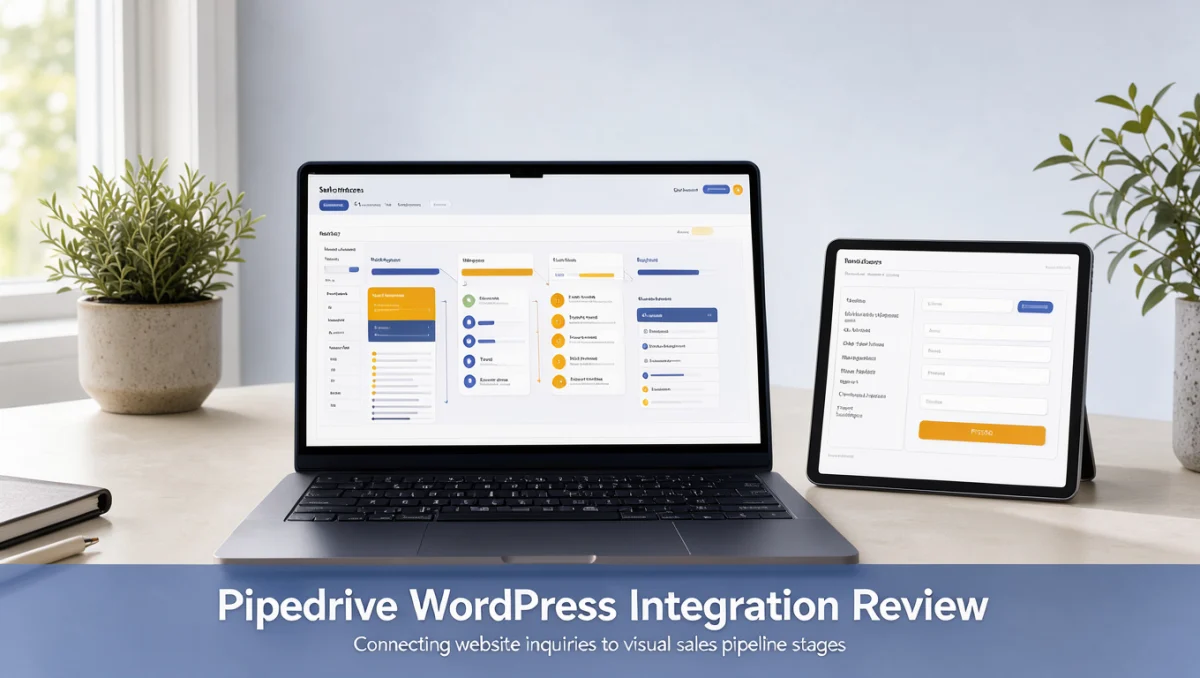
If you are new to pipeline-based CRM software, this Pipedrive tutorial for beginners explains how the platform tracks prospects from first contact through to a closed deal. Our reviewers focus on practical pipeline setup rather than technical jargon, so you can organize deals quickly and confidently.
A clear sales pipeline shows your team where revenue stands, who owns each step, and which follow-ups are due. The right setup matches the software's mechanics to how your sales team already works before any live records are entered.
Quick verdict: Pipedrive earns an overall score of 7.7 / 10 for its visual pipeline and focused deal tracking. It suits small sales teams and independent consultants who want clear deal visualization, but it is less suited to organizations that need built-in inventory management or complex cross-department routing.
| Metric | Summary |
|---|---|
| Trustreviewsx score | 7.7 / 10 |
| Best for | Sales teams wanting visual pipeline tracking and focused deal activity management |
| Not ideal for | Organizations wanting built-in warehouse inventory control or deep multi-department service desk suites |
| Key strengths | Visual stage-based pipeline view, contact organization, activity scheduling, and core sales tracking |
| What to check before buying | Review the official pricing page to verify user seat rules, add-on costs, and tier limits for active deals |
1. How Trustreviewsx Reviewed Pipedrive
This review examines what Pipedrive is built to do, who it serves, and how it compares with similar tools. We assess it against seven Trustreviewsx criteria: features, ease of use, pricing and value, integrations, audience fit, support, and competitive position. Plans, prices, and limits change often, so we flag what to confirm on the official website before buying. This article was researched and drafted with the help of AI tools, then reviewed and edited by the Trustreviewsx Editorial Team.
2. Before You Start Your Pipedrive Setup

Preparing your data before entering anything into a CRM prevents messy pipelines and duplicate records later. Getting your contact records, stage definitions, and conversion criteria in order from day one makes this beginner walkthrough far easier to follow.
2.1. Audit Existing Customer Data and Deal Sources
Find out where customer records currently live, whether in spreadsheets, email address books, or other contact lists. Standardize names, company affiliations, email addresses, and phone numbers before running any batch import. Disorganized data brought in at this stage creates administrative confusion that slows down daily outreach.
2.2. Map Your Real-World Sales Milestones
Identify the concrete milestones that move a prospect from first inquiry to completed purchase. Pipeline stages should reflect buyer momentum rather than passive states. Building stages around verifiable actions, such as a scheduled demonstration or a delivered quote, keeps reporting accurate across your entire team.
2.3. Prepare Data Migration Templates
Export existing contact lists into clean CSV files with clearly labeled column headers. Make sure each record separates individual contacts from organizations, since relationship management tools treat people and companies as distinct records. Cleaning these fields now prevents scattered communication history once deals open.
3. Getting Started Workflow: Step-by-Step Implementation

Implementing pipeline software works best as a methodical sequence of actions. Following a step-by-step framework in sales management ensures every team member understands their daily responsibilities without being overwhelmed by system settings.
3.1. Step 1: Define Organizational Pipelines and Stages
Start by setting up the main sales stages that mirror your team's natural closing path. Name each stage with past-tense actions or clear checkpoints, such as Lead Qualified, Demo Completed, Proposal Sent, and Contract Under Review. Keeping your primary pipeline to five or six stages prevents administrative clutter.
3.2. Step 2: Establish Custom Data Fields
Add specialized fields to capture details specific to your industry, such as service type, contract duration, or estimated project start date. Assign each field at the deal level or the contact level depending on whether the data changes per transaction or stays constant for the organization.
3.3. Step 3: Import Clean Contacts and Organizations
Upload your cleaned spreadsheet files using the system's data import tool. Map every spreadsheet column to the matching software field, paying close attention to email addresses, organization links, and phone fields. Test a small batch of five records first to confirm the fields line up before importing full customer lists.
3.4. Step 4: Create and Assign Initial Deals
Open individual deal cards in the appropriate pipeline stage for each active opportunity. Attach the associated person and organization to each deal, enter an estimated monetary value, and set an expected closing date. Assigning clear deal ownership keeps every pipeline entry accountable to a specific team member.
3.5. Step 5: Schedule Next-Step Activities
Attach a next action to every active deal as soon as you create it. Activity-based selling means scheduling calls, meetings, follow-up emails, or task reminders so no prospect goes stale. When a representative completes an activity, prompt them to schedule the next task right away.
4. Best Practices for Sales Pipeline Management
Keeping your pipeline healthy over time requires consistent habits from every account owner. Routine maintenance prevents pipeline bloat, where inactive prospects distort revenue forecasts and distract team members from buyers who are responsive.
4.1. Maintain Activity-Driven Follow-Ups
Every active deal in your visual pipeline should have a scheduled future activity. Deals without a next step quickly become forgotten opportunities. After a discovery call or a delivered proposal, team members should create the next checkpoint in the deal timeline before closing the record.
4.2. Perform Weekly Pipeline Cleanups
Hold a weekly pipeline review to examine stale deals that have sat in one stage for an extended time. Move unresponsive prospects to lost status with clear reason tags, such as budget constraints or competitor selection. Removing dead deals keeps your forecasts grounded in actual buyer intent.
4.3. Standardize Stage Transition Rules
Document the precise criteria that determine when a deal can move to the next pipeline column. Requiring concrete buyer actions, such as formal agreement to a presentation date or written confirmation of receipt, stops reps from advancing opportunities prematurely.
5. Common Mistakes to Avoid When Starting Out
New CRM administrators often run into predictable hurdles during early deployment. Spotting these pitfalls early protects team adoption and keeps data reliable across departments.
5.1. Overcomplicating Pipeline Columns
Creating too many stages in a single pipeline slows down daily updates and confuses team members. Aim for simplicity during onboarding. Finer distinctions can live in deal notes or custom tags instead of dedicated visual columns.
5.2. Treating the CRM as a Passive Contact Book
Using pipeline software merely as a digital address book wastes its real value. The platform exists to drive forward-looking actions and track buyer progress. Teams that skip scheduling tasks lose visibility into upcoming revenue.
5.3. Neglecting User Permission Structures
Failing to set visibility permissions can expose sensitive client data or cause unintended edits across territories. Confirm access boundaries in the official Pipedrive administrative settings so team members see relevant deals while managers keep company-wide visibility.
6. Frequently Asked Questions
How should a small team decide between a single pipeline and multiple pipelines?
Teams selling one core offering with identical milestones should rely on a single primary pipeline to keep oversight simple. Multiple pipelines make sense when an organization runs distinct sales channels, such as wholesale distribution alongside direct consulting, where stages follow completely different milestones.
What should buyers evaluate when comparing subscription tiers?
Buyers should confirm user account limits, automation allowances, and advanced reporting features on the official Pipedrive pricing page. The right tier depends on whether your team needs basic visual tracking or deeper automated task handoffs and custom administrative controls.
How does an activity-based sales approach improve closing consistency?
Activity-based selling focuses effort on actions sales reps control, such as calls, emails, and meetings, rather than outcomes they cannot force. Scheduling regular follow-ups gives leads steady attention, which prevents deals from stalling during long enterprise purchasing cycles.
What preparation is needed before moving from spreadsheets to CRM software?
Organizations should standardize formatting, remove duplicate entries, and verify that individual contacts are linked to their companies. Cleaning column names in a test spreadsheet makes field mapping straightforward during migration.
7. Final Verdict on Pipedrive for Beginners
Pipedrive offers an accessible, visually intuitive platform for businesses that want structured deal management. Independent evaluations from Trust Reviews X show that focusing on clean pipeline stages and consistent activity scheduling produces reliable sales tracking for growing commercial teams.
| Criterion | Score /10 | Reason |
|---|---|---|
| Features | 7.8 / 10 | Core pipeline tracking, contact relationships, and activity management cover essential daily sales needs. |
| Ease of Use | 8.8 / 10 | The intuitive visual board design lets new users grasp deal progression without extensive training. |
| Pricing and Value | 7.4 / 10 | Buyers should verify seat minimums and add-on module costs on the official vendor site to confirm budget fit. |
| Integrations | 7.2 / 10 | Connectivity supports widespread business productivity tools, though compatibility requirements should be checked on the official marketplace. |
| Audience Fit | 8.2 / 10 | Well matched for small-to-midsize sales teams focused on visual pipeline tracking and structured opportunity management. |
| Support | 7.0 / 10 | Buyers should check current support channels and availability terms directly on the official vendor portal. |
| Competitive Position | 7.6 / 10 | Holds a strong position against generalist CRM tools by concentrating on visual deal workflows rather than broad enterprise suites. |
Overall score: 7.7 / 10
For independent contractors and small commercial teams, Pipedrive delivers clear deal oversight without cumbersome setup. Larger enterprises that need built-in warehouse operations or extensive support desk routing should evaluate specialized multi-department platforms.
For more software selection advice or questions about this evaluation, contact our editorial team at Review Craft X or follow Trustreviewsx on LinkedIn at https://www.linkedin.com/company/trustreviewsx/.