Trustreviewsx may earn a commission when you buy through links on this page, at no extra cost to you. This does not affect our ratings.
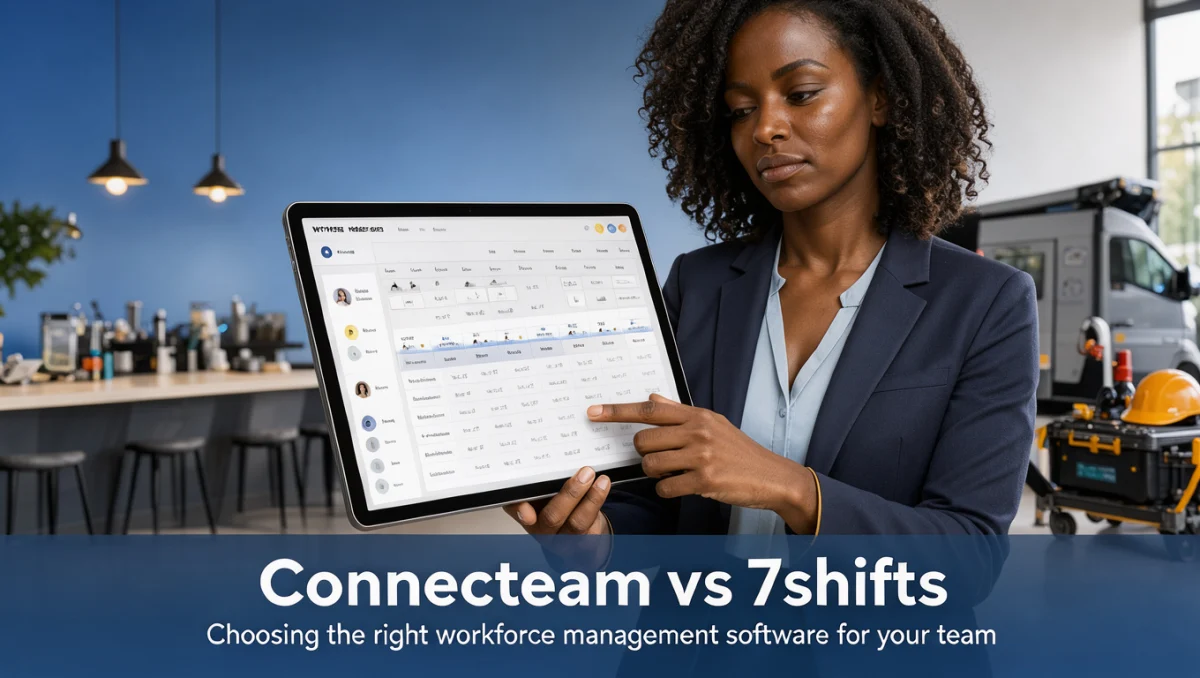
Picking between connecteam vs 7shifts often comes down to one question: do you need a flexible tool for many kinds of field teams, or a platform built around the daily rhythm of a kitchen and dining room? Both products handle shift planning, clock-ins and staff messaging without requiring anyone to sit at a desk, but they approach those tasks from very different starting points.
At Trust Reviews X, we examine operational software to help managers decide which system matches their staffing structure and scheduling pressure. Our goal is to make the trade-offs visible so you can judge fit before committing.
Quick verdict: With an overall Trustreviewsx score of 7.9/10, Connecteam serves diverse deskless teams that need multi-department checklists, while 7shifts suits restaurant managers who want hospitality-specific shift coordination. Neither is designed for office-only teams working fixed hours at a computer.
| Metric | Evaluation |
|---|---|
| Trustreviewsx score | 7.9/10 |
| Best for | Operations needing either multi-industry field coordination or dedicated restaurant shift management |
| Not ideal for | Organizations with salaried office employees who do not work variable shift schedules |
| Key strengths | Employee scheduling, mobile time tracking, staff messaging, operational task distribution |
| What to check before buying | Subscription tiers, active user thresholds, required hardware compatibility, external payroll connection options |
1. How Trustreviewsx Reviewed Connecteam vs 7shifts
We assessed both platforms against seven criteria: features, ease of use, pricing and value, integrations, audience fit, support and competitive position. Plans, prices and usage limits change frequently, so we flag what you should confirm on each vendor's official website before buying. This article was researched and drafted with AI assistance, then reviewed and edited by the Trustreviewsx Editorial Team.
2. Short Answer: Connecteam vs 7shifts
Connecteam works as a broad operations hub for any deskless business, covering scheduling, task oversight, digital forms and internal communication across retail, security, cleaning and construction. 7shifts, by contrast, concentrates its design on food service, organizing dining room and kitchen shifts around the labor demands of hospitality.
Within the wider Collaboration & Productivity category, the decision usually hinges on how broad your industry footprint is. If your business spans varied field crews or non-hospitality trades, Connecteam offers the flexibility you need. If your operation revolves around food prep, kitchen stations and dining floor coverage, 7shifts provides direct industry alignment.
3. Positioning Comparison

Choosing workforce software means comparing how each system categorizes duties and staff roles. The table below shows how both tools map to common team setups.
| Tool | Best for | Core strength | Consider if |
|---|---|---|---|
| Connecteam | Multi-industry deskless workforces | Broad operational checklists, multi-hub communication, cross-industry shift scheduling | Your organization operates across security, healthcare, field maintenance or varied commercial services |
| 7shifts | Restaurants, cafes and hospitality venues | Restaurant-centric scheduling, tip distribution tracking, dining room and kitchen station management | Your core revenue relies on food and beverage service with distinct front-of-house and back-of-house stations |
4. Detailed Criteria Comparison
4.1. Features
Workforce platforms deliver tools for shift planning, time tracking, communication and task assignment. Connecteam handles these through customizable building blocks, letting administrators build company surveys, daily inspection forms, training materials and multi-location time clocks for remote job sites.
7shifts organizes its feature set around restaurant routines. It structures schedules around service periods, station qualifications and floor positions, and addresses restaurant-specific needs such as tip tracking and shift swapping between servers and kitchen staff. Buyers should check the official feature documentation to confirm whether advanced compliance alerts or specialized checklists sit in higher tiers.
4.2. Ease of Use
Ease of use depends on how quickly hourly staff get comfortable with daily clock-ins and schedule checks. Connecteam gives administrators deep control over menus and operational forms, which can require an initial setup period to tailor fields for specific crews. For workers, clocking in and reviewing tasks stays straightforward on mobile devices.
7shifts uses terminology familiar to hospitality staff, including server roles, line cook assignments and table sections. This specialized interface can reduce onboarding friction for hospitality workers already used to restaurant shift patterns. Administrators running complex non-hospitality departments, however, will find its restaurant-first vocabulary less relevant to general tasks.
4.3. Pricing and Value
Subscription models in this category typically charge by team size, feature bundle or fixed operational hub. Tiers often separate basic scheduling from advanced compliance tracking or detailed audit logs. Prospective buyers should confirm on the official Connecteam pricing page and the official 7shifts pricing page how add-ons, user brackets and location surcharges affect total monthly cost.
Value depends on how fully you use the features. Paying for restaurant-tailored workflows yields little return in a retail or janitorial setting, while multi-purpose form builders may add unnecessary complexity if all your venue needs is clean shift coverage for dinner service.
4.4. Integrations
Connecting workforce software to payroll processors, point-of-sale terminals and accounting systems prevents duplicate data entry. Because vendors update their integration ecosystems often, managers should check official compatibility directories directly rather than rely on older summaries.
Hospitality managers should verify that their point-of-sale system exchanges attendance data directly with 7shifts. Field service and construction managers evaluating Connecteam should confirm whether their accounting and payroll systems support direct synchronization without manual export routines.
4.5. Audience Fit
Audience fit is where the two products differ most. Connecteam targets broad field industries where employees move between sites, complete safety checklists and report incidents. It works well for commercial cleaners, property managers, security firms and retail store networks.
7shifts focuses on food service operators, including independent bistros, fast-casual franchises, bars and catering companies. Its workflows address the fast-paced reality of kitchen call-outs and floor coverage changes, making it less suitable for non-hospitality trades.
4.6. Support
Support varies by vendor, tier and the quality of self-help documentation. Shift disruptions often happen during evening or weekend hours, especially in service businesses. Prospective buyers should consult each vendor's official resources to understand support hours, ticket channels and administrator training options before rolling the tool out to staff.
4.7. Competitive Position
In the broader team coordination sector, Connecteam competes with general deskless platforms such as Deputy and When I Work by offering operational forms beyond basic scheduling. 7shifts defends a specialized niche against restaurant systems such as Toast and HotSchedules by staying focused on hospitality management. Both hold clear positions within their software categories.
5. How to Decide Between Connecteam and 7shifts

Use this decision workflow, based on your team structure and industry requirements:
- Map your business sector: If your staff is made up of waitstaff, bartenders and cooks, prioritize food-service tools. If you run mobile maintenance, home healthcare or logistics teams, choose a cross-industry operational platform.
- Audit your non-scheduling tasks: Determine whether you need digital equipment inspections, incident reporting forms and employee quizzes. If custom administrative forms matter, Connecteam accommodates these workflows directly.
- Examine external system connections: Identify your current payroll provider and point-of-sale system, then verify direct data exchange on each vendor's official website.
- Account for shift swapping rules: Review how each platform handles shift trades, manager approval steps and station qualification limits.
6. Frequently Asked Questions
6.1. Which business types should choose Connecteam over a specialized tool?
Organizations outside hospitality, or those managing diverse mobile field units, benefit most from Connecteam. Companies running security patrols, construction crews, cleaning contracts or multi-site retail shops gain from its flexible operational checklists and universal mobile time tracking.
6.2. How can an operator verify payroll compatibility before buying?
Check the official integration directory on each product website, then confirm with your payroll provider whether export files or direct connections are supported for wage processing.
6.3. What should hospitality managers evaluate first?
Look at how station qualifications, tip reporting and kitchen versus dining room coverage are tracked within the scheduling interface. These elements directly affect how quickly administrators can handle shift changes.
6.4. What costs should teams expect beyond the base subscription?
Review potential add-on modules, user overage fees, setup requirements and external connector costs on each vendor's official plan breakdown before onboarding.
7. Final Verdict
Deciding between Connecteam and 7shifts comes down to whether your operation needs general deskless team capabilities or dedicated restaurant workflows. Connecteam offers multi-industry utility for distributed workforces, while 7shifts targets restaurant operations with specialized shift coordination.
| Criterion | Score /10 | Reason |
|---|---|---|
| Features | 8.5 | Both systems provide complete shift coordination, time tracking and communication tools tailored to their target sectors. |
| Ease of Use | 8.0 | Navigation is direct for workers, though administrative setup varies with how deeply forms are customized. |
| Pricing and Value | 7.5 | Value depends on whether an organization uses industry-specific or multi-purpose modules without paying for excess. |
| Integrations | 7.0 | External connectivity must be verified on official product directories to confirm payroll and hardware fit. |
| Audience Fit | 9.0 | Each tool clearly aligns with its target market, whether field operations or hospitality venues. |
| Support | 7.0 | Administrative resources and contact methods should be evaluated on official vendor portals against your required shift coverage hours. |
| Competitive Position | 8.4 | Both platforms occupy recognized niches among modern workforce scheduling and communication solutions. |
Overall score: 7.9/10
For restaurant and hospitality owners, dedicated scheduling simplifies kitchen and floor station alignment. For contractors, field service directors and retail operators, multi-industry workforce hubs provide the tracking needed across changing work locations.
Have questions about choosing workforce management software? Send your inquiry through the Review Craft X contact page or connect with our editorial team on LinkedIn.